SMART KTF 2000 – KTF/100HP Operation
3A-38 SMART KTF 2000
LINK - Transferring memory contents between SMART KTF 2000 (Master) and
SMART KTF 2000 (Slave)
SETUP
LINK
This function allows you to transfer the whole memory contents of a SMART KTF
2000 Master into another SMART KTF 2000 Slave. In this way you will have two
identical SMART KTF 2000 to be used in two departments or plants where the
same articles are processed, without having to re-program the Data Base of the
second system.
The Master and Slave terminals must be connected as shown on Technical Data
and Installation Chapter, page 2.5.
The LINK function can also be carried out with the aid of a PC requesting the
PC-LINK software from BTSR.
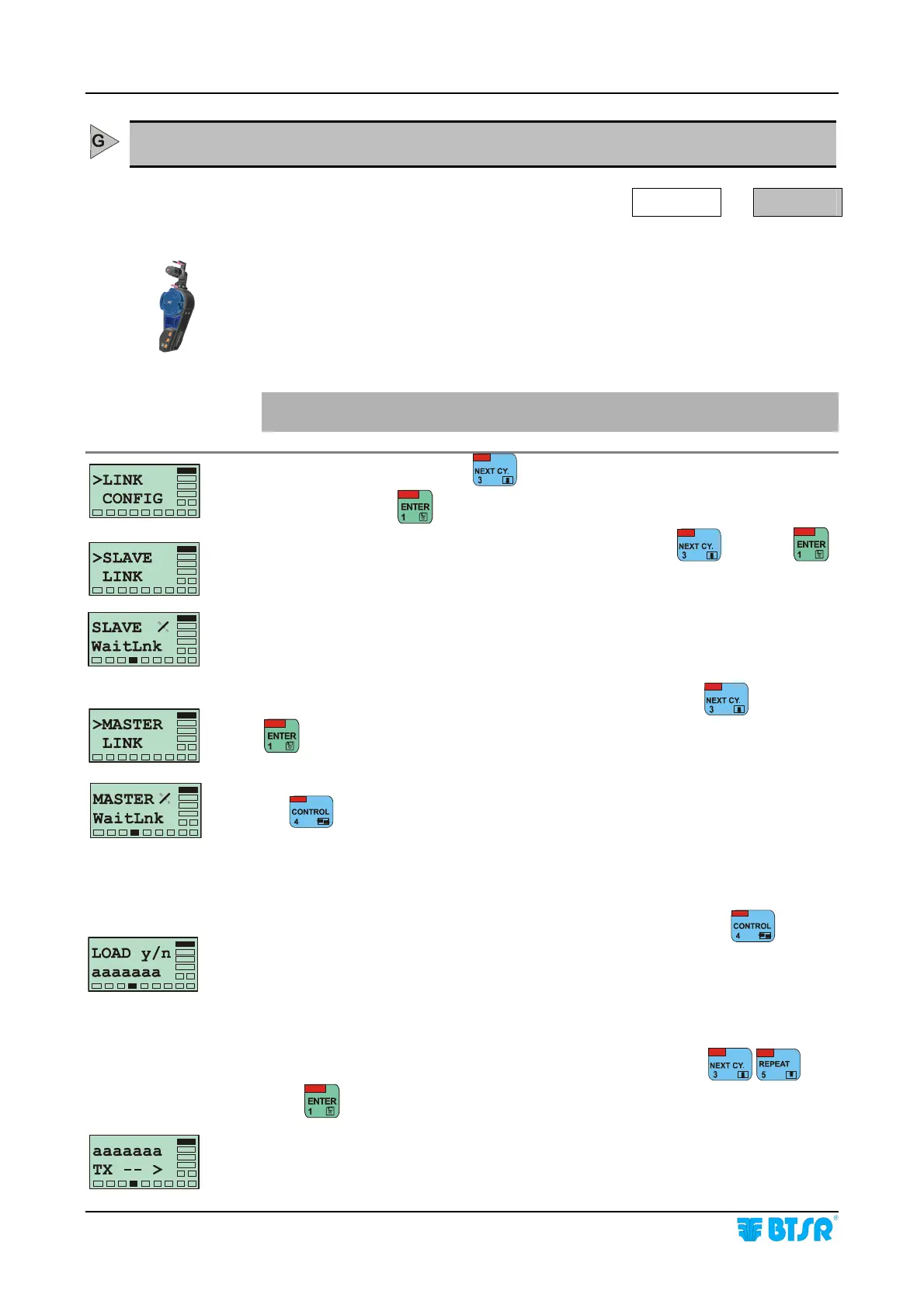
From the SETUP menu, press until the >LINK menu option is selected.
At this point, press
to access the function.
On the Slave terminal select the >SLAVE LINK item using
and press
to confirm.
The Slave terminal shows SLAVE / WaitLnk.
On the Master terminal select the >MASTER LINK item using
and press
to confirm.
The Master terminal shows MASTER / WaitLnk and turns on the red Led inside
the
button; then the Slave terminal will shows CONNECT - - > RX to
indicate the ready-to-receive conditions. The Master terminal will now briefly
show CONNECT xxxxxxx, where xxxxxxx indicates the type of Slave detected:
SMT32K, SMT384K, or PC.
Select the type of data transfer you want to perform (aaaaaaa) using
.
You may choose among 3 different data transfer types:
aaaaaaa = ALL STY (all the memory contents)
aaaaaaa = SINGLE (parameters of a single article)
aaaaaaa = LEARN (data detected with the LEARN function)
If you choose the SINGLE mode, select the desired article using
.
Press
to start the transmission.
This screen indicates that the selected data transmission from Master to Slave is in
progress.










 To Next Page