SMART KTF 2000 – KTF/RW Operation
3B-20 - SMART KTF 2000
COM TEST - KTF/100HP - SMART KTF 2000 Communication Test
SETUP
CONFIG
TEST
COM
This function allows you to check the perfect operation of the communications line
between the SMART KTF 2000 Terminal and connected KTF/RW devices.
It is advisable to run this test during the first testing phase (immediately after
installation) and each time random problems occur in the system operation, which
may be caused by inefficient communications between KTF devices and SMART
Terminal.
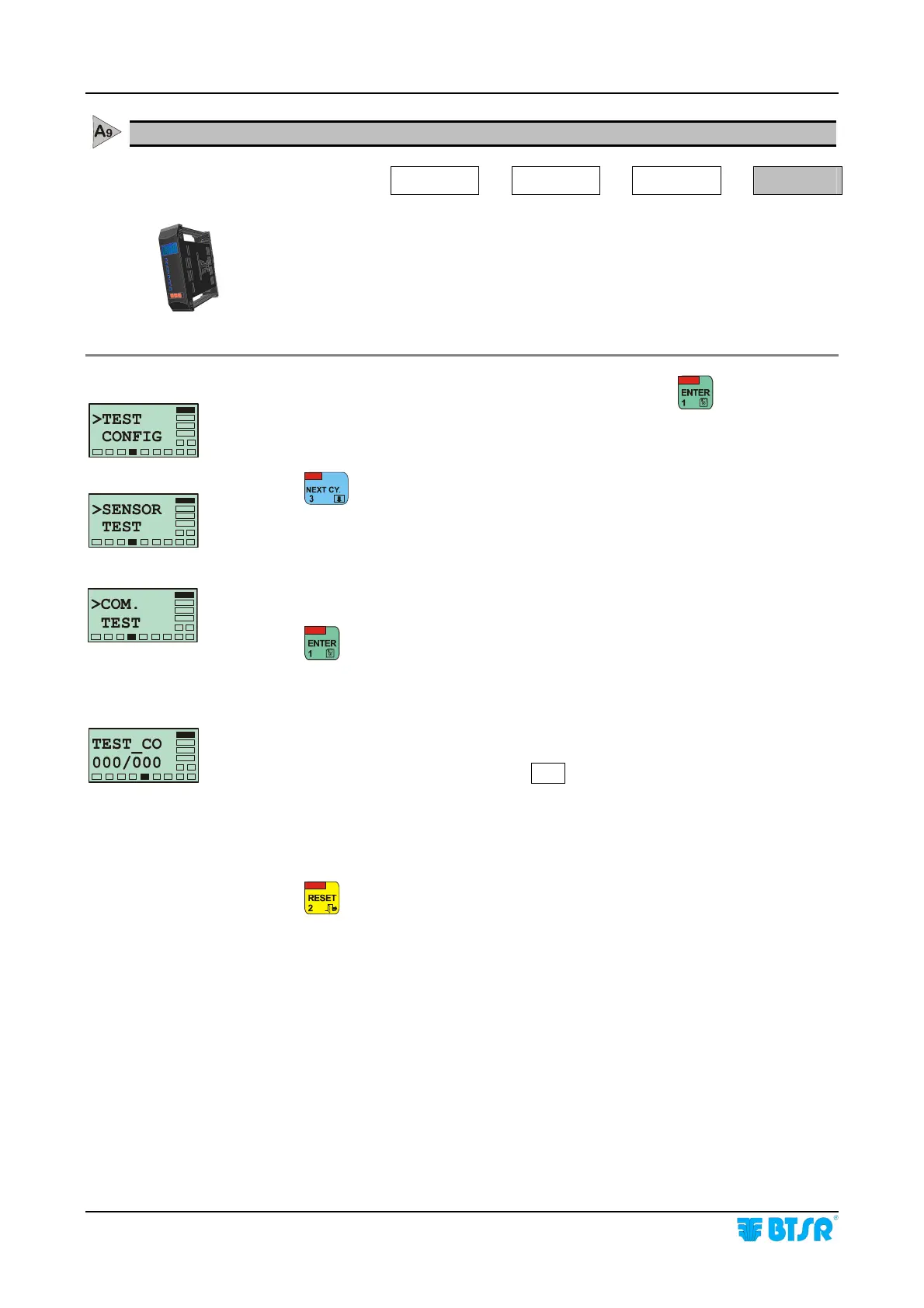
Once you have selected the > TEST CONFIG screen, press
to access the
function.
Press
to select the Communication test
This screen indicates that the Communication Test is going to start
Press
to begin the test.
From this moment on, the system communicates repeatedly with all connected
KTF devices. The running test status is signalled by the flashing red LED inside
the ENTER button and by the flashing
COM led on KTF/RW devices. If there are
no communication errors detected, the display shows the message TEST CO
000/000. If communication errors are detected, the display shows the message
TEST CO XXX/YYY, where the XXX indicates the total number of failed
attempts and YYY indicates the total number of sensors where some problems
occurred.
Press
once to leave the function, or press it several times to return to the Main
Menu.










 To Next Page