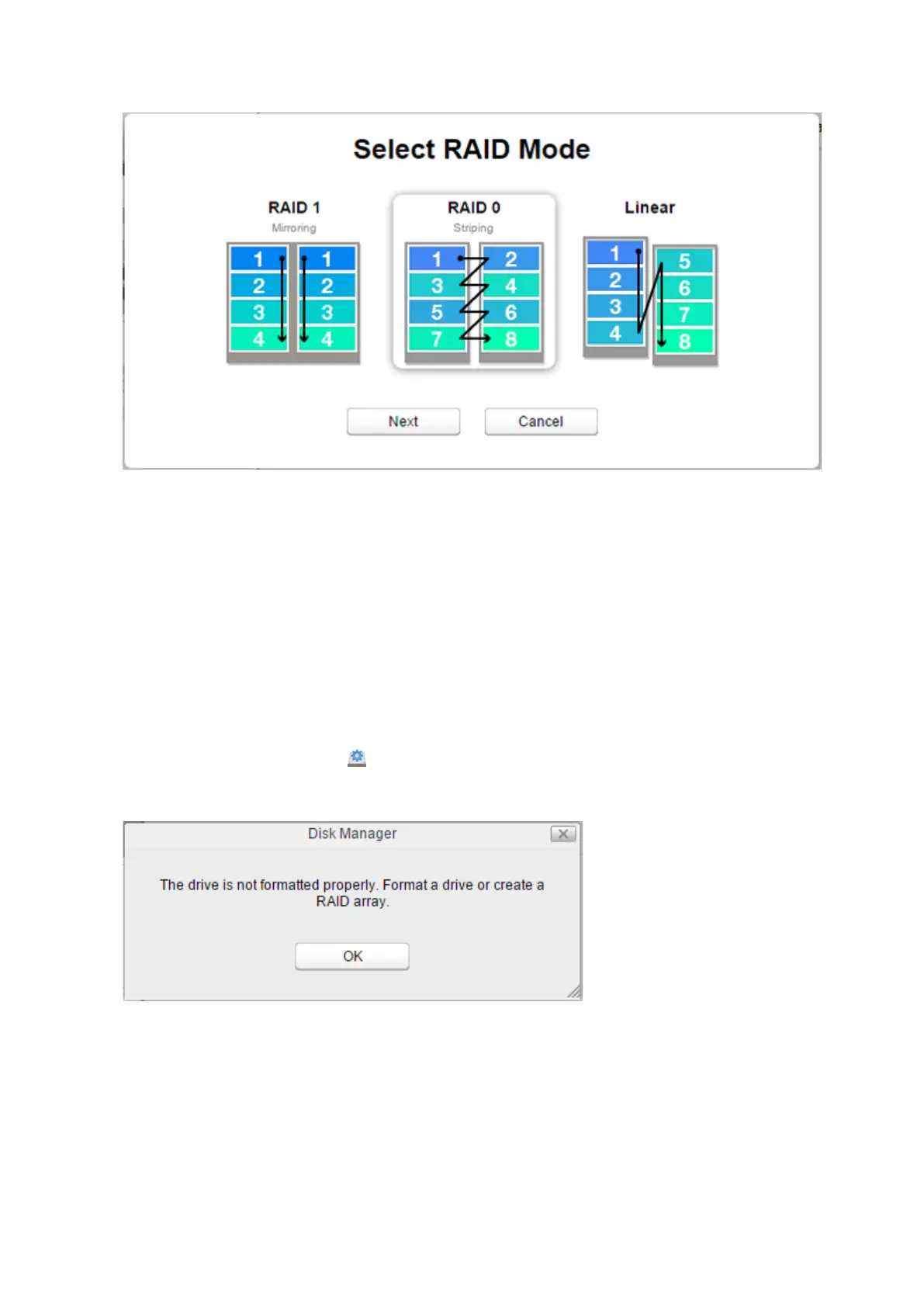
5 Select a RAID mode and click Next.
6 Click Yes.
7 RAID array creation will start. Wait until it’s done. When it’s finished, click OK, then Close.
Once the RAID array is configured, create shared folders on the array to use them. Refer to the “Folder Setup” section
in chapter 7 for the procedure.
Using JBOD
If the drive that was initially formatted fails, the LinkStation will not be accessible unless the drive is replaced.
1 Follow the drive replacement procedure described above and replace the failed drive with a new drive.
2 From Settings, click Disk Manager ( ).
3 The error message below will be displayed due to a new drive being inserted. Click OK.
51















 To Next Page