37
Operation
Type ME43
9.4 Operation of Type ME43 using the “Bürkert
Communicator” software
ThedevicecanbeconguredonthePCusingthe“BürkertCommunicator”software.
ThePCsoftware“BürkertCommunicator”canbedownloadedfreeofchargefromtheBürkert
website.
Inadditiontothesoftware,theUSBbüSinterfaceset1,availableasanaccessory,isrequired.
This chapter only describes the fundamental handling of Bürkert Communicator. A detailed description of the
operationandcongurationofthePCsoftware“BürkertCommunicator”canbefoundonthewebsitewww.
burkert.com → Type 8920.
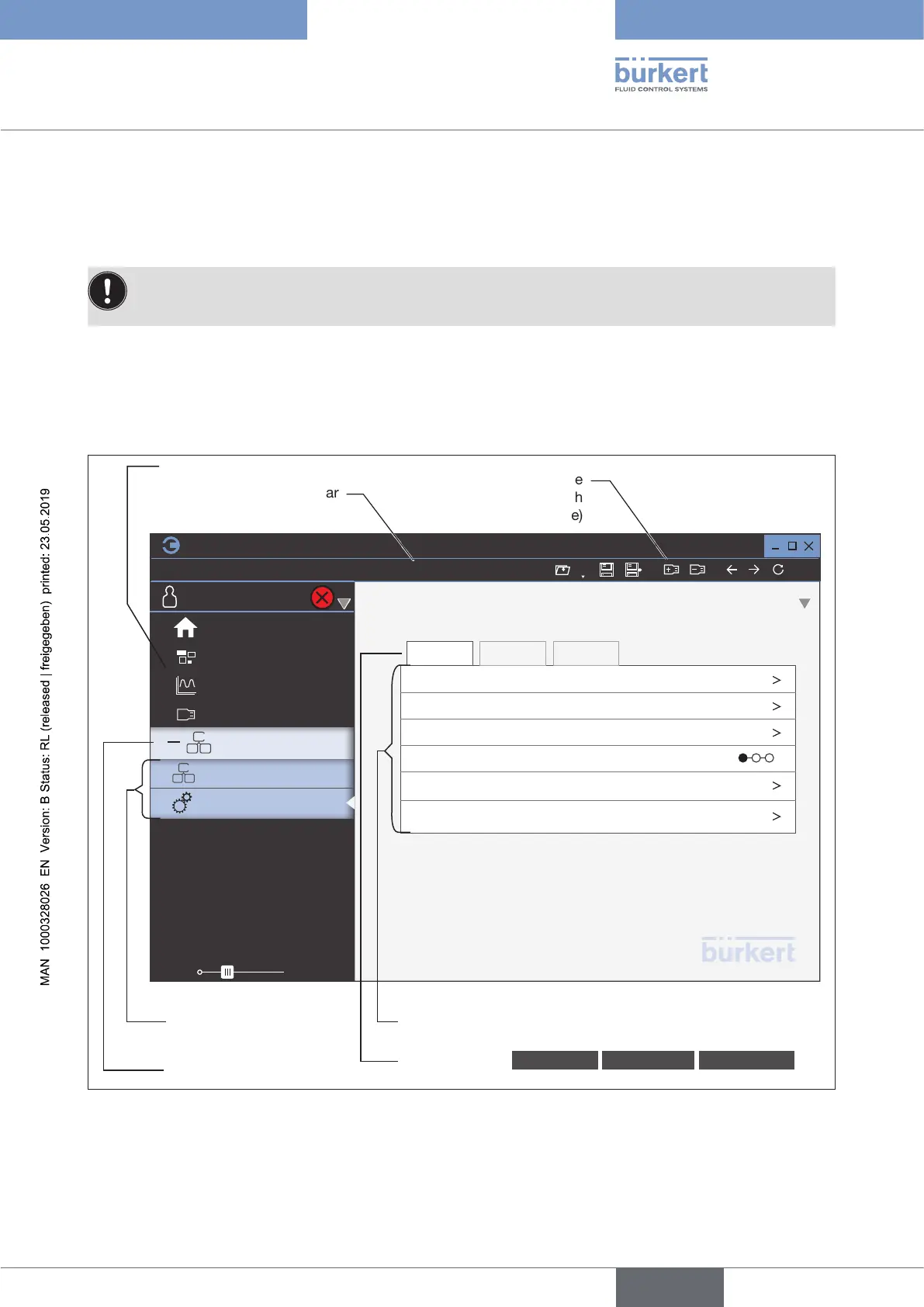
9.4.1 Bürkert Communicator user interface
100%
Menu bar
Add interface
(Connect with
USB-büS-Interface)
Congurationareasofthe
device
Menus
Detailed views Parameter Diagnostics Maintenance
Navigation area
Device
Desktop
Graph
büS on COM3
Zoom
Industrial communication
General settings
File
Edit
View Options
COMMUNICATOR
Tools
HelpDevice
Gateway ME43
General settings
Parameter Diagnostics Maintenance
büS
Alarm limits
Diagnostics
PDO
Conguration
Conguration
provider
Display
1 1
Start page
Figure 18: Bürkert Communicator user interface
english



 To Next Page