45
Setting up the büS network
Type ME43
10.3 Conguration of the büS network
→ EstablishtheconnectionwiththeBürkertCommunicatorPCsoftware.
Seechapter“9.4.2 Establishing a connection between the device and Bürkert Communicator”
ProcedureinBürkertCommunicator:
→ Select
-
büS
in the navigation area.
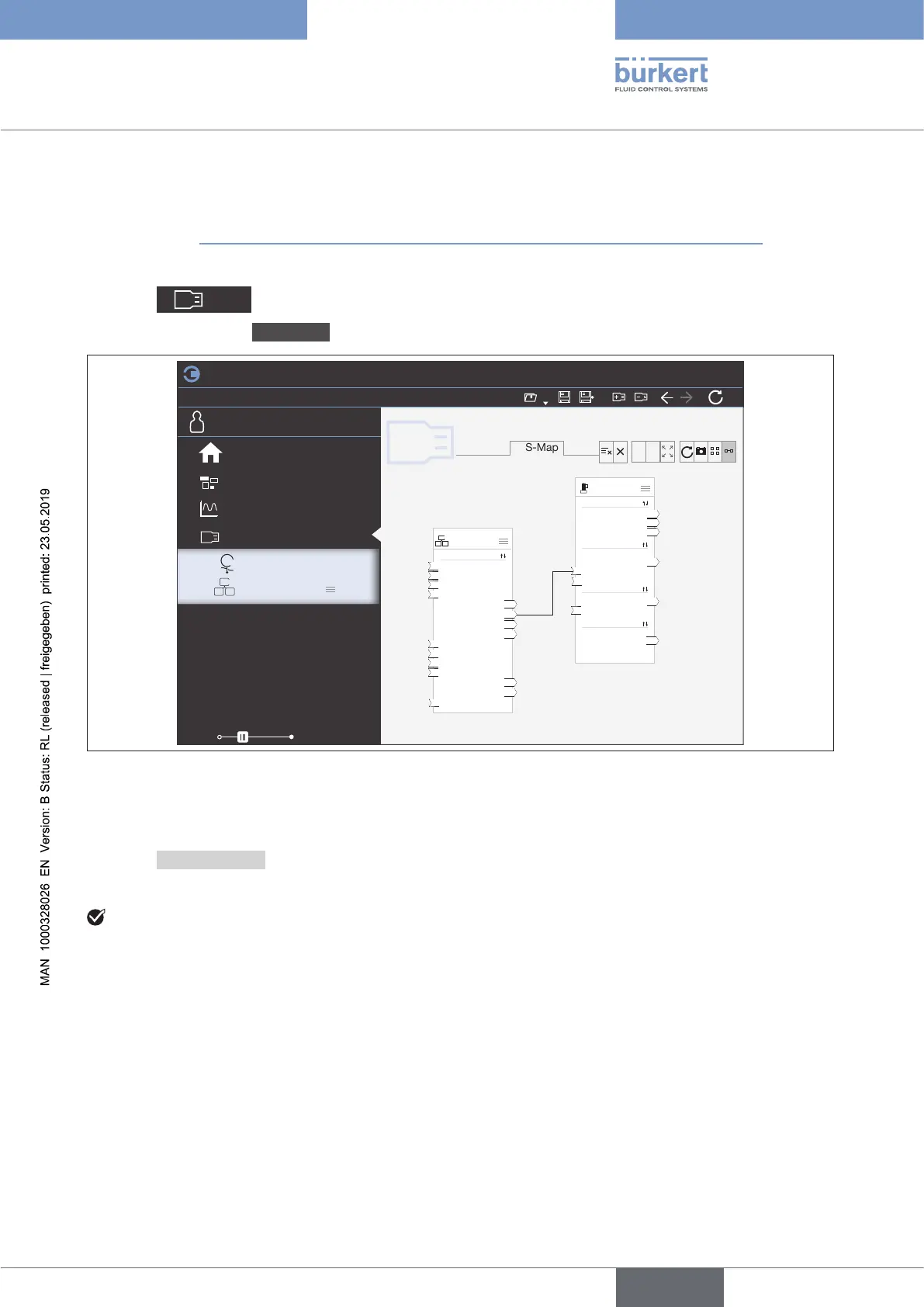
→ Select detailed view büS-Map.
File
Edit
View Options
Tools
100%
HelpCommunication
COMMUNICATOR
büS
büS-Map
Overview
Gateway_01
Other
Actual Flow PR...
Actual Flow 02 01
Actual Flow PR...
Actual Flow 02 02
Setpoint PRO 01
Setpoint 02 01
Setpoint PRO 02
Setpoint 02 02
Flow_Gesamt
ActFlowGas 1
ActFlowGas 2
Anteil_Propan
SetpointGas 1
SetpointGas 2
NamurStatus
MFC_02
Sensor
Actual Flow
Medium Temp.
Current Totalizer
Current Setpoint
Setpoint
Manual Setpoint
Current Dutycycle
Dutycycle
NamurStatus
Controller
Actuator
Other
+ -
Desktop
Graph
büS
Gateway ME43
FLOWave
–
+
+
Start page
Figure 25: büS-Map
→ Using drag and drop, parameterize the inputs and outputs.
(Dashed line connections represent as yet inactive connections between devices.
Compatible connection points are highlighted in blue.)
→ Select Applychanges.
Allcongureddevicesarerestarted.
YouhaveconguredthebüSnetwork.
english



 To Next Page