41
Operation
Type ME43
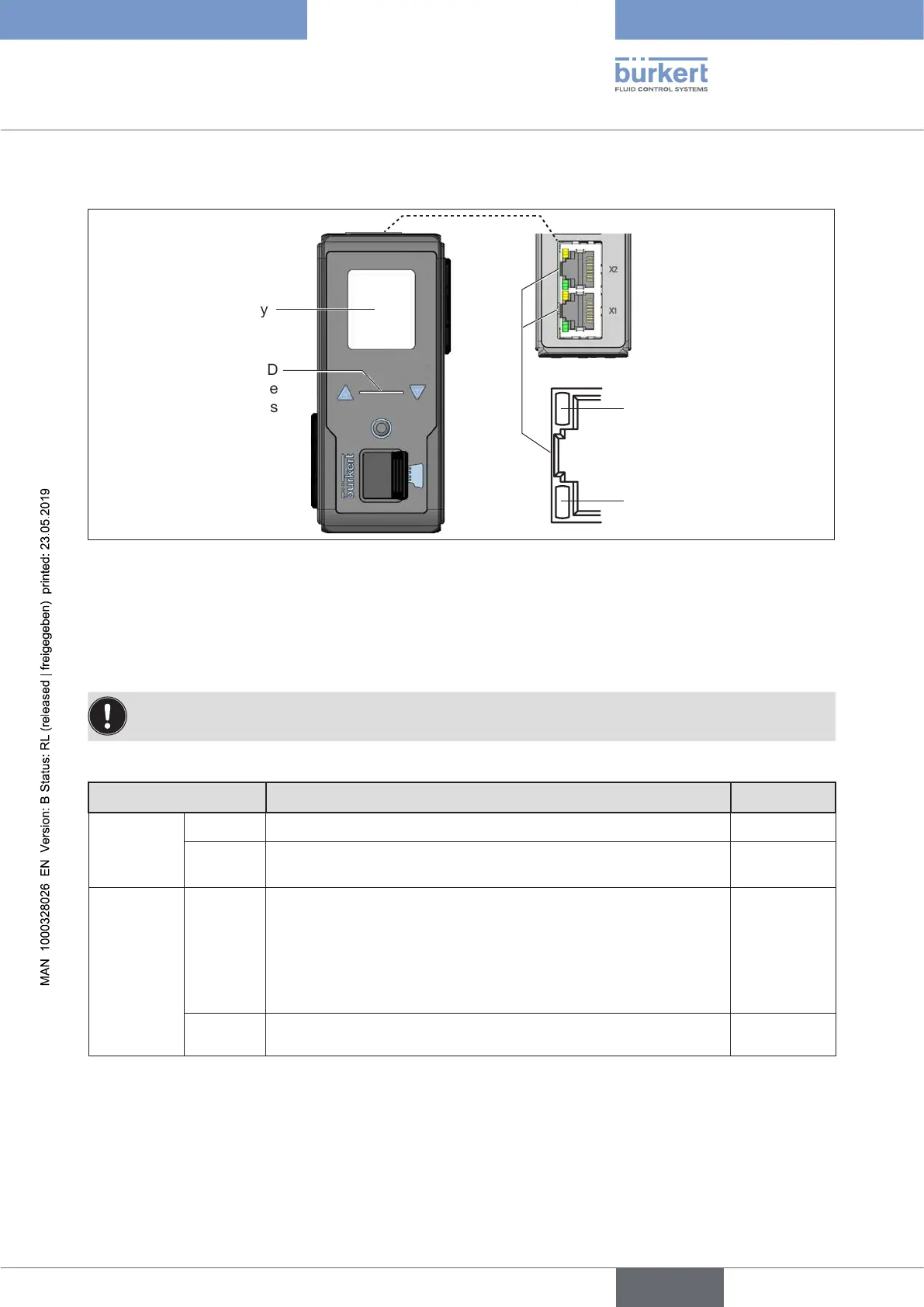
9.6 Display elements of the Type ME43
Display
Status LED
for indicating device
status
LEDs
for network connection
to the Industrial Ethernet
(not present with
PROFIBUS version and
CC-Link version)
RJ45
LinkLED
(yellow)
Link/ActLED
(green)
Figure 20: Overview of the display elements
9.7 LEDs for indicating the network connection to the
Industrial Ethernet
The PROFIBUS version and CC-Link version has no status indicator for the network connection.
The network connection is established via a D-Sub, 9-pin plug-in connector.
Description:
LEDstatus Descriptionandcauseoferror Procedure
LinkLED
(yellow)
Active Connection to the network established. -
Not
active
No connection to the network available. Check
cables.
Link/Act
LED
(green)
Active Rapidashing:Connectiontothehigher-levelprotocollayer
(PROFINET, EtherNet/IP or Modbus TCP) has been established.
Data being transmitted.
Slowashing,around20secondsafterrestart.
No connection established to protocol layer.
Not
active
No connection to the network available. Check
cables.
Table 7: Description: LEDs for network connection
english



 To Next Page