46
Setting up the büS network
Type ME43
10.4 Download gateway conguration le for device
conguration
If,forinstance,acongurationleexistsfromapreviousproject,thedevicecanbedirectlyconguredwithit.
→ EstablishtheconnectionwiththeBürkertCommunicatorPCsoftware.
Seechapter“9.4.2 Establishing a connection between the device and Bürkert Communicator”
ProcedureinBürkertCommunicator:
→ Select GatewayME43 in the navigation area.
Toopenthecongurationareas,clickon+.
→ Select Industrialcommunication.
→ Select Gatewayconguration.
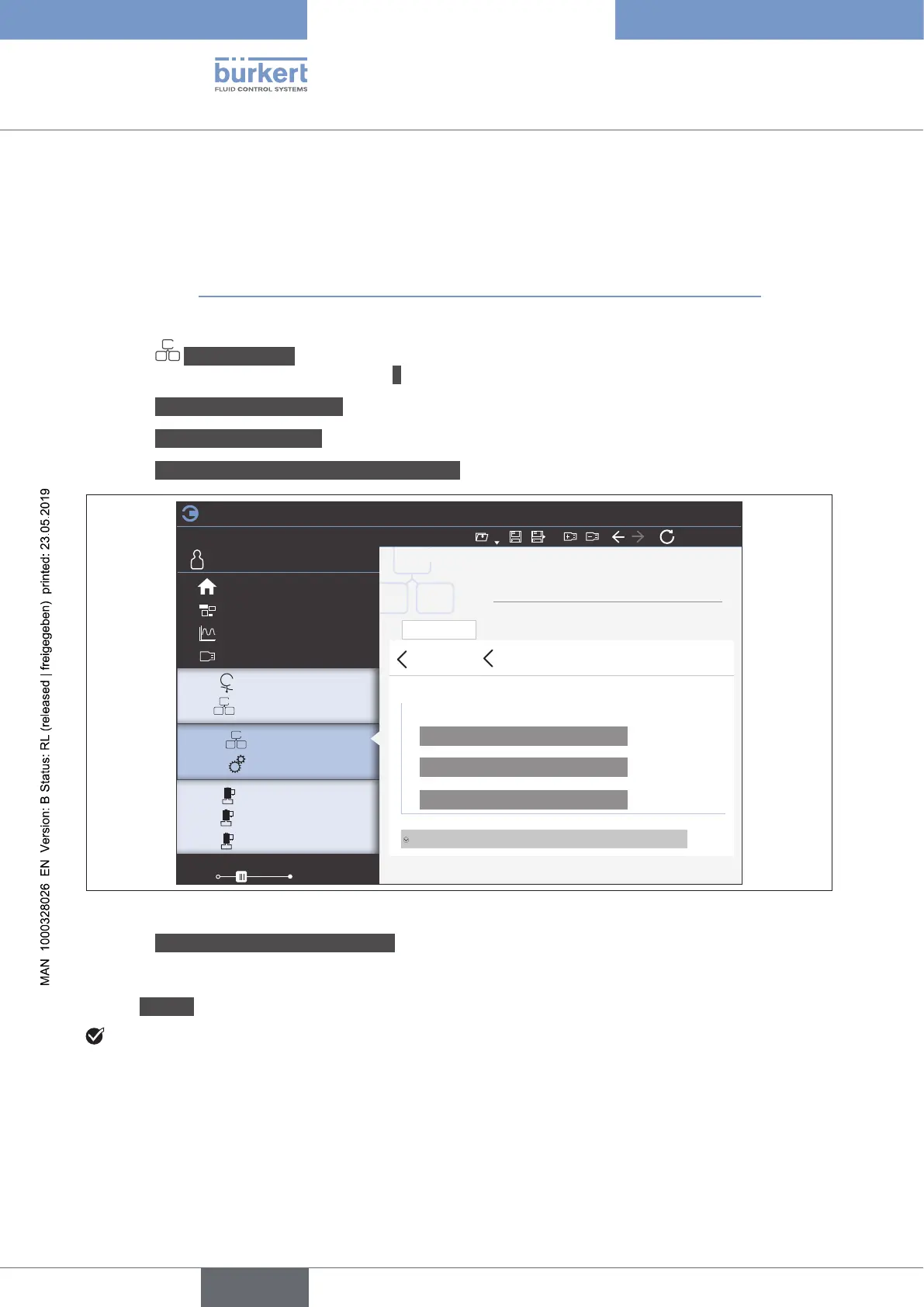
→ Select Downloadingagatewaycongurationle.
File
Edit
View Options
Tools
100%
HelpDevice
Industrial communication
Gateway_01
COMMUNICATOR
Parameter Diagnostics Maintenance
Parameter
Downloadingagatewaycongurationle
Gatewayconguration
General gateway settings
Loadcongurationtodevice
Loadgatewaycongurationfromdevice
Restart
Advanced view
Desktop
Graph
büS
Gateway ME43
FLOWave
Industrial Communication
General settings
MFC_02
MFC_01
-
+
+
+
+
-
ProcessValve_01
Start page
Figure 26: Downloading a gateway conguration le
→ Select Loadcongurationtothedevice.
→ Specifythenameandlocationofthele.
→ Use Restart to perform a device restart.
Youhaveconguredthedevicewiththegatewaycongurationle.ndus
english



 To Next Page