58
Maintenance
Type ME43
5. RemovetheMicroSDcard
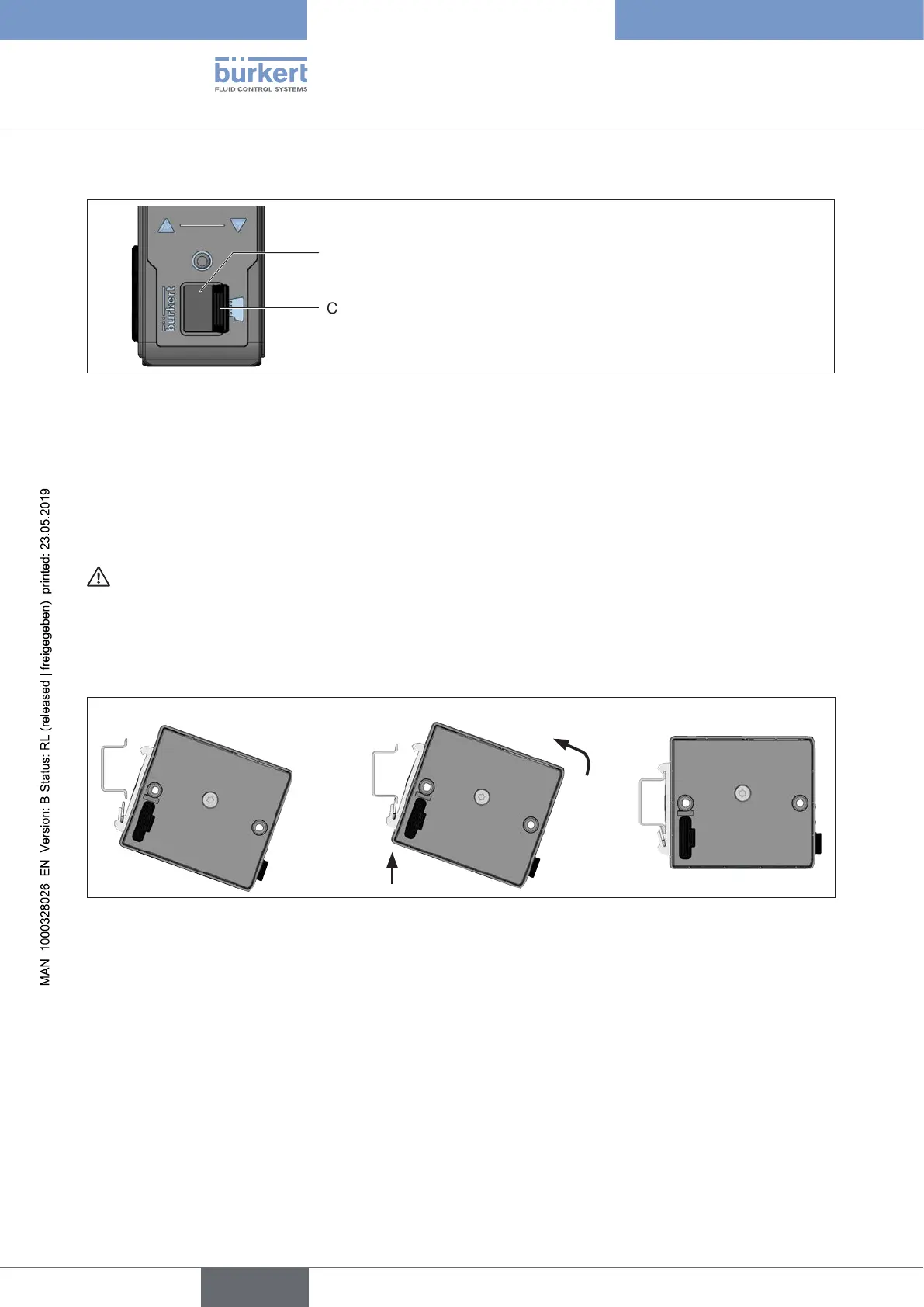
Cover
Card holder for Micro SD card
Figure 32: Replacing the Micro SD card; eldbus gateway ME43
→ Carefully pull the cover out of the recess.
→ Rotate the cover upwards to the left.
→ Press on the edge of the engaged Micro SD card to unlock it.
→ Remove the Micro SD card.
6.InsertMicroSDcardinreplacementdevice:
Insert the memory card the right way around.
→ Insert the Micro SD card into the card holder. Ensure that the Micro SD card clicks into place.
→ Close the card holder using the cover.
7.Attachthereplacementdevicetothestandardrail
Figure 33: Attach the device to the standard rail
→ Tip device to the right and align with standard rail.
→ Mount device in the lower guide of the standard rail.
→ Push device upwards while also swiveling it to the left; lock it into the upper guide of the standard rail.
8.Connectthereplacementdeviceelectrically
→ Attach the 5-pin spring-type terminal to the device.
→ Insert the Ethernet cables in the sockets X1 and X2 (for plug-in connector RJ45).
ForthePROFIBUSversionandCC-Linkversion: Insert plug-in connector D-Sub, 9-pin.
→ Apply supply voltage.
english



 To Next Page