3.9. Firmware upgrade
The V2718, its A2719 mezzanine board and the A2818 PCI board can store two firmware
versions each, called STD and BKP respectively; at Power On, a microcontroller reads
the Flash Memory and programs the modules with the firmware version selected via the
relevant jumper (see Fig. 38), which can be placed either on the STD position, or in the
BKP position.
A3818 controller, as introduced in § 3.5.2, can store 4 firmware versions manually
selectable through the two on-board dedicated switches.
The latest update of the V2718 firmware file is free downloadable from CAEN website in
the V2718 web page (Login required).
It is a zipped package including the two firmware files which standardly are:
V1718VUB_RevX.Y.rbf for the V2718
A2719CI_RevX.Y.rbf for the A2719
Firmware upgrade files for A2818 and A3818 controllers are available for free download
from CAEN website at the relevant Cotroller web page.
For upgrading the firmware by writing the Flash, CAEN provides the CAENupgrader
software tool, which also can read the release of the currently running copy of the
firmware via optical link.
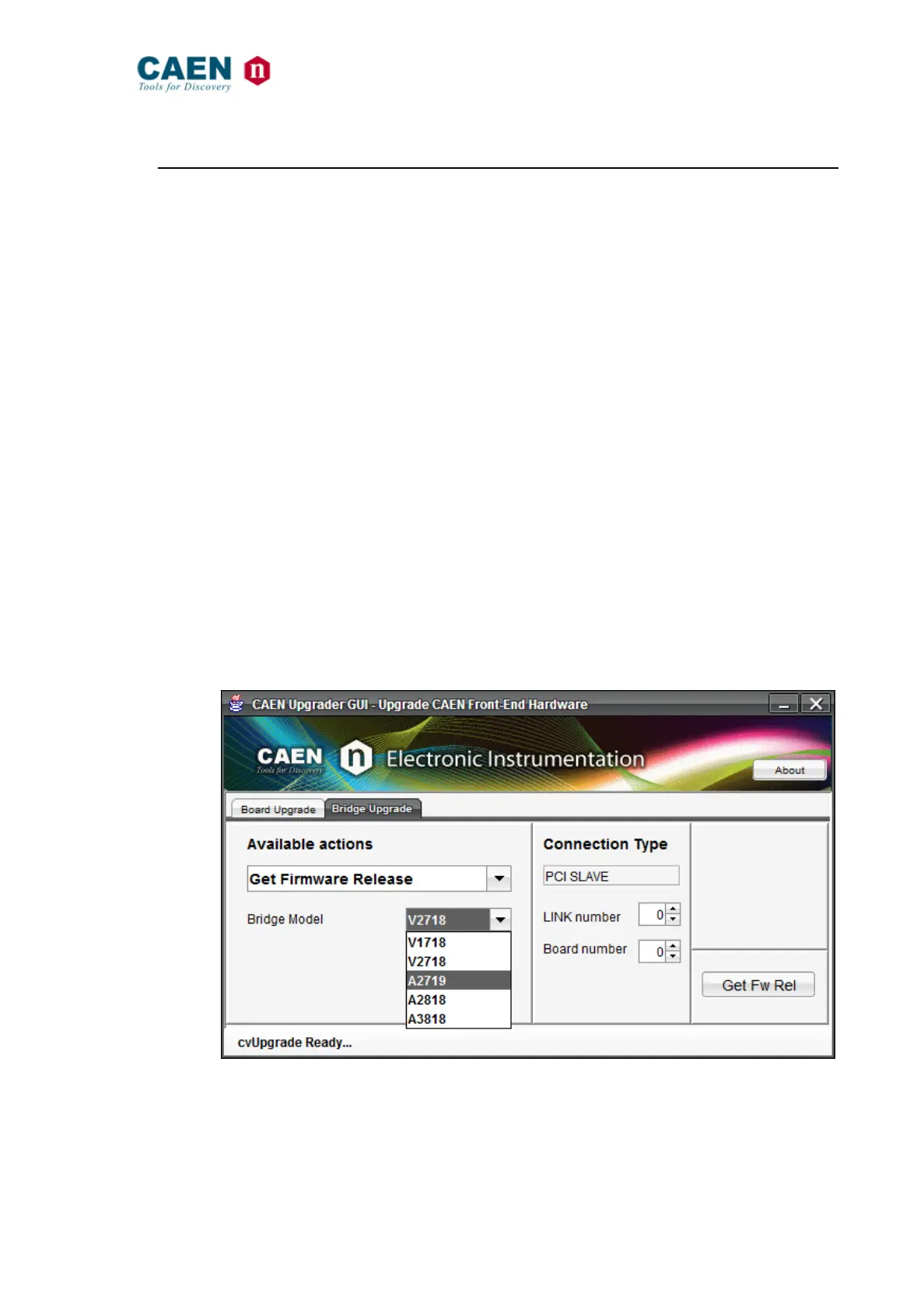
To read the firmware of the boards, the user must select in the “Bridge Upgrade” tab the
“Get FW Release” option, set the “Bridge Model” and configure the connection
parameters.
Fig. 41: CAENUpgrader’s “Get FW Release” view



 To Next Page