4.1.4. Software User Interface: I/O Setting Menu – VME Settings
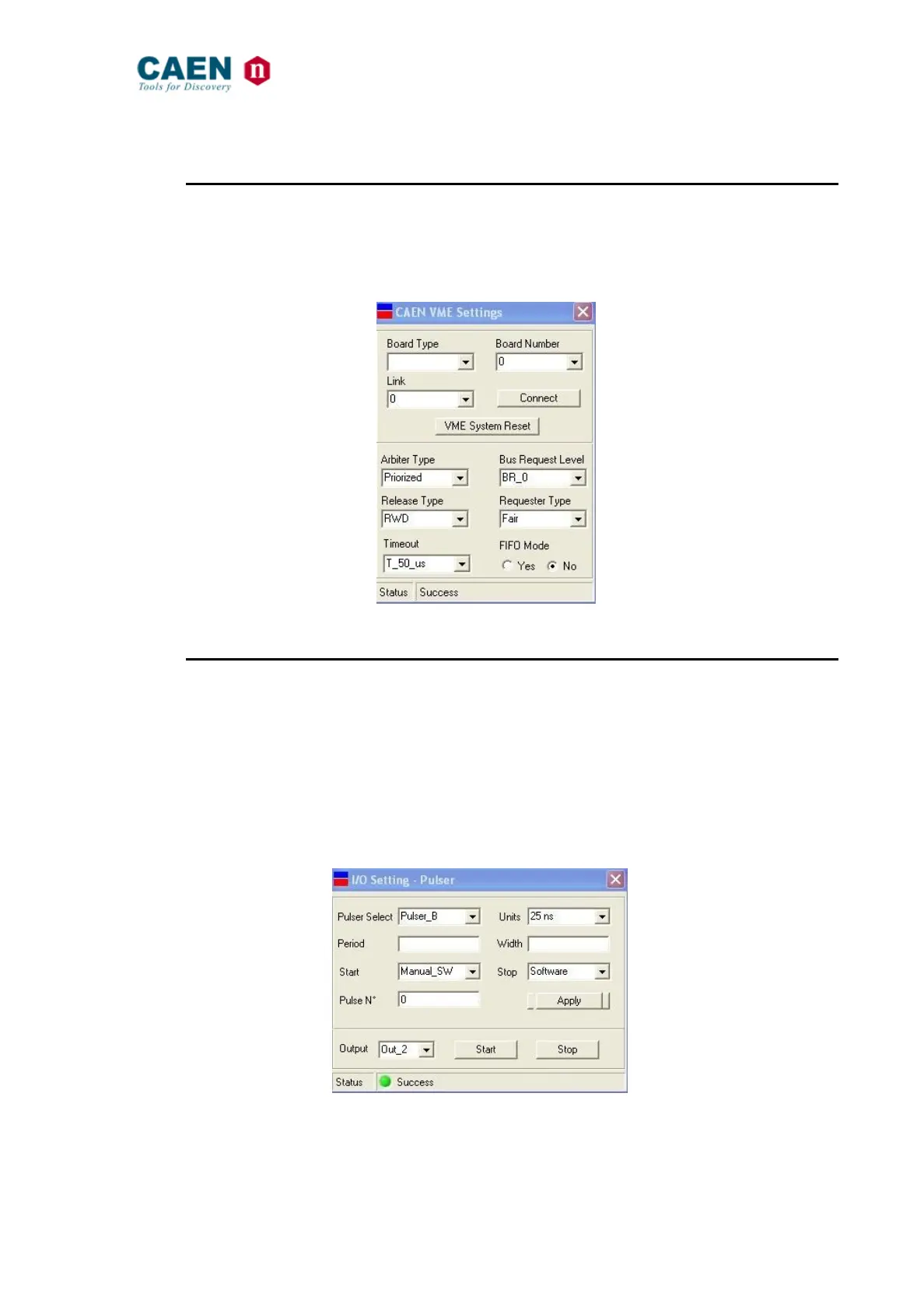
The VME Settings Menu allows to perform the VME general settings of the V2718; the
VME Settings are explained in detail in § 2. Board type must be set to V2718, Link is the
PCI slot of the used A2818 (0 to 4) and Board number is the V2718 position in the daisy
chain.
Fig. 47: The I/O Setting Menu – VME Settings
4.1.5. Software User Interface: I/O Setting Menu – Pulser
The Pulser Setting Menu allows to perform the settings of the V2718 built in pulsers (see
§ 3.7). The V2718 features two internal pulsers (Pulser A and Pulser B); the output
pulses are provided in the following way: Out_0 or Out_1 for Pulser A, Out_2 or Out_3 for
Pulser B. The programmable parameters are the step units, the period, width and
number of produced pulses. Start can be sent via software, via the SYSRES button
(short pressure) or via the Input_0/Input_1 signals. Stop can be sent either via software
or via the Input_0 (Pulser A) and Input_1 (Pulser B). The pulsers can be reset via the
front panel SYSRES button (long pressure). Refer also to § 2.13.11.
Fig. 48: The I/O Setting Menu – Pulser



 To Next Page