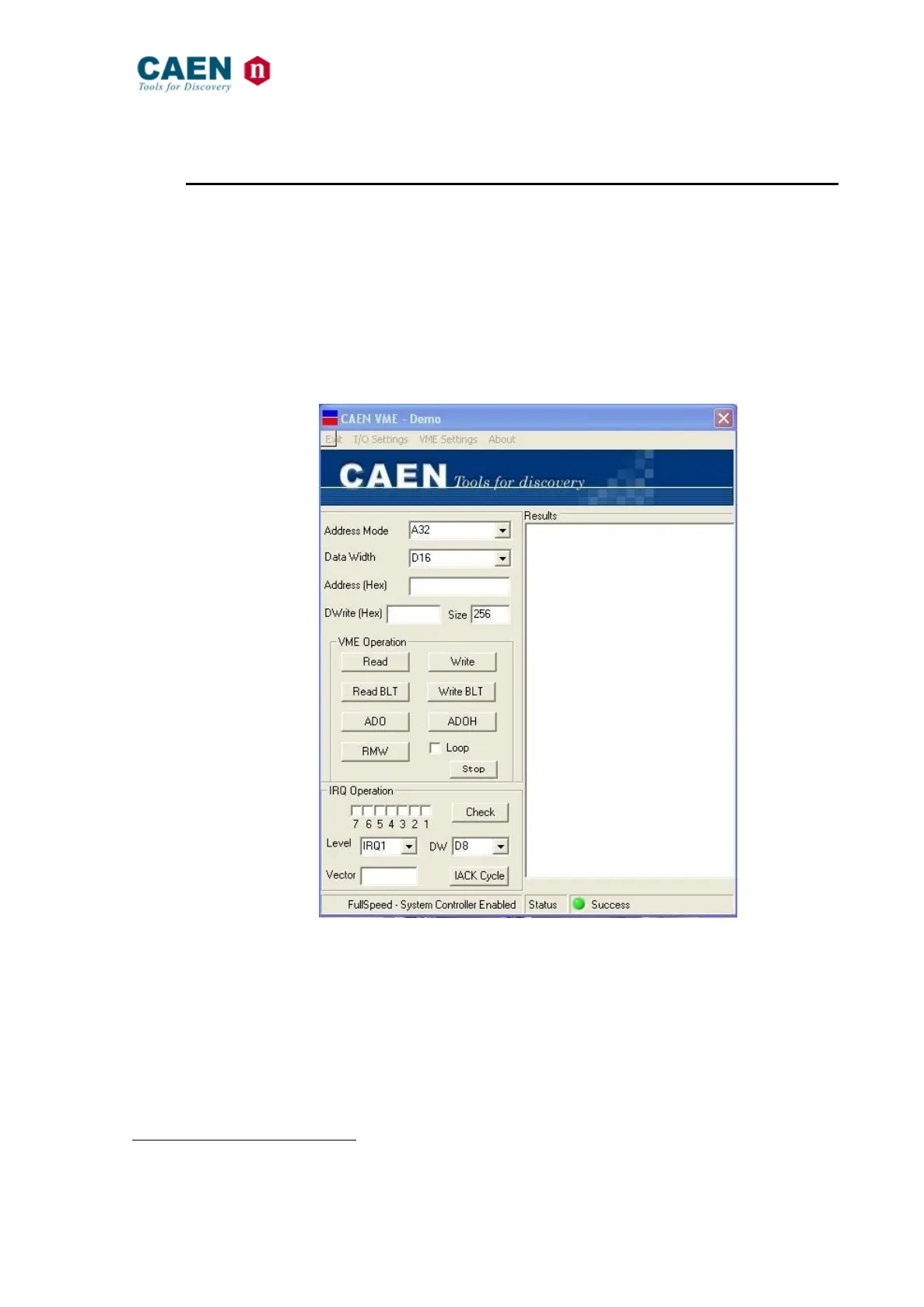
The Main Menu allows to perform and monitor the supported Data and IRQ cycles.
Data cycles:
Once the address mode and the data width are selected, the User has to write the
address where the cycle must be performed and the eventual datum to be written; then
the VME Operation buttons allows to select the desired cycle. The operation results are
shown in the relevant field.
The status bar at the window’s bottom allows to detect eventual errors on the bus.
IRQ cycles:
Seven boxes allow to detect an input request on the bus, by clicking on the “Check”
button; the remaining fields allow to broadcast an interrupt acknowledge CYCLE.
Fig. 46: The Main Menu



 To Next Page