● Pr
ess and hold the Back key. On the <Output Report> screen, print the consumables status report to
nd out the cartridge name.
Printing Reports and Lists(P. 254)
Procedure for Replacing the Drum Cartridge
When you replace the drum cartridge, simple instructions on the replacement procedure are displayed on the screen.
See the on-screen instructions as well as the following procedure.
1
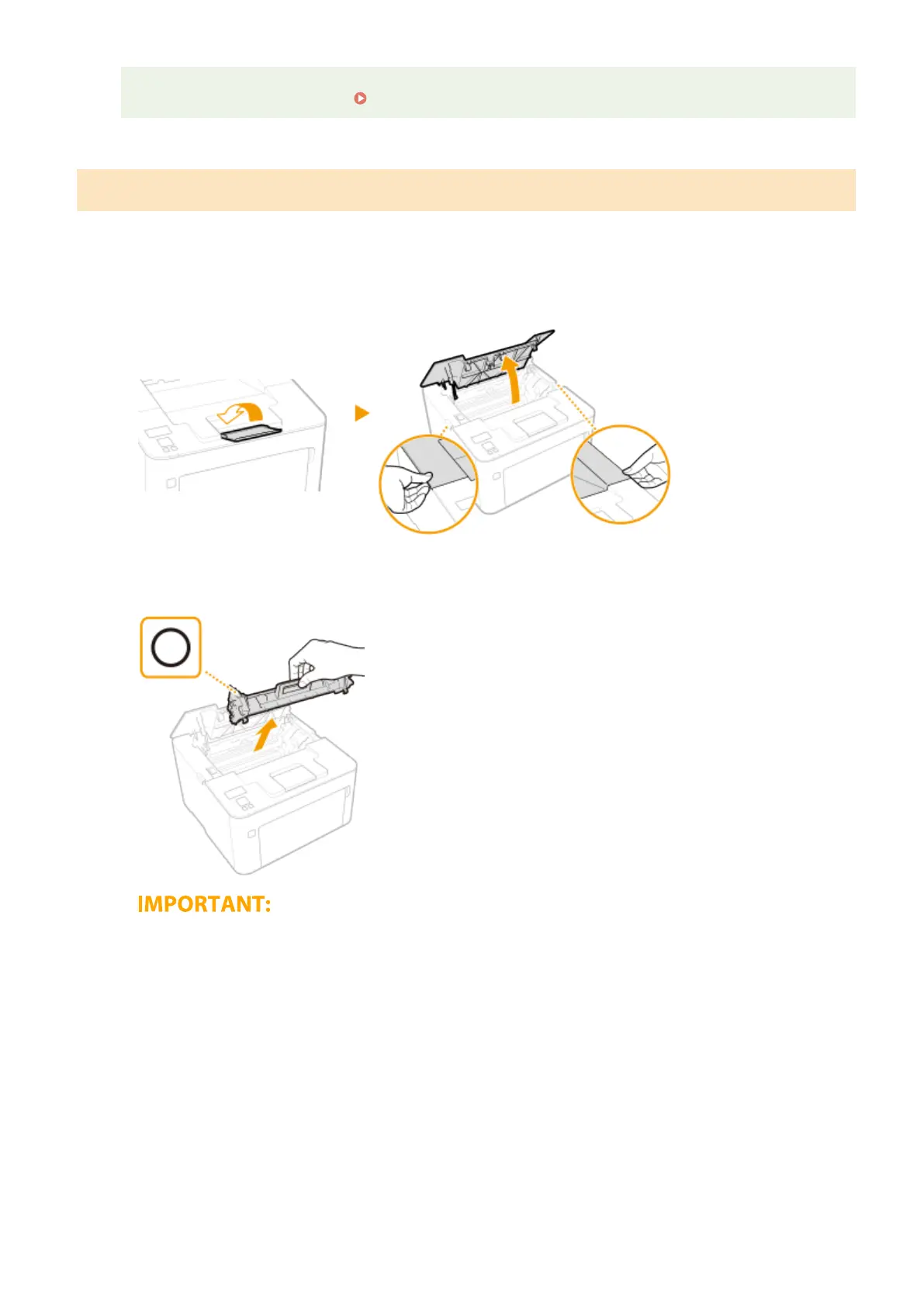
Close the paper stopper, and then open the toner cover.
2
Remove the toner cartridge.
Do not shake or tilt the toner cartridge. Also, make sure to avoid applying shocks to the toner cartridge, such
as b
y hitting it against something. Doing so may cause the toner left in the toner cartridge to leak. Remove
the toner cartridge gently at the same angle as the slot.
3
Remove the drum cartridge.
Maintenance
247














 To Next Page