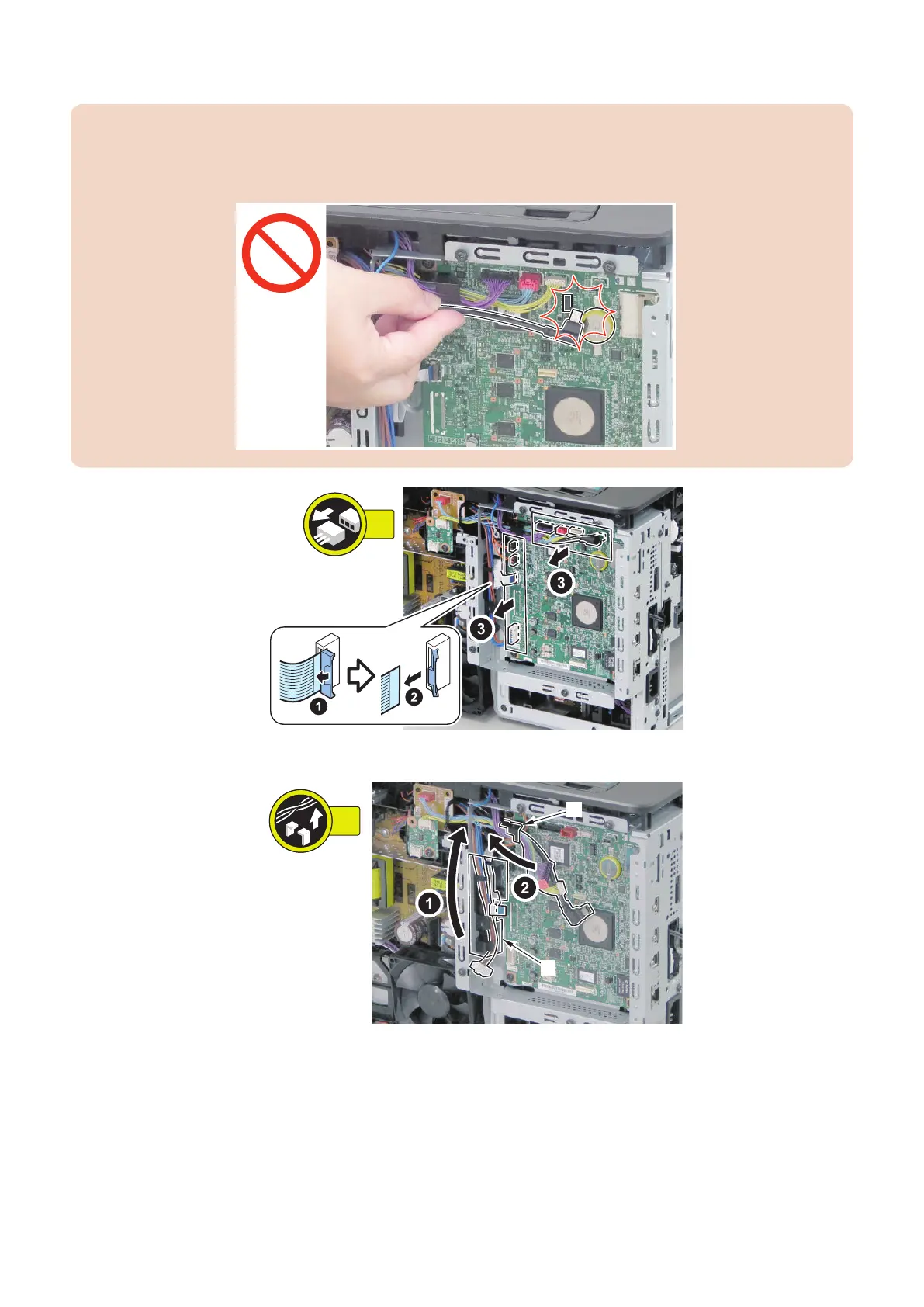
3. Remove the cables of the Main Controller PCB.
CAUTION:
Be careful not to let the terminal of the USB Cable come in contact with the elements on the Main Controller PCB. It may
trigger a BT Clock error after the power is turned ON. If the error is triggered, the date and time will be cleared. Specify the
date and time setting (Setup > Control Menu > Date/Time Settings) again, and turn OFF and then ON the main power.
4. Free the cables from the guides [A] and [B].
5. Parts Replacement and Cleaning
142














 To Next Page