■ Import/Export Procedure from [Settings/Registration] of Remote UI
This section describes the procedure for backing up and restoring service mode setting information by using the [Import/Export]
function in the [Settings/Registration] menu of Remote UI.
CAUTION:
• The service mode setting information can be backed up and restored only from the [Settings/Registration] menu on
Remote UI, and the operation cannot be performed from the [Settings/Registration] menu on the Control Panel.
• In the case of backing up and restoring only the setting information of the [Settings/Registration] menu or the address
book, refer to the procedure described in the e-Manual (In the e-Manual, [Top] > [Printer Management] >
[Import/Export Settings]).
● Limitations
The following limitations exist when backing up and restoring the service mode settings information from the [Settings/
Registrations] menu of remote UI.
A job must not be accepted during an import/export processing.
Except for the calibration requested by the engine, a job is not allowed to be accepted during a processing. In addition, import/
export must not be performed during execution of a job.
Firmware must not be updated during an import/export processing.
Fax cannot be received while firmware is updated during a processing. In addition, import/export must not be performed also
during firmware update.
Power must not be turned off during an import/export processing.
If power discontinuity occurs during an import processing, a rollback processing is not performed, therefore the settings
imported up to that point are reflected while the rest of the settings remain as-is.
When power discontinuity occurs during an export processing, export is not executed.
● Procedure for Export Using Remote UI ([System Management Settings] Menu)
Service mode setting information can be exported from the [System Management Settings] menu by setting the following service
mode setting value to "1".
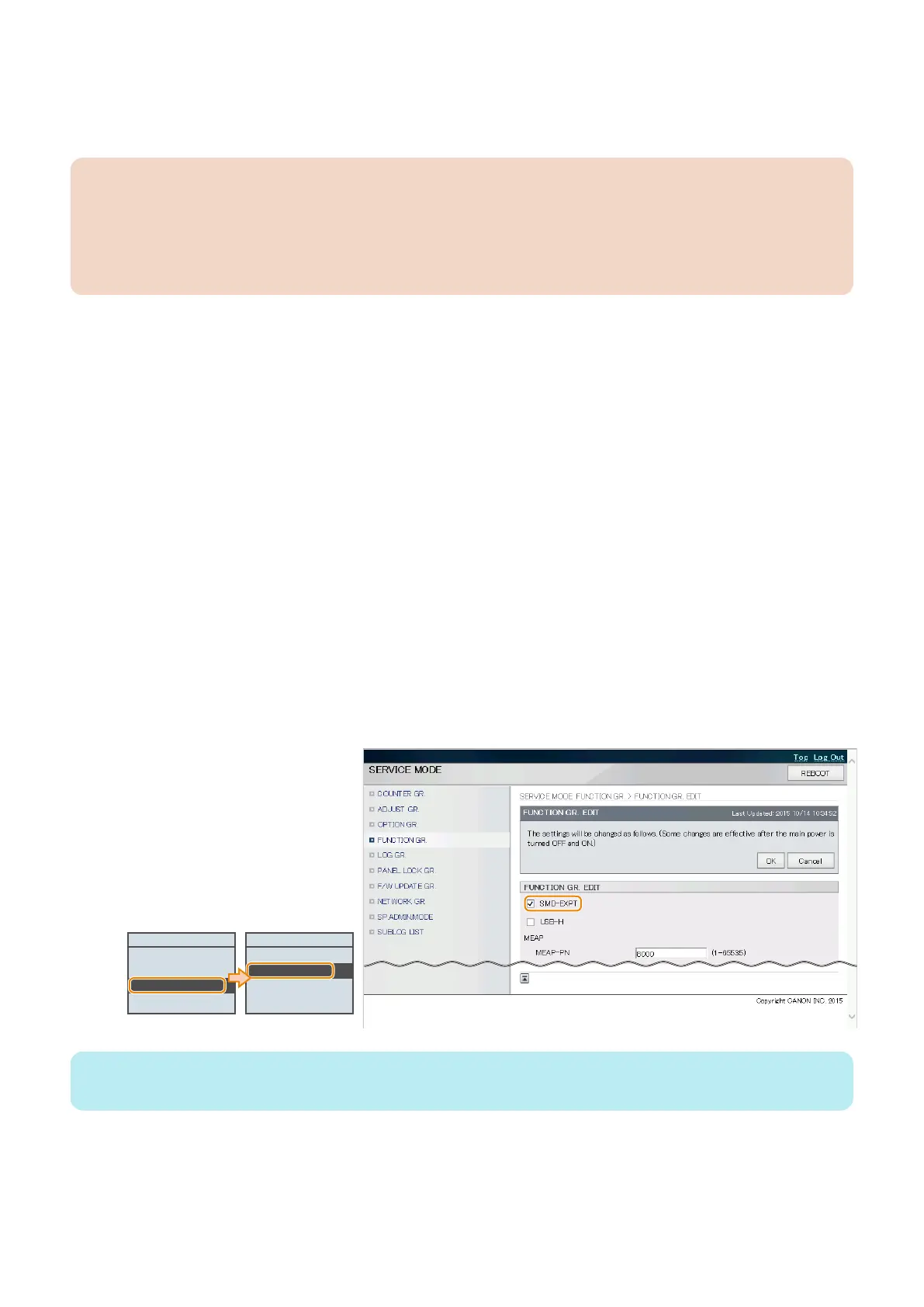
1. Enter service mode, and set the following item to "1".
• SERVICE MODE > FUNCTION GR. > SMD-EXPT
FUNCTION GR.
ECONF
Import/Export Set.
SMD-EXPT
USB-H
SMD-EXPT
Off
On
NOTE:
[SMD-EXPT] setting can be specified either from the Control Panel or from the remote UI.
3. Technical Explanation (System)
81














 To Next Page