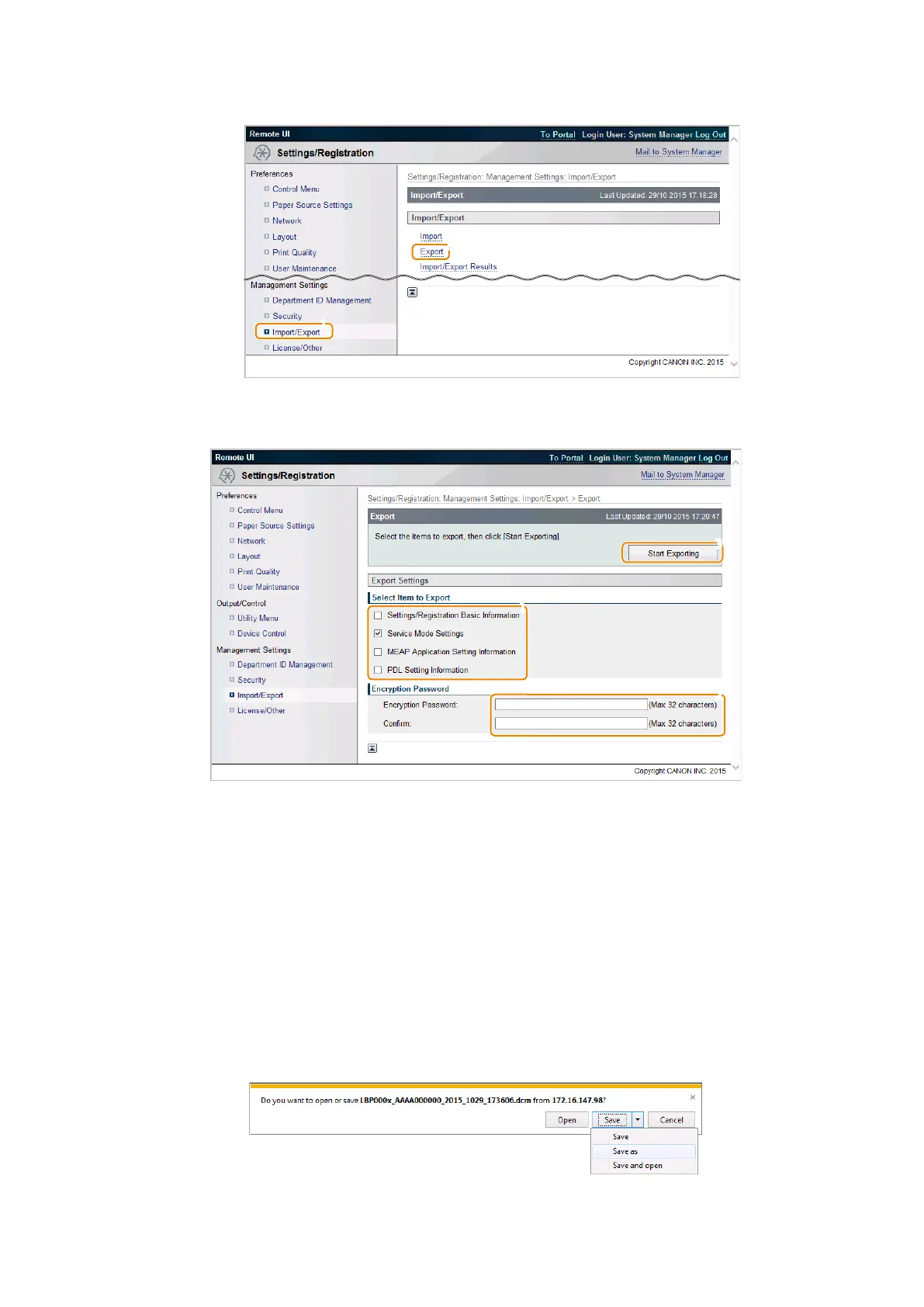
2. Exit service mode, start remote UI, log in as a system administrator, and then select the following item:
• [Settings/Registration] > [Import/Export] > [Import]
3. After confirming that [Service Mode] is displayed/selected in [Select Item to Export], enter the password and click
[Start Exporting].
Settings/Registration Basic Information
Select this check box to export basic setting data of menu options.
Service Mode Settings
Select this check box to export various setting data of service mode.
MEAP Application Setting Information
Select this check box to export the setting information of MEAP applications.
PDL Setting Information
Select this check box to export the setting information of page description languages.
Encryption Password
Enter 32 or less numeric characters set when the file was exported.
4. The File Download dialog box will appear. Save the file to any location.
3. Technical Explanation (System)
82














 To Next Page