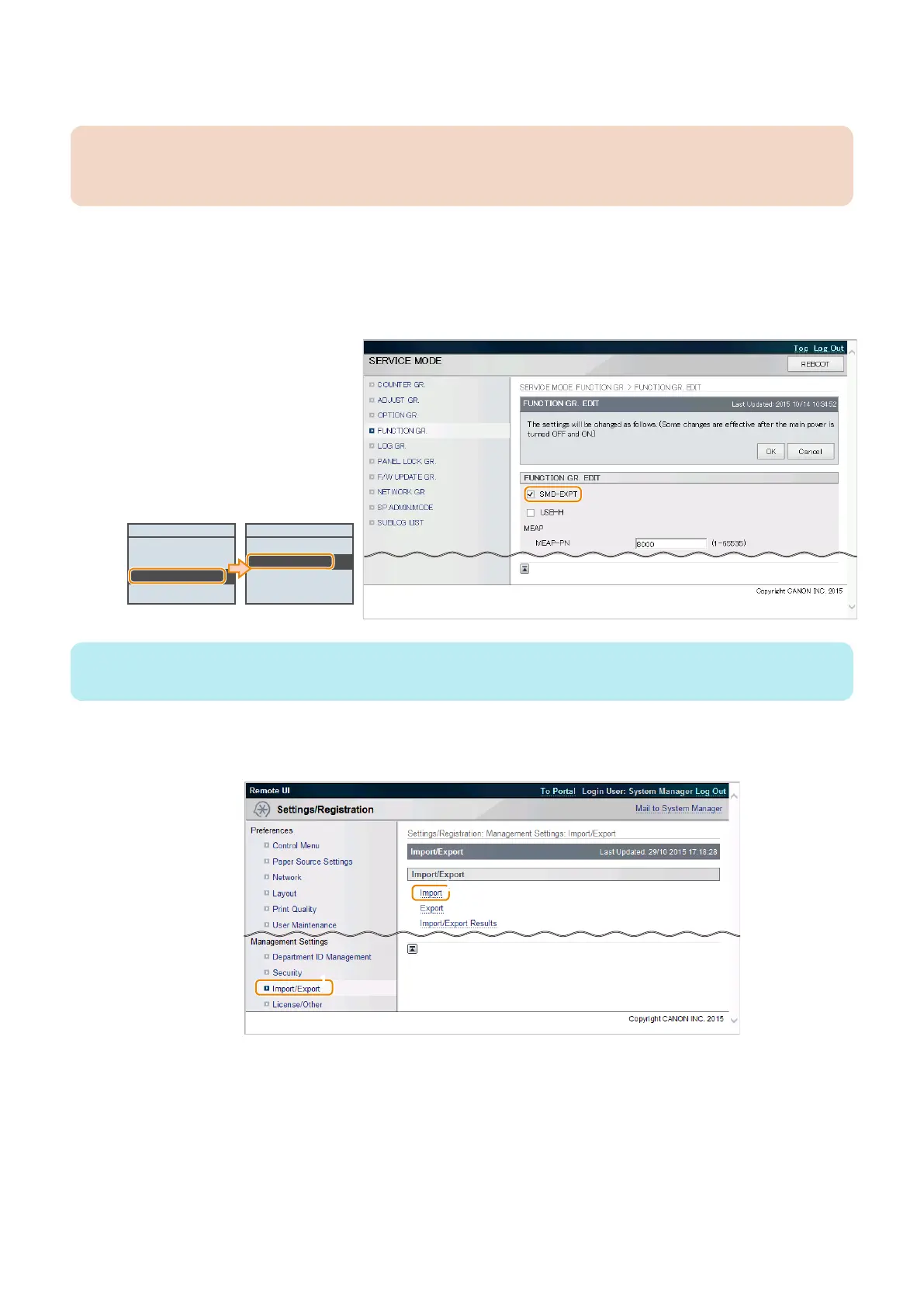
5. Enter service mode, and set the following item to "0".
• SERVICE MODE > FUNCTION GR. > SMD-EXPT
CAUTION:
Since the screen of export function can also be accessed by the user, be sure to disable the [SMD-EXPT] setting (setting
value: 0).
● Procedure for Import Using Remote UI ([System Management Settings] Menu)
Import the service mode setting information file that was exported in the previous procedure.
1. Enter service mode, and set the following item to "1".
• SERVICE MODE > FUNCTION GR. > SMD-EXPT
FUNCTION GR.
ECONF
Import/Export Set.
SMD-EXPT
USB-H
SMD-EXPT
Off
On
NOTE:
The [SMD-EXPT] setting can be specified either from the Control Panel or from the remote UI.
2. Exit service mode, start remote UI, log in as a system administrator, and then select the following item:
• [Settings/Registration] > [Import/Export] > [Import]
3. Technical Explanation (System)
83














 To Next Page