Accessing the Printer Driver Dialog Box from the Operating System Menu
Accessing the Printer Driver Dialog Box from the Operating System Menu
1
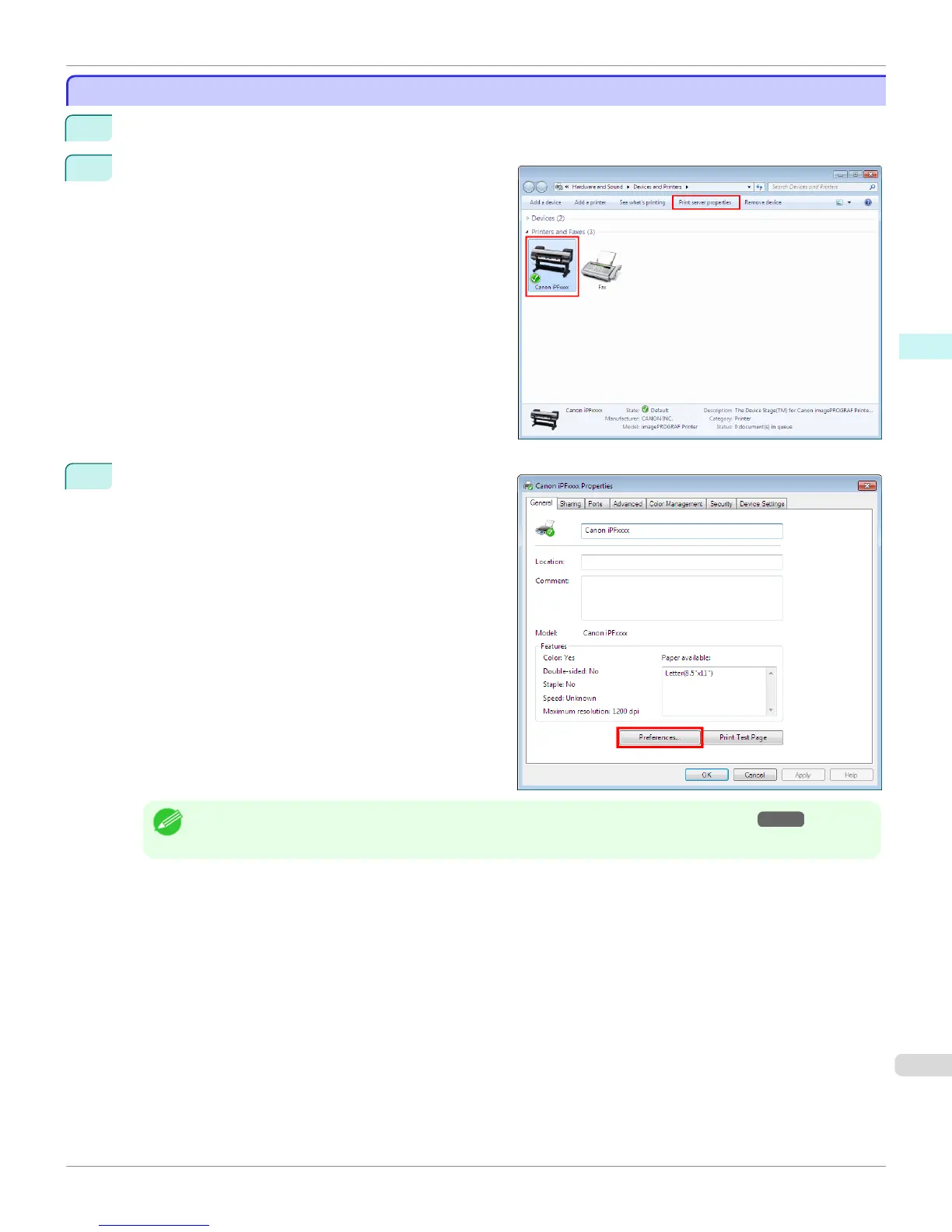
Click start > Printers and Faxes (or Printers).
2
Select the printer, and then display the printer proper-
ties dialog box.
3
Click Printing Preferences to display the Main (or
Printing Preferences) dialog box, titled with the name
of this printer.
Note
• The Device Settings sheet is also an extension of the printer driver.(See "Device Settings Sheet →P.206 ")
iPF9400
Accessing the Printer Driver Dialog Box from the Operating System Menu (Windows)
User's Guide
Windows Software Printer Driver
181



 To Next Page
 Loading...










