Printing a group of individual topics in the manual
When you access printable HTML versions from subtitles in the table of contents, you can specify a group of topics to
print.
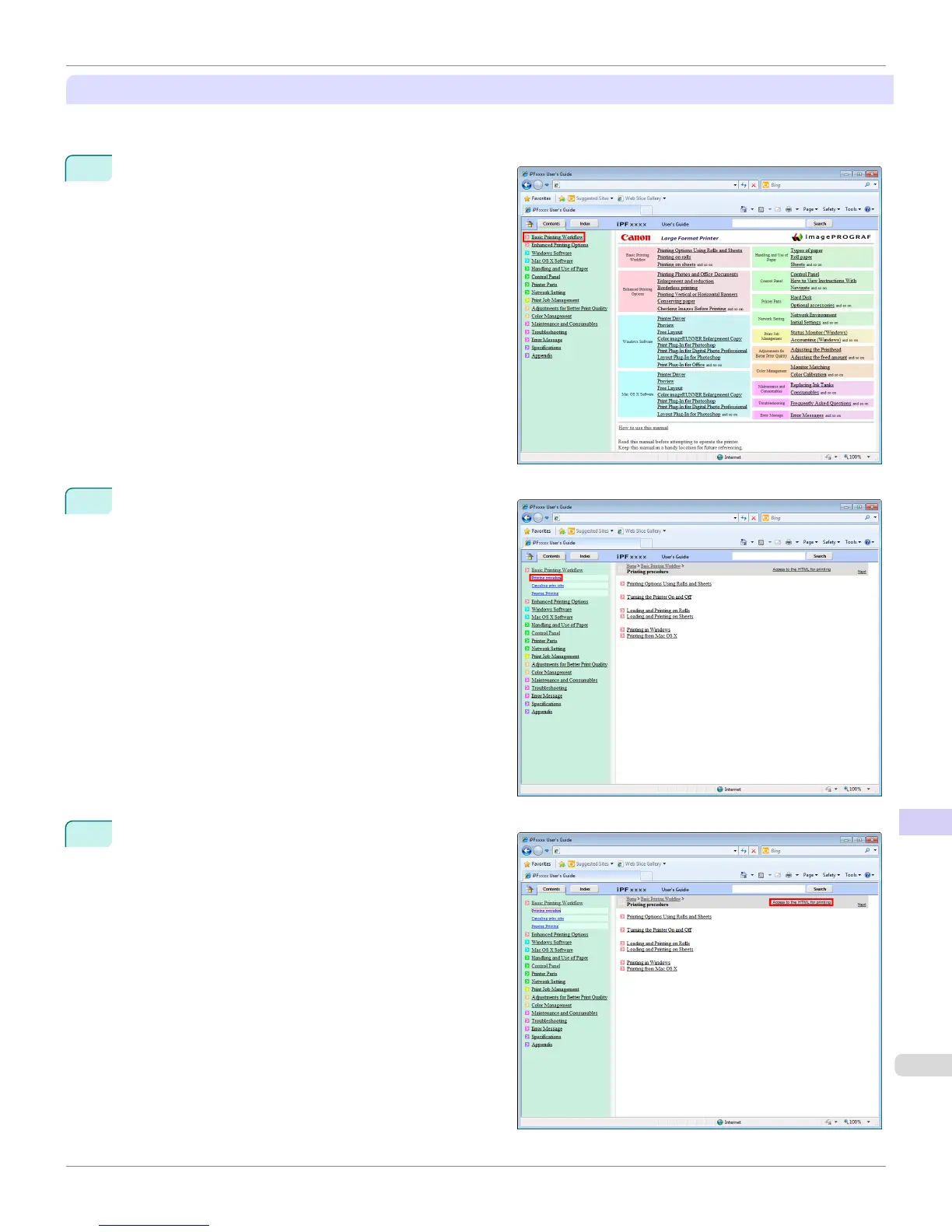
1
Click a section title in the table of contents. Here, Basic
Printing Workflow is used as an example.
2
Under Basic Printing Workflow, click Printing Proce-
dure.
3
Click Access to the HTML for printing in the title
area.
iPF9400
HTML Version of the Manual for Printing
User's Guide
Appendix How to use this manual
947


 To Next Page
 Loading...











