MV750i E, MV730i E, MV700i E, MV700 E, MV690 E
DISASSEMBLING
20
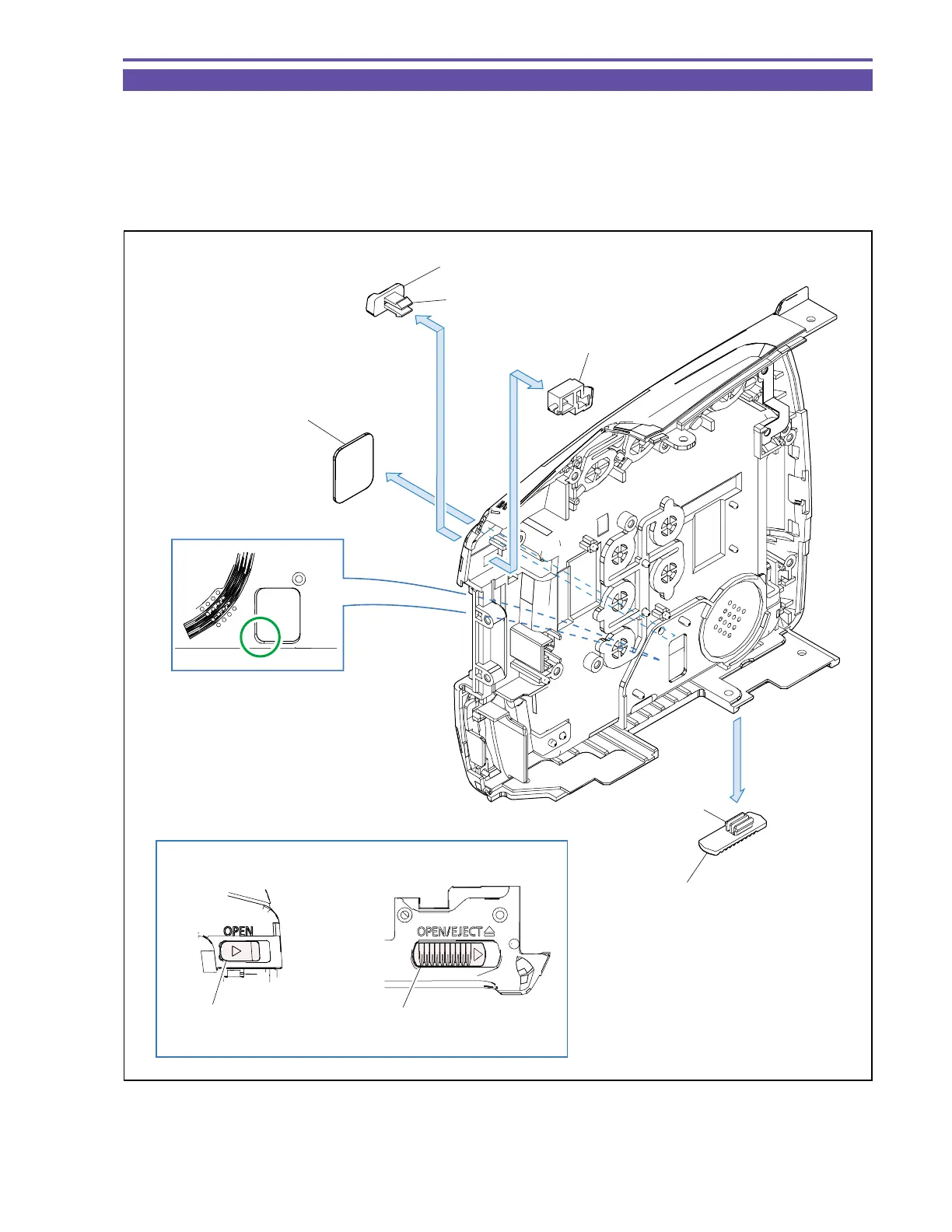
1-17 Disassembly of Right Cover Unit - 2
(1) Disengage the claw A, and detach the LCD Open Knob and LCD Lock.
(2) Disengage the claw B, and detach the Cassette Open Knob.
(3) Introduce tweezers of thin end into the part C, and detach the Jigcon Sheet.
<Note on Reassembling>
(1) Orient the Cassette Open Knob and LCD Open Knob as illustrated.
Fig. 17
(1)
(1)
(3)
(2)
Part C
LCD Open Knob
LCD Lock
LCD Open Knob
Claw A
Jigcon Sheet
Cassette Open Knob
Cassette Open Knob
Claw B
Note on Reassembling (1)



 To Next Page