MV750i E, MV730i E, MV700i E, MV700 E, MV690 E
SERVICE MODE · ADJUSTMENT
14
5-2 AF Section Adjustment
Note)
(1) The sections 5-2-1 : CZ automatic adjustment and 5-2-2 : Cam correction (AUTO) must be executed consecutively. If they are
performed independently, the sufficient performance cannot be obtained.
Also, when section 5-2-1 : CZ automatic adjustment is completed, execute section 5-2-2 : Cam correction (AUTO) must be
executed immediately without elapse of time. If execute section 5-2-2 : Cam correction (AUTO) is executed after elapse of time
upon completion of section 5-2-1 : CZ automatic adjustment, the sufficient performance cannot be obtained.
Preparation)
(1) For CZ automatic adjustment/cam correction, set the product condition.
(2) Adjustment condition (initial condition)
Tape/Card : Tape
Program AE : Auto Mode
ZOOM : Telephoto-end
CZ adjustment chart : 2.4 ± 0.02 m from lens front
Chart luminance : 500 lux or more (High illuminance should be avoided at the wide-angle end.)
5-2-1 CZ Automatic Adjustment
CHART CZ adjustment chart
SPEC. At STEP 3, DT : AA should be attained. Execution of STEP 4.
Procedure)
(1) In the telephoto-end setting, bring the center of chart image to the center of monitor TV.
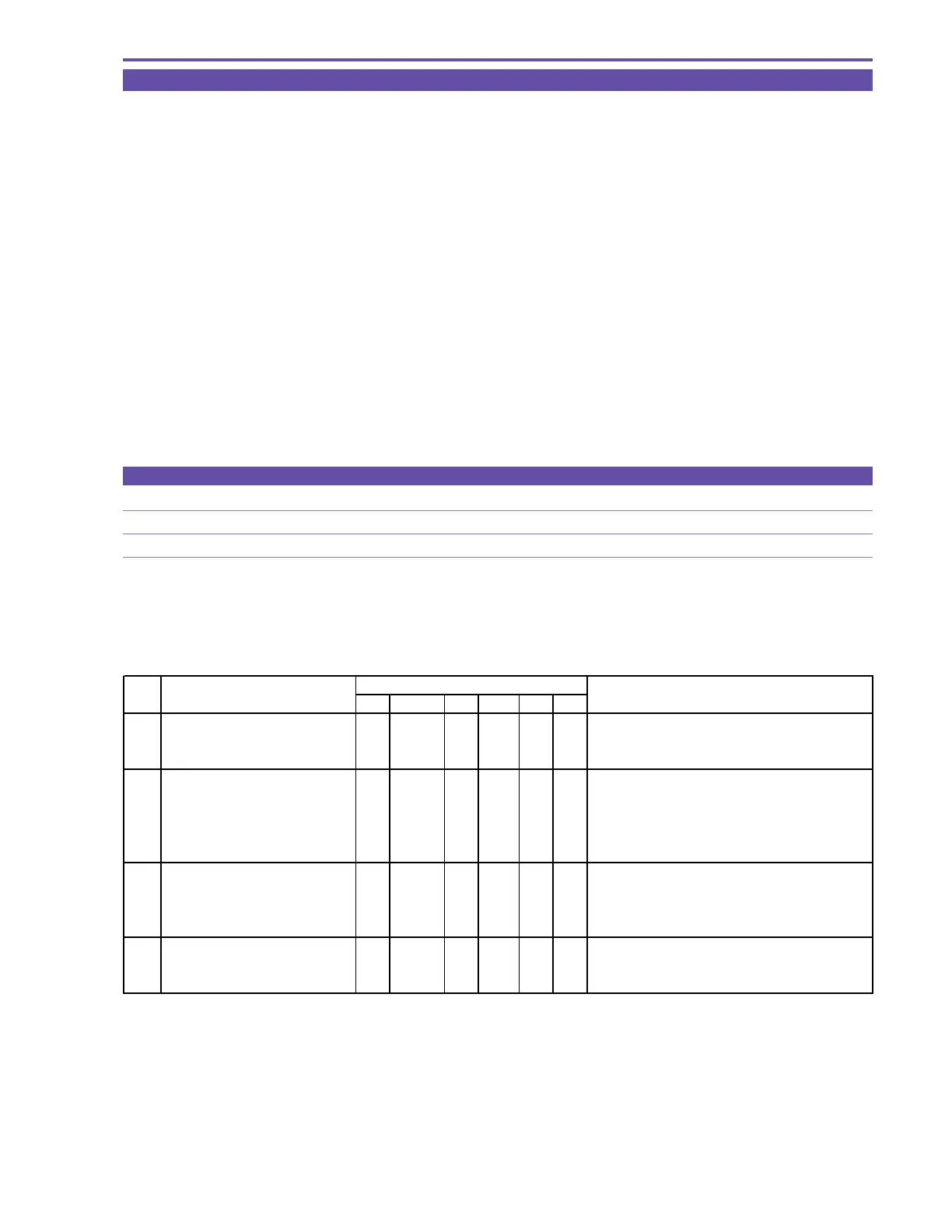
(2) Referring to the table shown below, carry out CZ automatic adjustment in the service mode.
(3) Perform the cam correction.
STEP PROCEDURE Microcomputer operation
CZ CS Function MD ADDR DT ST2
1 1) Make the setting shown at right. 2 08 ST 3100 00
2) Perform storing.
↑↑
RD
↑↑
Move to adjustment mode.
(press the PAUSE button.)
22) Perform storing. 2 08ST3100--
(press the PAUSE button.)
↑ ↑ ↑↑↑
Automatic adjustment is started. Then, it is
completed in 30 seconds approximately. If any NG
condition is encountered in automatic adjustment,
check the parts inside the lens section.
3 Judgment on result of adjustment 2 08 RD 3100 AA Adjustment is completed (result is OK).
Perform the cam correction.
↑↑
RD
↑
FF Adjustment is completed (result is NG).
Take the procedure again from the beginning.
4 1) Make the setting shown at right. 0 08 ST 0081 -- Preparation for flash memory updating.
2) Perform storing.
↑↑
RD
↑↑
Execution of flash memory updating.
(press the PAUSE button.)
MONITOR



 To Next Page