MV750i E, MV730i E, MV700i E, MV700 E, MV690 E
SERVICE MODE · ADJUSTMENT
3
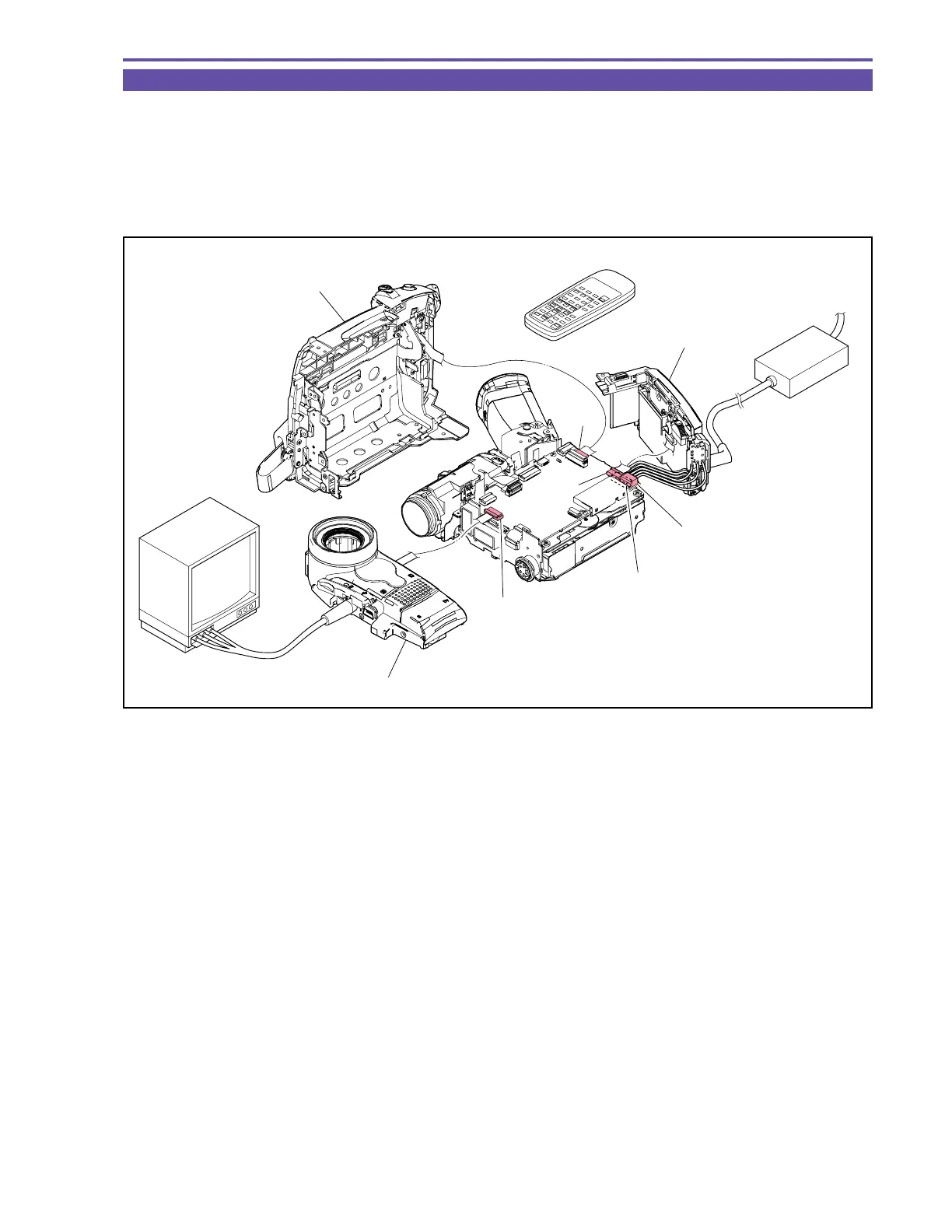
2-2 Setting B
(1) Remove the FRONT COVER, REAR COVER, LEFT COVER UNIT, RIGHT COVER UNIT referring to “Disassembling”.
Note 1 : Referring to Fig.3, connect the required cables.
Note 2 : Observe the signal in the same manner as that for setting A.
Note 3 : For EJECT, select the service mode and use the wireless remote controller.
(Note : Same manner for recorder keys)
Fig. 3
MONITOR TV
WIRELESS CONTROLLER
CA-570
LEFT COVER UNIT
FRONT COVER UNIT
CN2101
CN3201
REAR COVER UNIT
CN101
CN3202
CN100



 To Next Page