MV750i E, MV730i E, MV700i E, MV700 E, MV690 E
DISASSEMBLING
34
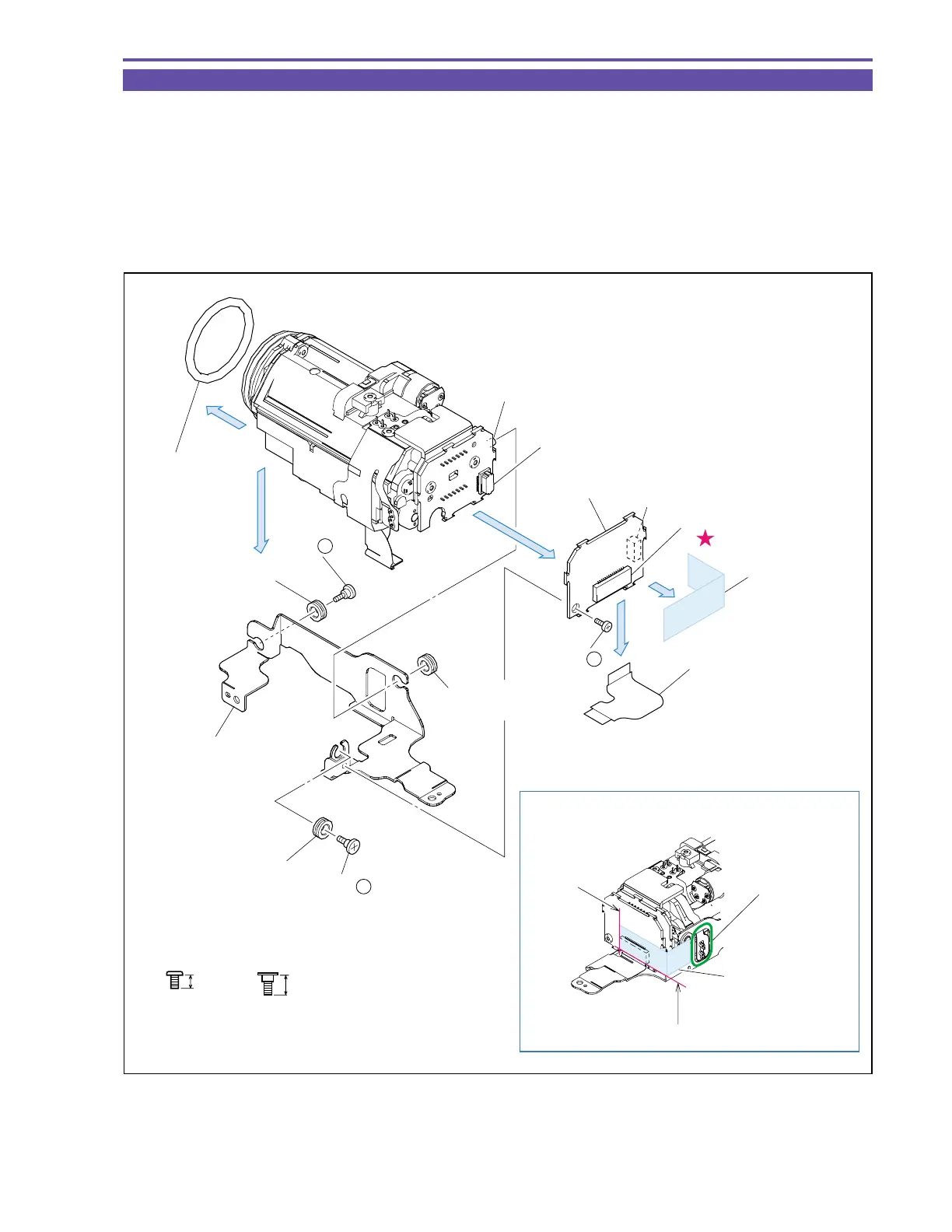
1-28 Disassembly of Camera Unit - 1
(1) Detach the Lens Rubber.
(2) Remove a screw (b × 1), disconnect the UL Tape, CN1070 and CN1000 (B to B), and detach the CA P.C.B.
(3) Remove the CA-MAIN FPC from CN1001.
(4) Remove two screws (m × 2), disengage the dowel A, and detach the Camera Holder and Insulation Rubber.
<Notes on Reassembling>
(1) Before using a service part of Insulation Rubber, coat it entirely with Hanarl KS-39M (DY9-3053-000).
(2) Attach the UL Tape to the position indicated in the figure.
Fig. 31
m
4.5mm
Metal
M1.7
Stepped Screw
3mm
Metal
M1.7
b
Note on Reassembling (2)
Reference for
attachment
: ±1mm
Reference for
attachment : ±1mm
(4)
(2)
(2)
(3)
(1)
Dowel A
CA P.C.B.
CN1070
(B to B)
CN1000
(B to B)
CA-MAIN FPC
Insulation Rubber
Camera Holder
Insulation Rubber
Insulation Rubber
Lens Rubber
(4) - m
(4) - m
CN1001
(2) - b
UL Tape (9 × 30)
Attach the UL tape
without slack.
It is not allowed to
cover any part of
the terminal with
the UL tape.
UL Tape



 To Next Page