MV750i E, MV730i E, MV700i E, MV700 E, MV690 E
DISASSEMBLING
5
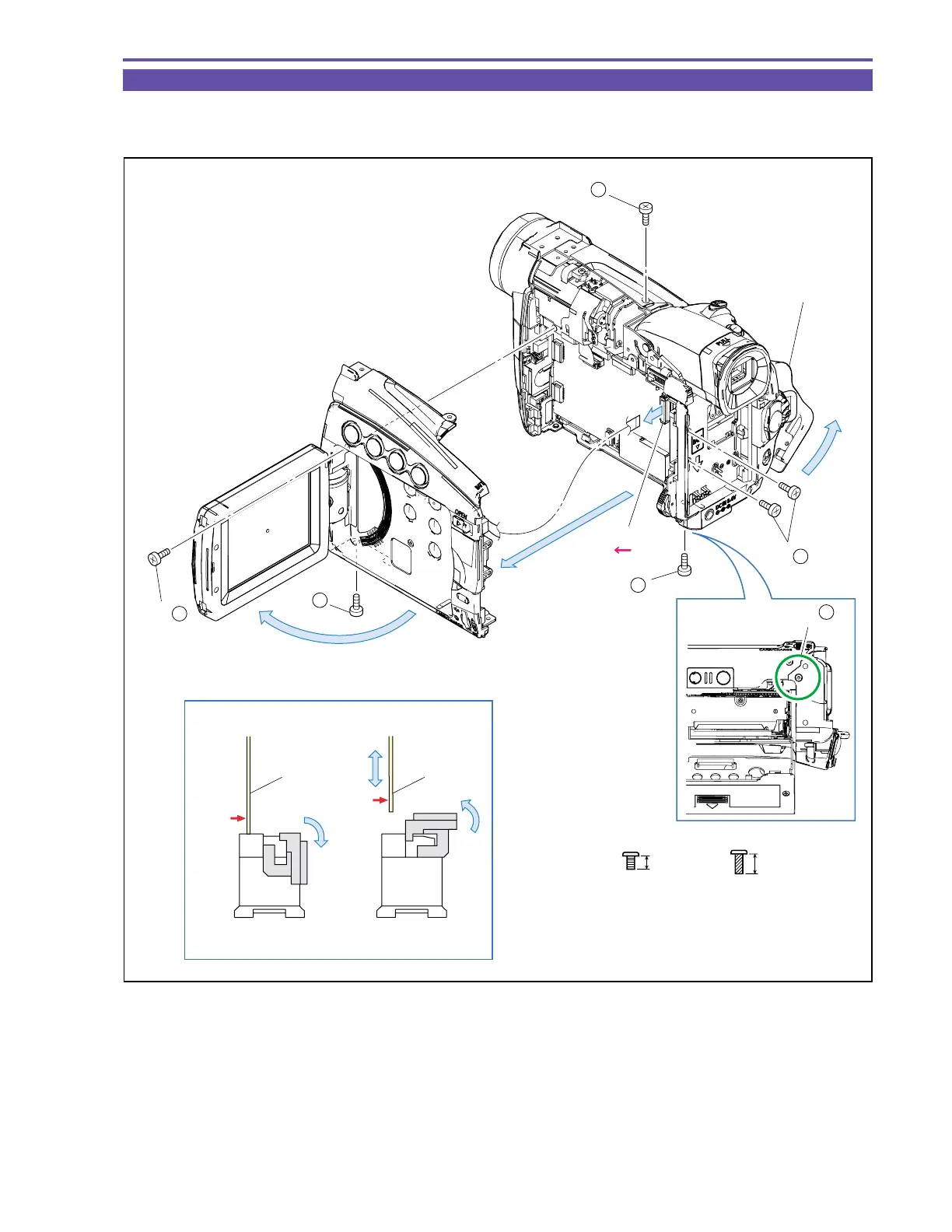
1-3 Separation of R-LCD Unit
(1) Open the LCD Unit and Cassette Cover, remove six screws (b × 4, c × 2), disconnect the CN102, and detach the R-LCD Unit.
Note : Use the new type connector (MAIN P.C.B., CN102) as illustrated.
Fig. 2
3mm
Metal
M1.7
Metal
M1.7
(self tap)
4.5mm
b
c
Note
Lock Unlock
LCD Unit
Cassette Cover
R-LCD Unit
(1)
(1)
(1)
(1)
(1) - c
(1) - b
(1) - b
(1) - b
(1) - b
CN102
(1) - b
FPC
FPC
Metal
contact
Metal
contact



 To Next Page