110
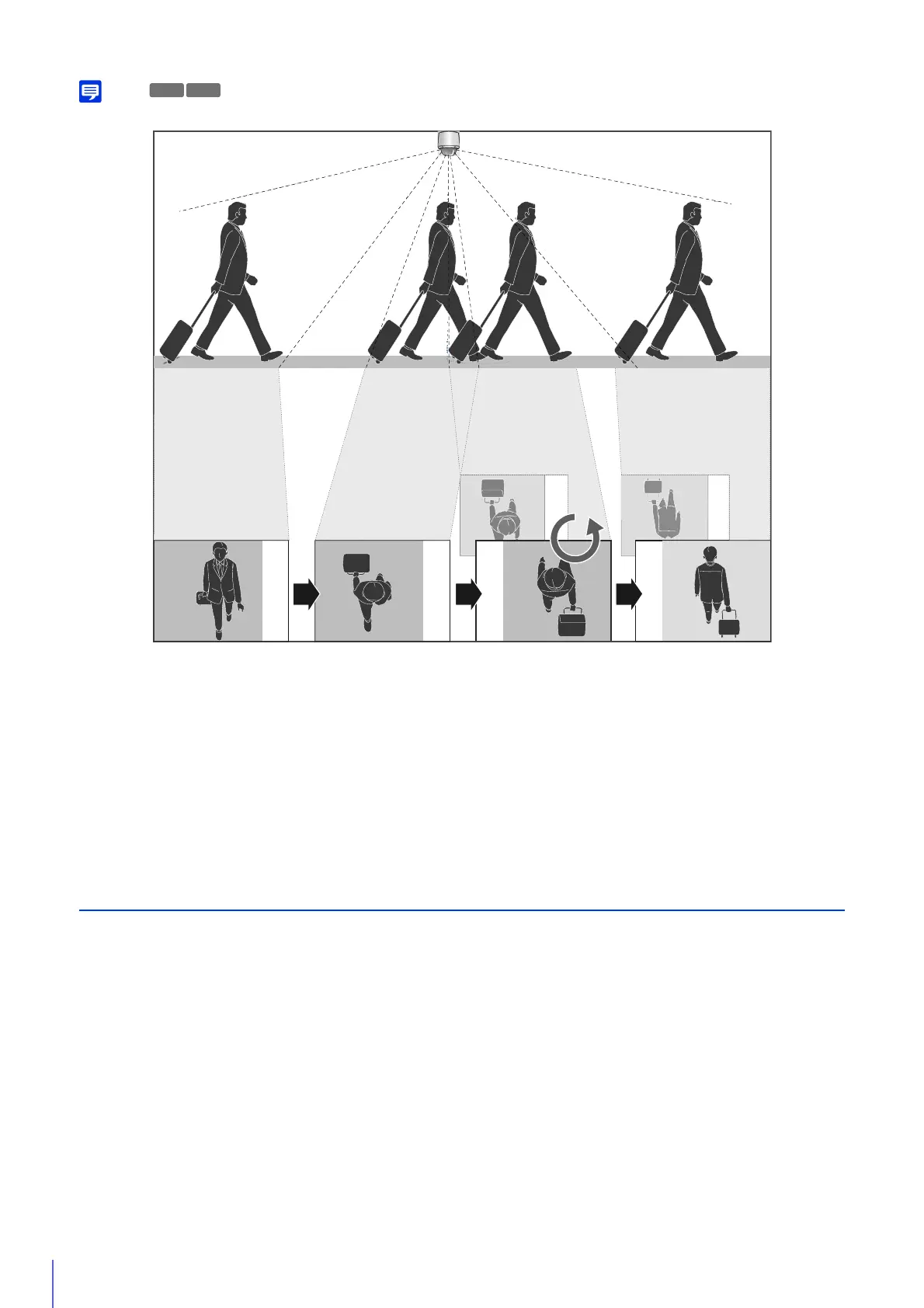
If you set Auto Flip to [Enable], some of the settings in [Restrict View] are disabled (P. 128).
If tracking a subject that passes directly under a ceiling mounted camera (tilt angle 90°), the video will flip as the tilt angle
nears 100° without the subject appearing inverted.
Day/Night (When Auto Is Set)
Set conditions for switching Day Mode and Night Mode when [Day/Night] is set to [Auto].
[Switching Brightness]
Select the brightness for switching Day/Night Mode when [Day/Night] is set to [Auto].
Select [Darker] if you want to capture video in color as much as possible.
Select [Brighter] to reduce noise. Note that this mode switches to monochrome sooner.
[Response (sec.)]
Select the number of seconds for determining when to switch Day/Night Mode, when [Day/Night] is set to [Auto]. Day/Night
Mode switches when the brightness continues to exceed or fall below the brightness set in [Switching Brightness] within
any of the settings for the number of seconds selected.
Select [30] or [60] if brightness changes frequently, such as when a light source passes in front of the camera. Select [5] or
[10] if change in brightness is minimal.
Pan: 180°
Tilt: -50°
Pan: 180°
Tilt: -90°
Pan: 180°
Tilt: -100°
Pan: 0°
Tilt: -80°
Pan: 0°
Tilt: -50°
If the tilt angle exceeds 100°, Auto Flip will occur, and
the video and coordinates will be flipped.



 To Next Page