120
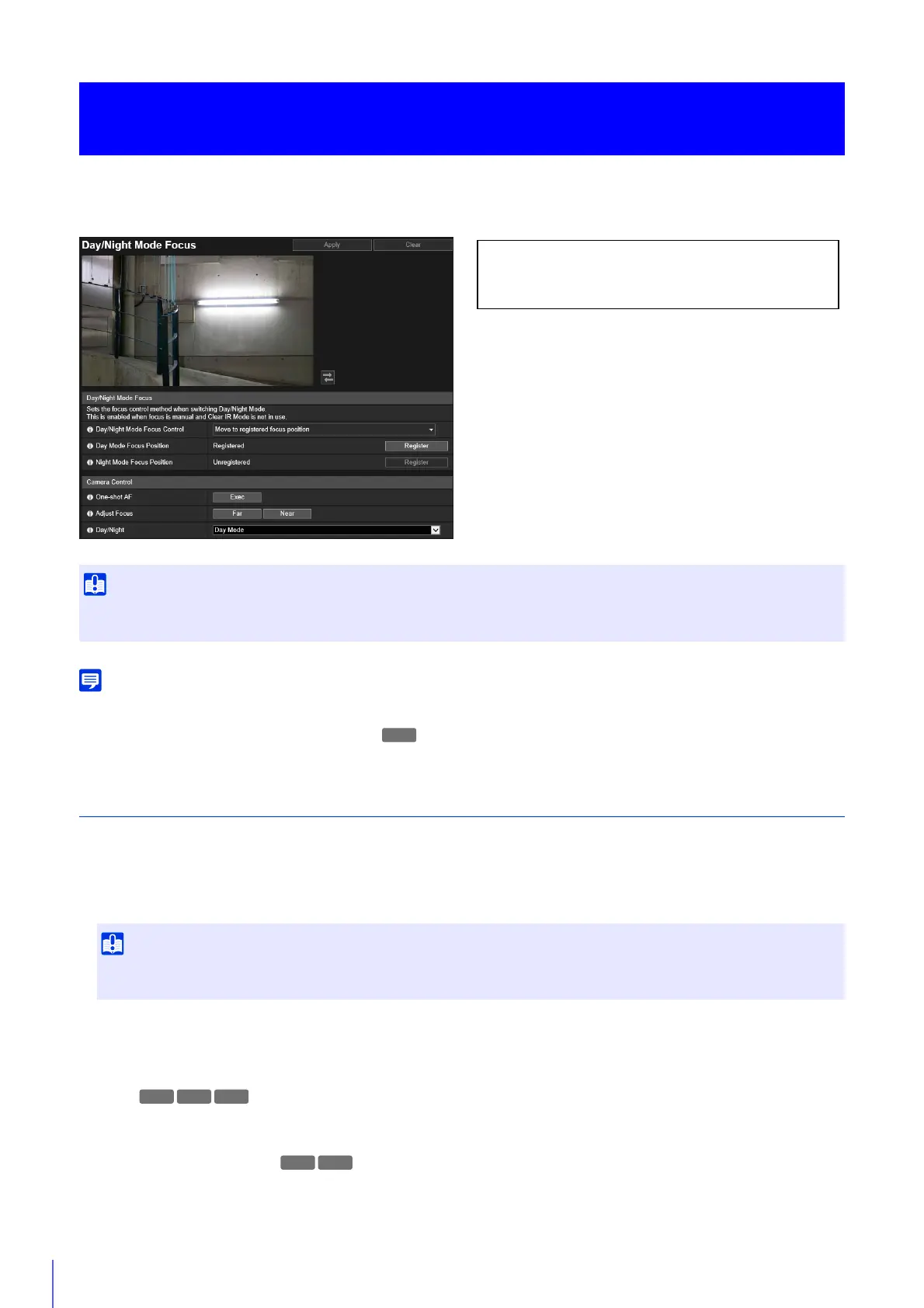
Set the focus position when switching day/night. It is necessary to change the focus position since the wavelengths of
regular lighting such as fluorescent lamps and infrared lighting differ.
You can set [Day/Night Mode Focus] if the following conditions have been met.
– When [Focus] (P. 113) is set to [Manual]
– When [Clear IR Mode] (P. 118) is set to [Disable]
Day/Night Mode Focus
[Day/Night Mode Focus Control]
Set the focus control method when switching day/night.
[Use One-shot AF]
Select this to use One-shot AF when switching Day/Night Mode.
[Move to registered focus position]
When switching Day/Night Mode, the focus positions preregistered for Day Mode or Night Mode in [Register focus
position] will be used. For more information, please refer to “Registering a Focus Position”.
[None]
When switching Day/Night Mode, the camera automatically focuses on each of the fluorescent lighting focus positions
set beforehand for Day Mode and Night Mode.
[Compensate for light source]
Adjust the focus position to suit the light source when switching to Night Mode.
[Camera] > [Day/Night Mode Focus]
Day/Night Mode Focus
Even if you use [Day/Night Mode Focus] with the night mode, the camera may be out of focus due to changes in the light source (when
sunlight mixes with infrared lighting, etc.).
When using [Use One-shot AF] and switching between Day/Night Mode, it may not be possible to focus on the intended subject if
another subject, such as a person, passes in front of the camera.
The following settings can be configured here.
• Day/Night Mode Focus
• Camera Control
R12 M50



 To Next Page