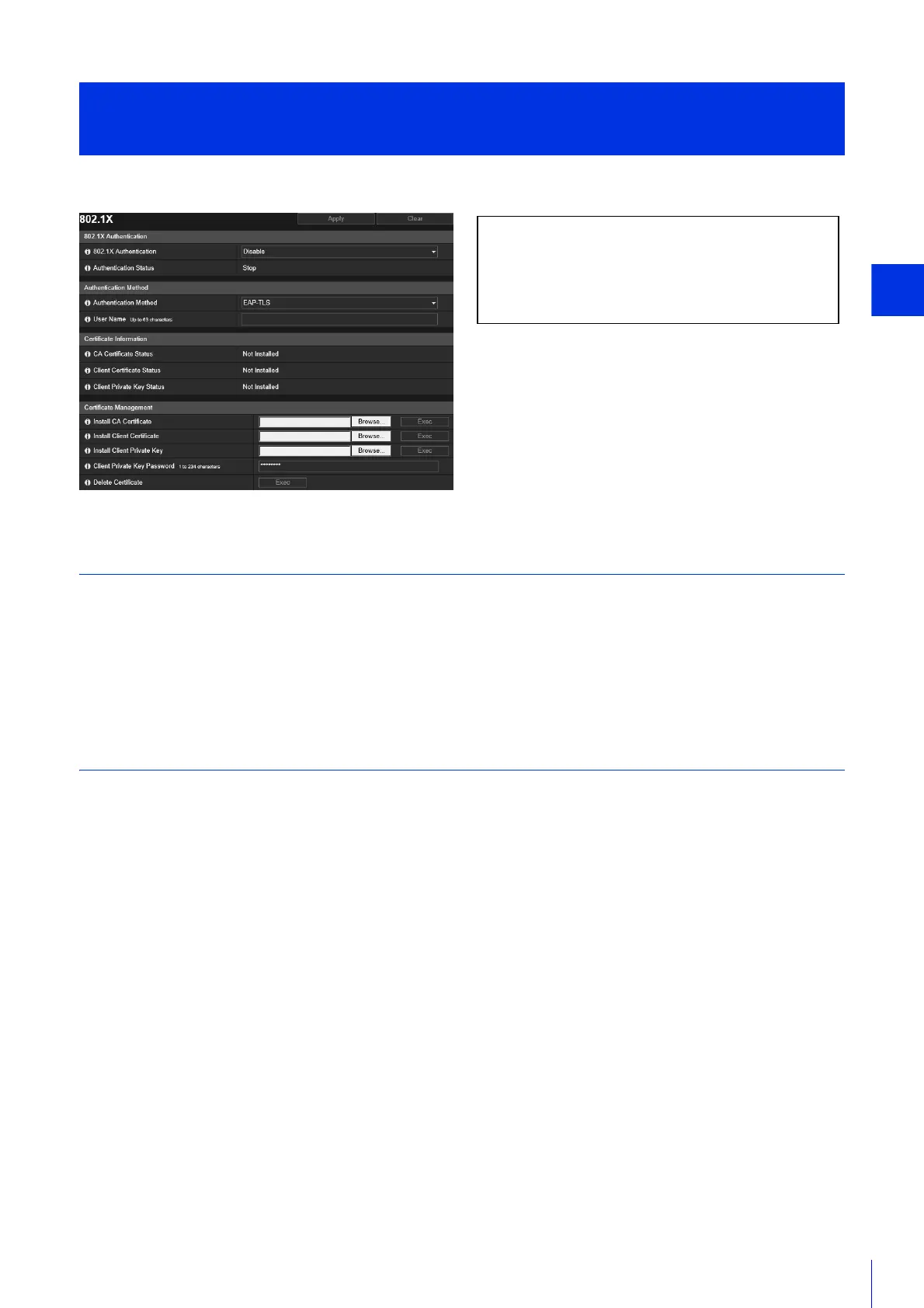
Setting Page
209
Settings for 802.1X authentication and authentication status display, and for certificate administration.
802.1X Authentication
Display the 802.1X authentication enable/disable control and status.
[802.1X Authentication]
Select this to enable or disable 802.1X authentication.
[Authentication Status]
Display the status of 802.1X authentication. There are three types of status: [Authenticated], [Unauthenticated], and [Stop].
Authentication Method
Set the authentication method used for 802.1X authentication.
[Authentication Method]
Select [EAP-MD5], [EAP-TLS], [EAP-TTLS], or [EAP-PEAP] as the authentication method to use for 802.1X authentication.
[User Name]
Enter the user name used for authentication.
[Password]
Enter the required password for authentication.
This is displayed only when [Authentication Method] is set to [EAP-MD5], [EAP-TTLS], or [EAP-PEAP].
Certificate Information
This is displayed only when [Authentication Method] is set to [EAP-TLS], [EAP-TTLS], or [EAP-PEAP].
[CA Certificate Status]
If no CA certificate is installed, [Not Installed] is displayed. If a CA certificate is installed, the validity period of the
certificate is displayed.
[Client Certificate Status]
If no client certificate is installed, [Not Installed] is displayed. If a client certificate is installed, the validity period of the
certificate is displayed.
This is displayed only when [Authentication Method] is set to [EAP-TLS].
[Security] > [802.1X]
Network Port Authentication Settings
The following settings can be configured here.
• 802.1X Authentication
• Authentication Method
• Certificate Information
• Certificate Management



 To Next Page