34
Adding the Camera IP Address as a Trusted Site
When the security level for internet sites and intranet sites is set to [High], it is necessary to add the IP address of the
camera to the list of trusted sites.
Set the camera IP address with the Camera Management Tool (P. 40).
3
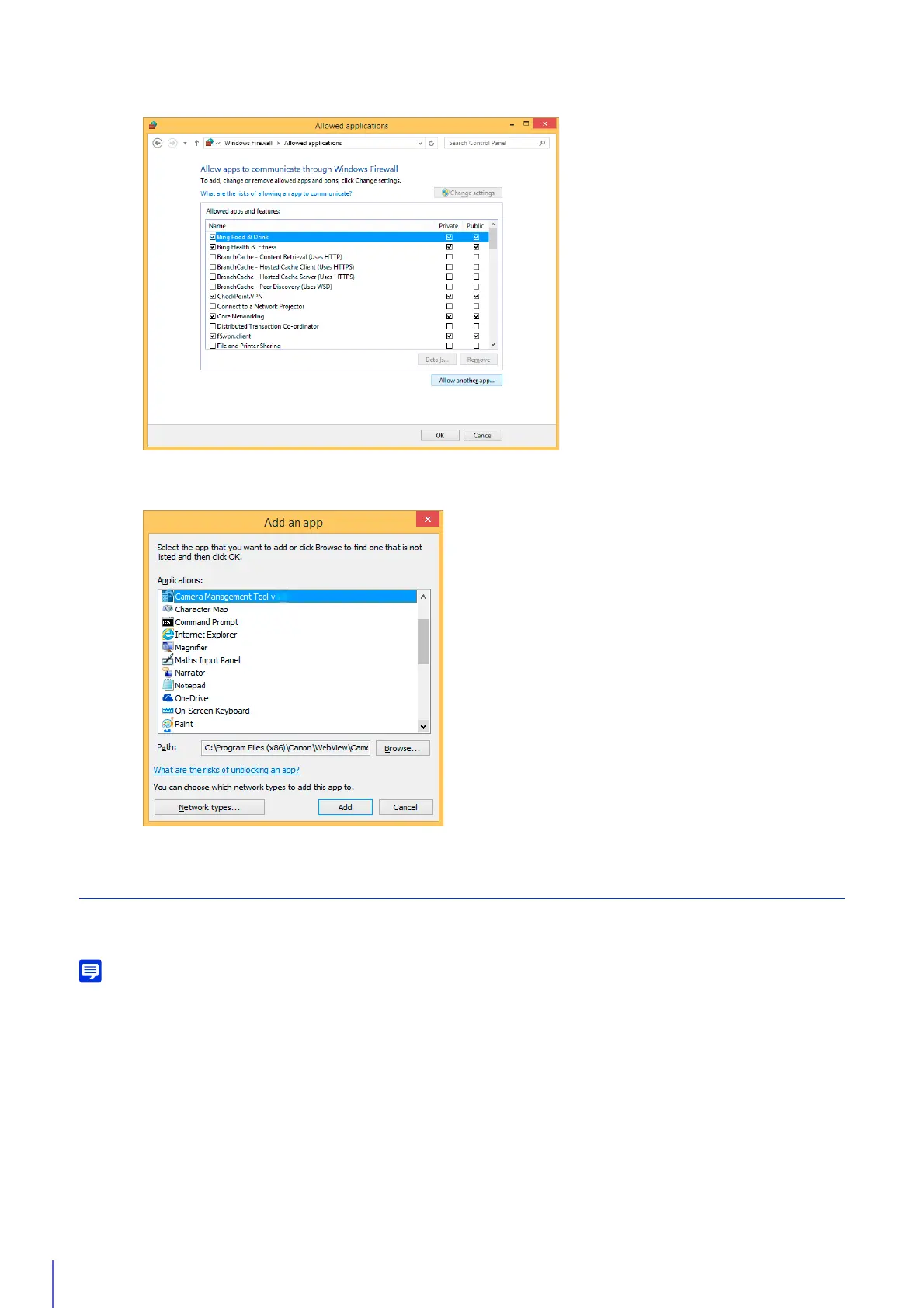
Click [Change settings] > [Allow another app].
4
Select [Camera Management Tool] and click [Add].
1
Click [Network and Internet] > [Internet Options] in [Control Panel].
2
Click the [Security] tab.



 To Next Page