134
You can have the camera automatically tour multiple registered presets to allow monitoring.
• Preset tour is not performed while the camera control privileges are obtained in the Camera Viewer or the video is displayed in the
Setting Page.
• Preset tour is not performed when control privileges are obtained by RM-Lite.
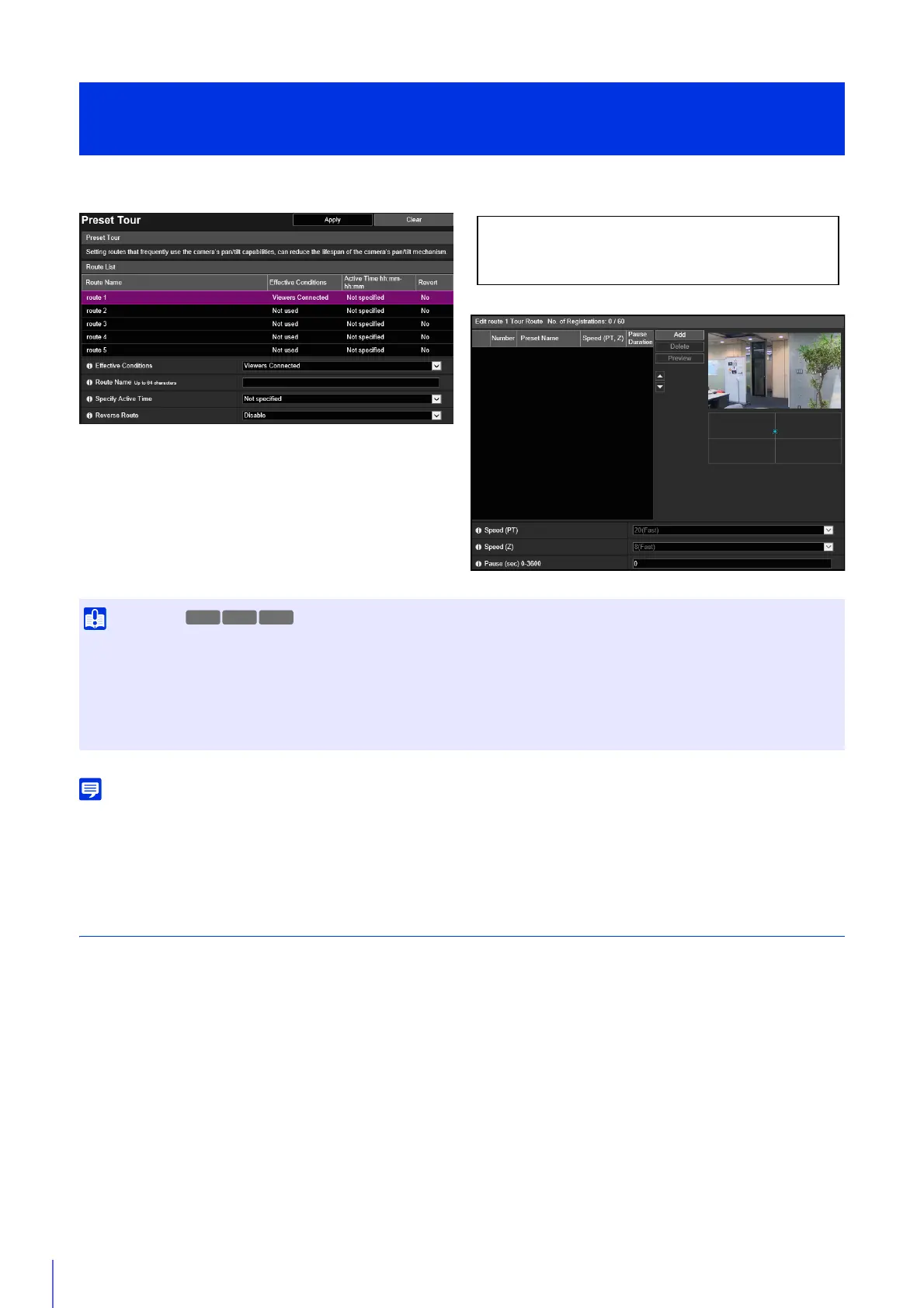
Screen Composition
The screen composition differs according to the camera model, because the number of tour routes that can be registered,
number of presets that can be toured with a single route, and tour conditions differ.
[Camera] > [Preset Tour]
Setting the Preset Tour Route
• If you set frequent pan/tilt operations in a preset tour, the life expectancy of the pan/tilt drive part may become shorter. The life
expectancy may become even shorter in environments outside ordinary temperatures (approx. 23°C (73°F) and approx. 60%
humidity).
You can reduce the frequency of pan/tilt operations by setting a longer stop time at each tour point, or by specifying an active time for
the preset tour to reduce operation time.
• Intelligent Function cannot be used while using preset tour.
The following settings can be configured here.
• Route List
• Edit Tour Route
M50R12R13



 To Next Page