206
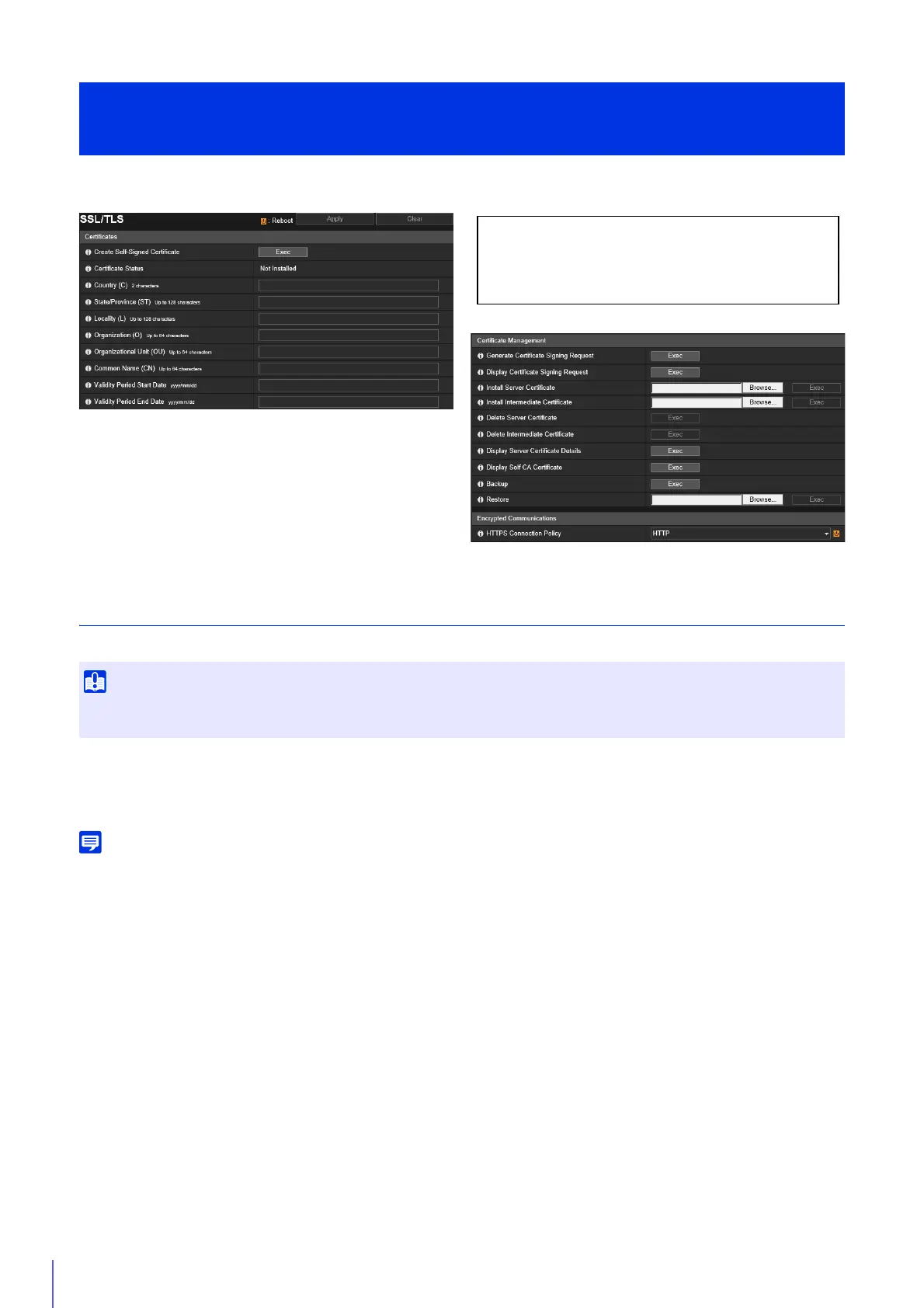
Certificate creation and management, and encrypted communication settings.
Certificates
Create an SSL/TLS certificate.
[Create Self-Signed Certificate]
Enter the following items, click [Apply], and click [Exec] to create a self-signed certificate.
Follow the displayed message and reboot. The certificate created will take effect after rebooting.
Creating a certificate takes time, so it is recommended that you stop video transmission and upload processes.
[Certificate Status]
If no certificate is installed, [Not Installed] will be displayed. If a certificate is installed, the validity period for the certificate
will be displayed.
[Country (C)]
Enter the ISO3166-1 alpha-2 country code.
[State/Province (ST)], [Locality (L)], [Organization (O)], [Organizational Unit (OU)], [Common Name (CN)]
Enter state/province name, locality, organization name, organizational unit and common name in alphanumeric characters
(spaces or printable characters).
Enter an FQDN format host name, etc. to set the common name (required).
[Validity Period Start Date], [Validity Period End Date]
Set the validity period of the certificate to be created (required when creating a self-signed certificate).
[Security] > [SSL/TLS]
Setting HTTP Communication Encryption
Use a self-signed certificate when complete security does not need to be ensured, such as through operation tests. For system
operation, it is recommended that you acquire and install a certificate issued by a CA.
The following settings can be configured here.
• Certificates
• Certificate Management
• Encrypted Communications



 To Next Page