80
Manually record video being displayed in the video display area to a memory card inserted in the camera.
• You can manually record video if the following conditions have been met.
– The memory card inserted in the camera is mounted.
– [Operation Settings] is set to [Save Logs and Videos] in [Video Record] > [Memory Card] > [Memory Card Operations] (P. 215) in the
Setting Page.
• The format and size of the video recorded to a memory card depends on the settings configured on the Setting Page.
– Video format: [Memory Card] > [Memory Card Operations] > [Video Format] (P. 216)
– Video size: JPEG [Basic] > [Video] > [JPEG] > [Video Size: Upload / Memory card]
H.264 [Basic] > [Video] > [H.264(1)] or [H.264(2)] > [Video Size]
Recording Videos Manually
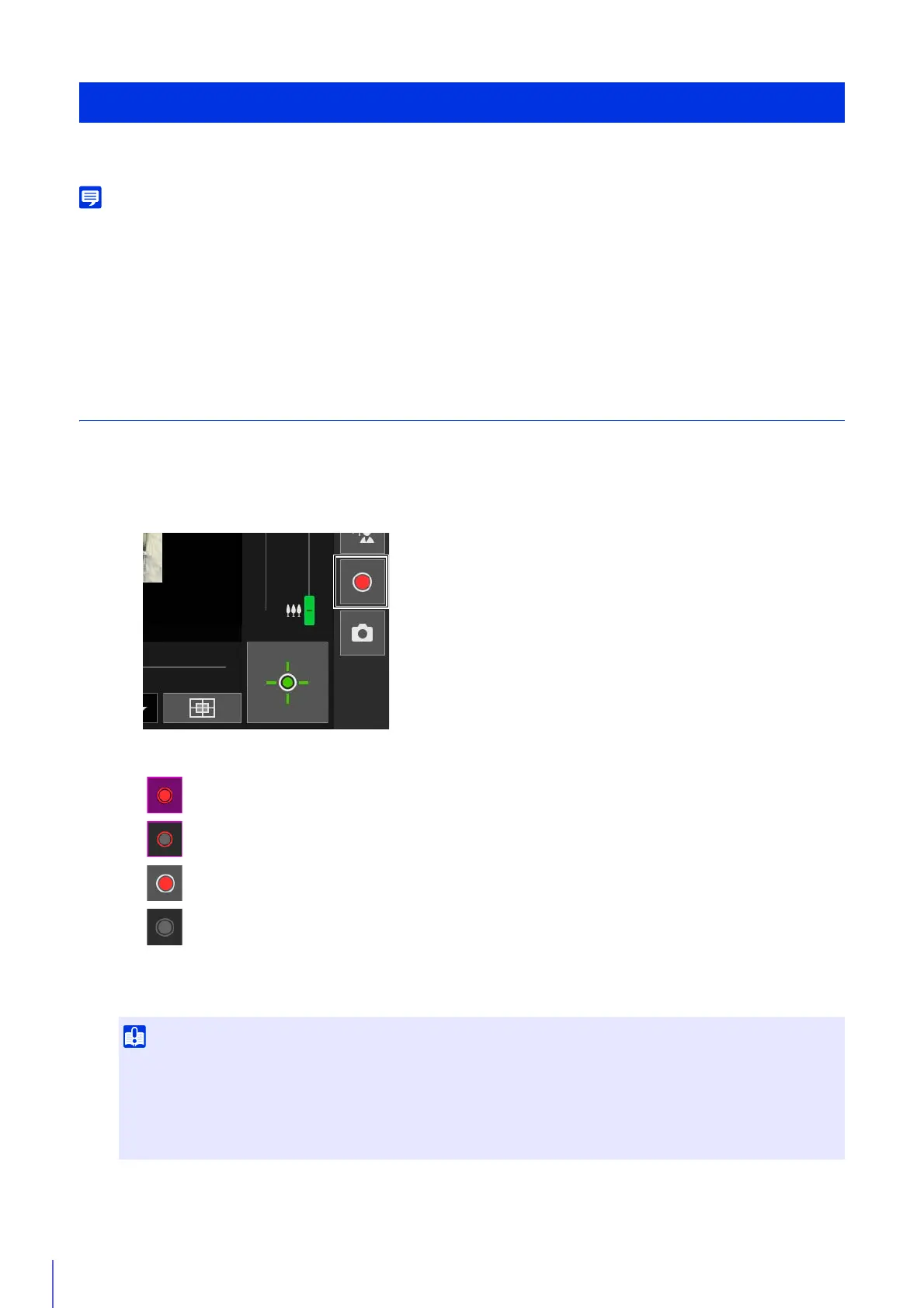
The display of the [Memory Card Recording] button will change during video recording.
Recording Video to a Memory Card
1
If you have not obtained camera control privileges, click the [Obtain/Release Camera Control Privileges] button to
obtain the privileges.
2
Click the [Memory Card Recording] button.
Recording
Recording (while camera control privileges are not obtained)
Not recording (while camera control privileges are obtained)
Not recording (while camera control privileges are not obtained, or when no memory card is mounted to
the camera)
3
To stop video recording, click the [Memory Card Recording] button again.
• Video manually recorded to the memory card will automatically be terminated after 300 seconds of recording.
• When recording manually, do not change the settings in the [Setting Page]. Doing so may result in the termination of the manual
recording.
• While manually recording to the memory card, you can continue to record even if you release camera control privileges or
disconnect the camera.



 To Next Page