218
Check camera information, such as the firmware version, and perform maintenance on the camera system.
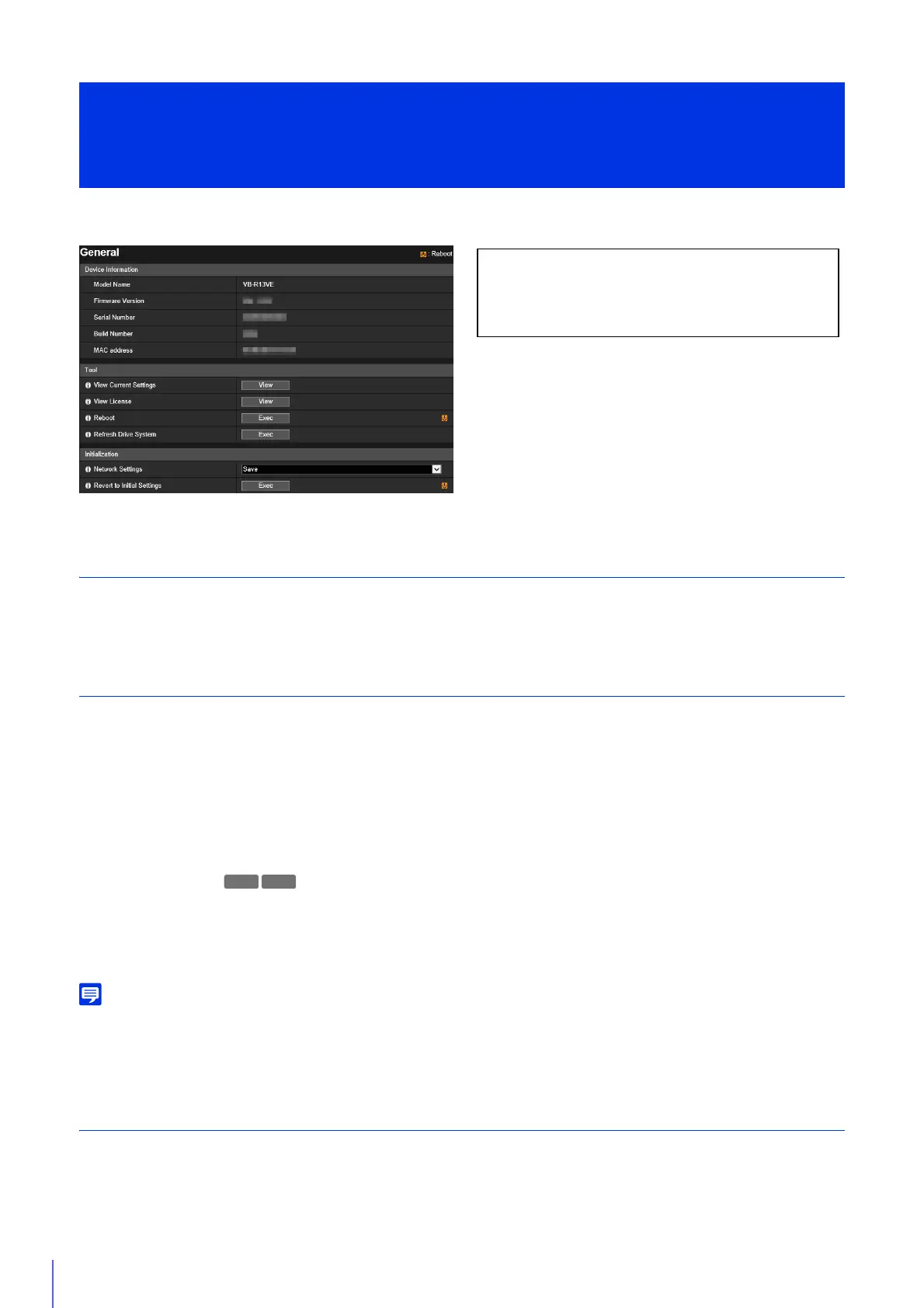
Device Information
[Model Name], [Firmware Version], [Serial Number], [Build Number] and [MAC address]
Displays information about the camera.
Tool
You can configure/reboot the camera and display licenses.
[View Current Settings]
Display a list of current settings for the Setting Page.
[View License]
Display information on the third-party software licenses.
[Reboot]
Reboot the camera.
[Refresh Drive System]
When Refresh Drive System is executed, the camera pans twice in both directions horizontally, and then returns to the
camera angle prior to execution.
If you repeatedly perform pan/tilt operations for a long time, video or audio problem linked to pan operations may occur.
In this case, executing Refresh Drive System may resolve these problems.
The following users will be disconnected while refreshing the drive system.
– All users except for administrators
– Users not connected via RTP
Initialization
Initialize the camera.
[Maintenance] > [General]
Displaying Camera Device Information and Perform
Maintenance
The following settings can be configured here.
• Device Information
• Tool
• Initialization
R13 R12



 To Next Page