40
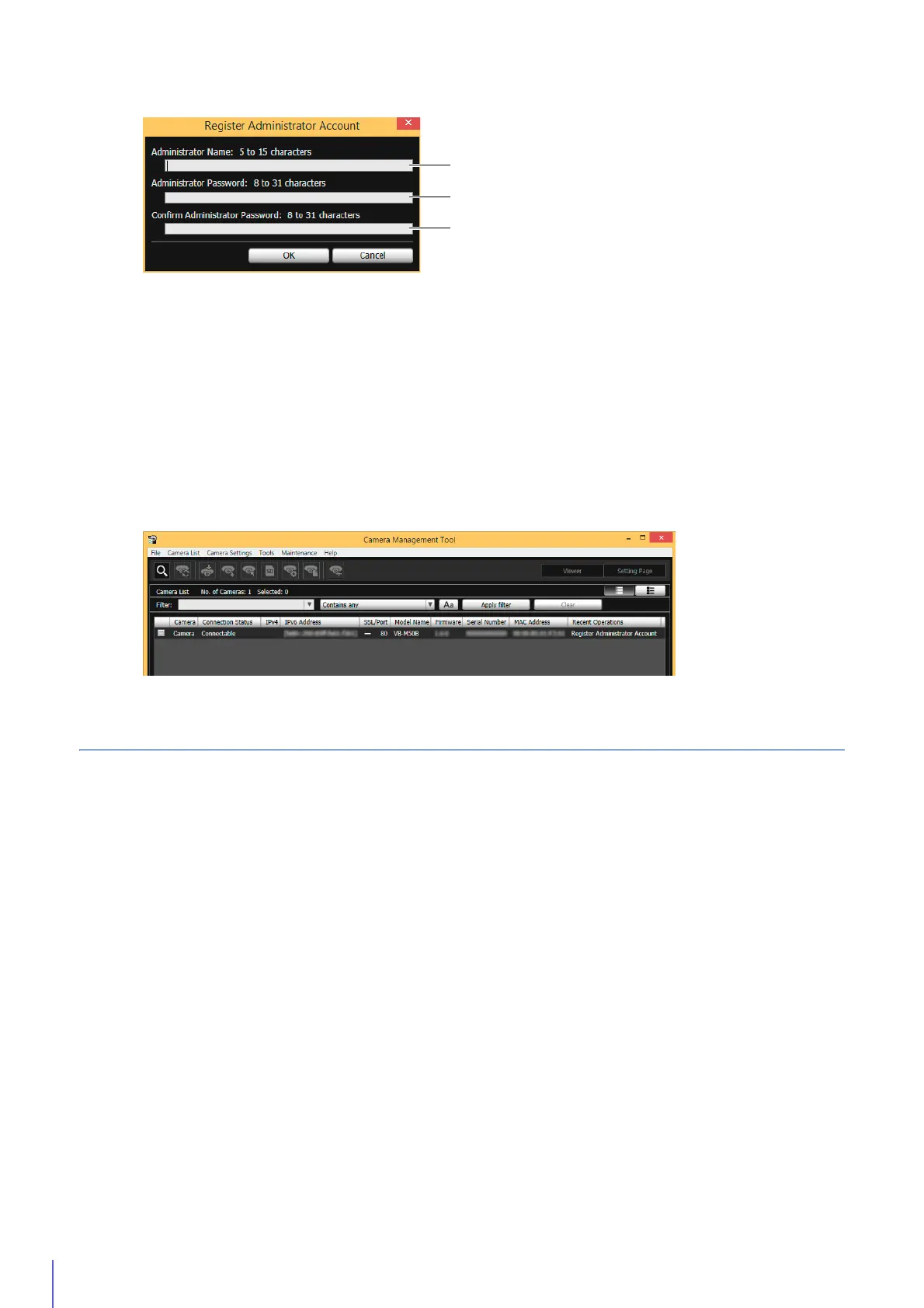
(1) [Administrator Name]
Enter the administrator name using only alphanumeric characters, hyphens, and underscores.
(2) [Administrator Password]
Enter the Administrator Password.
(3) [Confirm Administrator Password]
Enter the administrator password again for confirmation.
A dialog confirming whether you want to reboot the camera is displayed.
Click [OK] to reboot the camera.
[Connection Status] will change to [Connectable] after the camera is rebooted.
Setting up Networks
Configure the network settings of the camera.
Select the camera in the camera list, click [Network] in [Camera Settings] > [Basic Camera Settings], and configure the
settings.
The Camera Management Tool also enables you to select multiple cameras from the camera list to configure.
2
Set the Administrator Name and Administrator Password.
3
Click [OK].



 To Next Page