Camera Setup
39
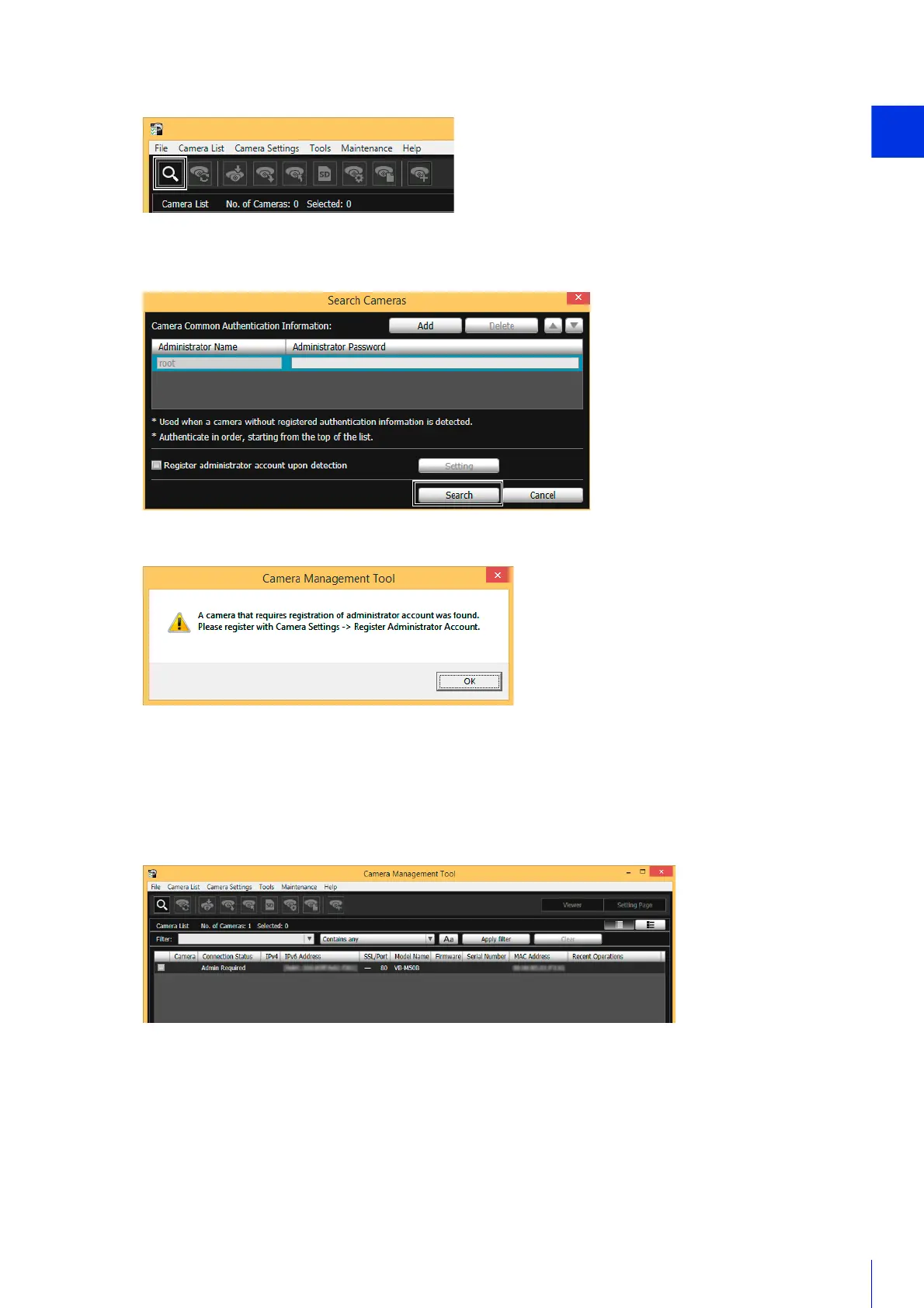
The [Search Cameras] dialog box is displayed.
Detected cameras will be displayed in the camera list.
When a dialog indicating that a camera requiring an administrator to be registered has been found, click [OK].
Registering the Administrator Account
Register the administrator account for cameras with [Admin Required] displayed for [Connection Status].
The [Register Administrator Account] dialog box is displayed.
1
Click the [Search Cameras] icon.
2
Click [Search].
1
Select a camera in the camera list and click the [Camera Settings] > [Register Administrator Account].
Alternatively, double-click [Admin Required] for [Connection Status].



 To Next Page