Camera Viewer
65
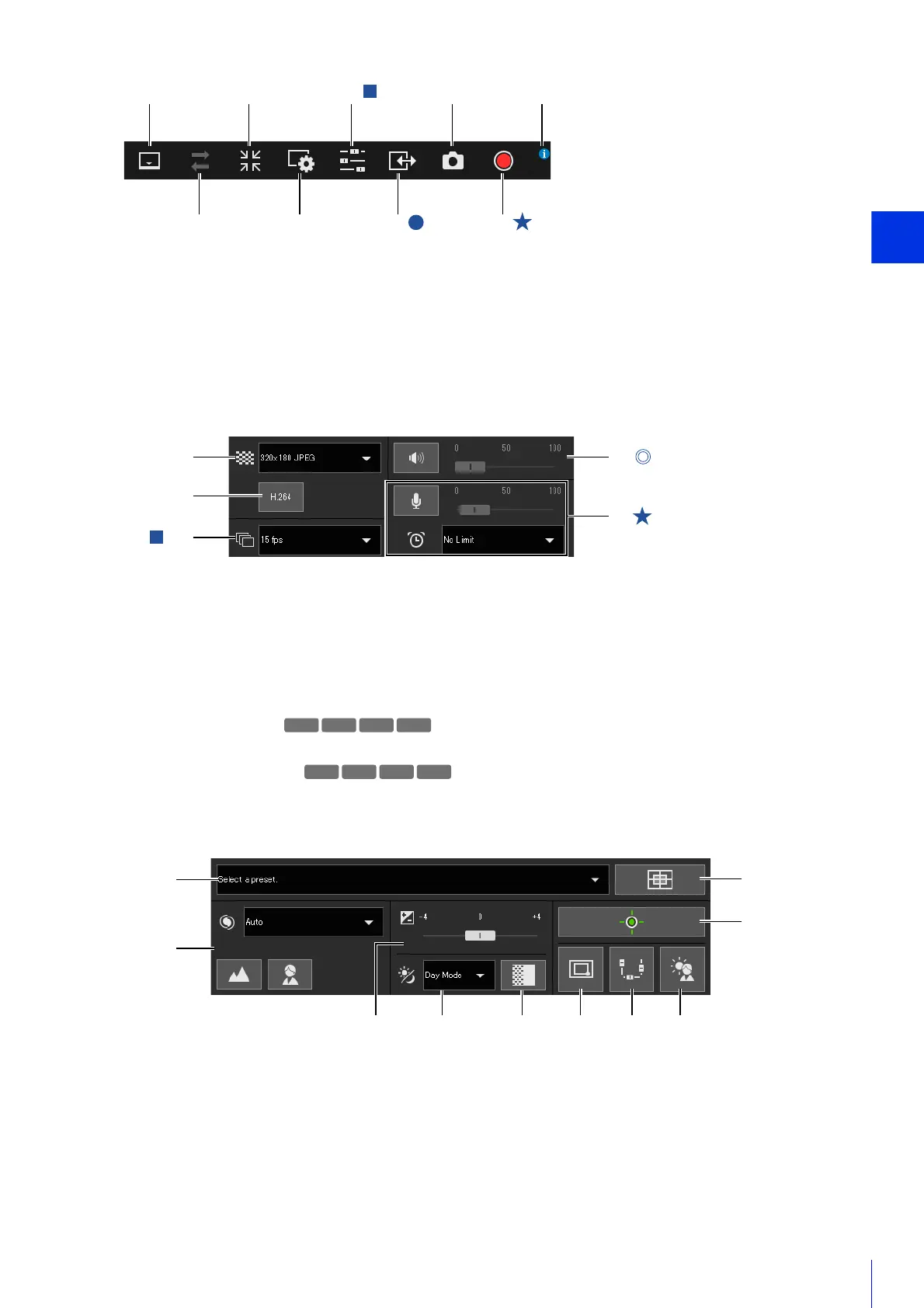
(1) Menu Area Display Switch Button
Switches between displaying and hiding the menu bar.
(2) [Reconnect] Button
Reconnects to the camera. Can be operated when the Viewer is not connected to the camera.
(3) Full Screen Mode Switch Button
Returns the video display area to the regular view.
(4) [Video and Audio] Menu
Configures the video display size and audio transmission/reception of the Viewer.
(A) Video Size
Sets the reception video size from the camera (P. 63).
(B) H.264
Selects whether to enable/disable H.264 video reception (P. 63).
(C) Maximum Frame Rate
Selects the maximum frame rate for JPEG video (P. 63).
(D) Audio Reception
Plays/stops the received audio and sets the volume (P. 82).
(E) Audio Transmission
Plays/stops the transmitted audio and sets the volume and audio transmission time (P. 82).
(5) Camera Operation Menu
Performs the basic settings and operations of the camera.
(F) Preset
Selects a preset registered in the camera in advance (P. 74).
(G) Focus
Sets the camera to focus on the subject (P. 72).
(H) Exposure Compensation
Corrects the exposure according to the brightness of the subject (P. 72).
(I) Day/Night
(5)
(2)
(1) (7) (9)(3)
(4) (8)(6)
H651
R13
(F)
(N)
(G)
(O)
(L) (M)(J) (K)(I)(H)



 To Next Page