SECTION 58 -- ATTACHMENTS AND HEADERS -- CHAPTER 2
58-7
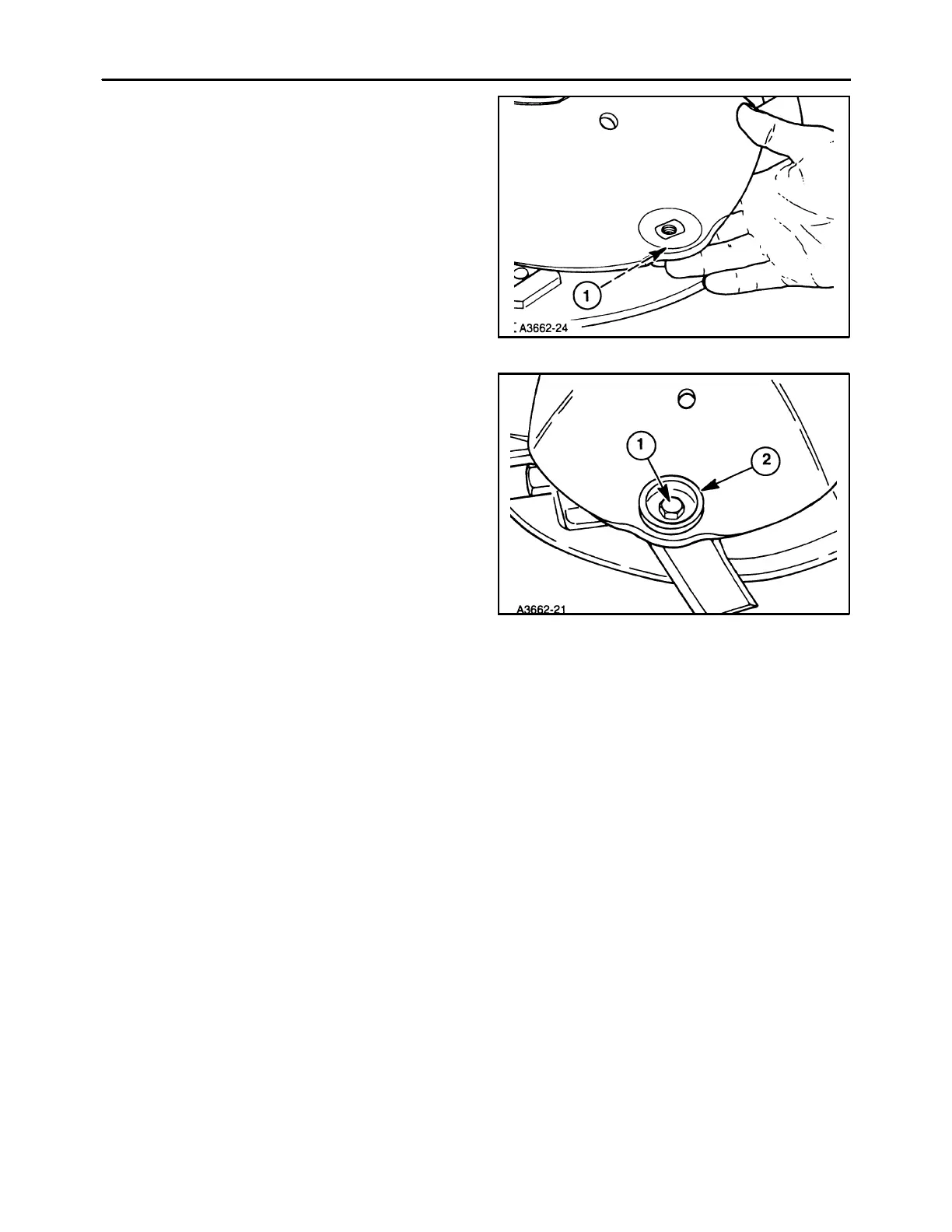
7. Install the nut through the knife and insert the nut,
1, into the bottom of the discs aligning it with the
slot in the disc.
14
8. Install the bolt protector, 2, and bolt, 1. Position
the protector to a new area. Torque the bolts to
117 ft Ibs (159 N⋅m).
NOTE: After all knives are installed, turn the cutter
bar by hand and check to be sure all knives are
installed in the right direction and there is no interfer-
ence.
15



 To Next Page