SECTION 58 -- ATTACHMENTS AND HEADERS -- CHAPTER 2
58-24
DRIVE MODULE - REMOVAL
NOTE: In order to remove the drive module, the disc
mower must be mounted on a tractor to support the
main frame during disassembly. The flotation system
should be engaged by installing the pin, 1, into the
float spring rod.
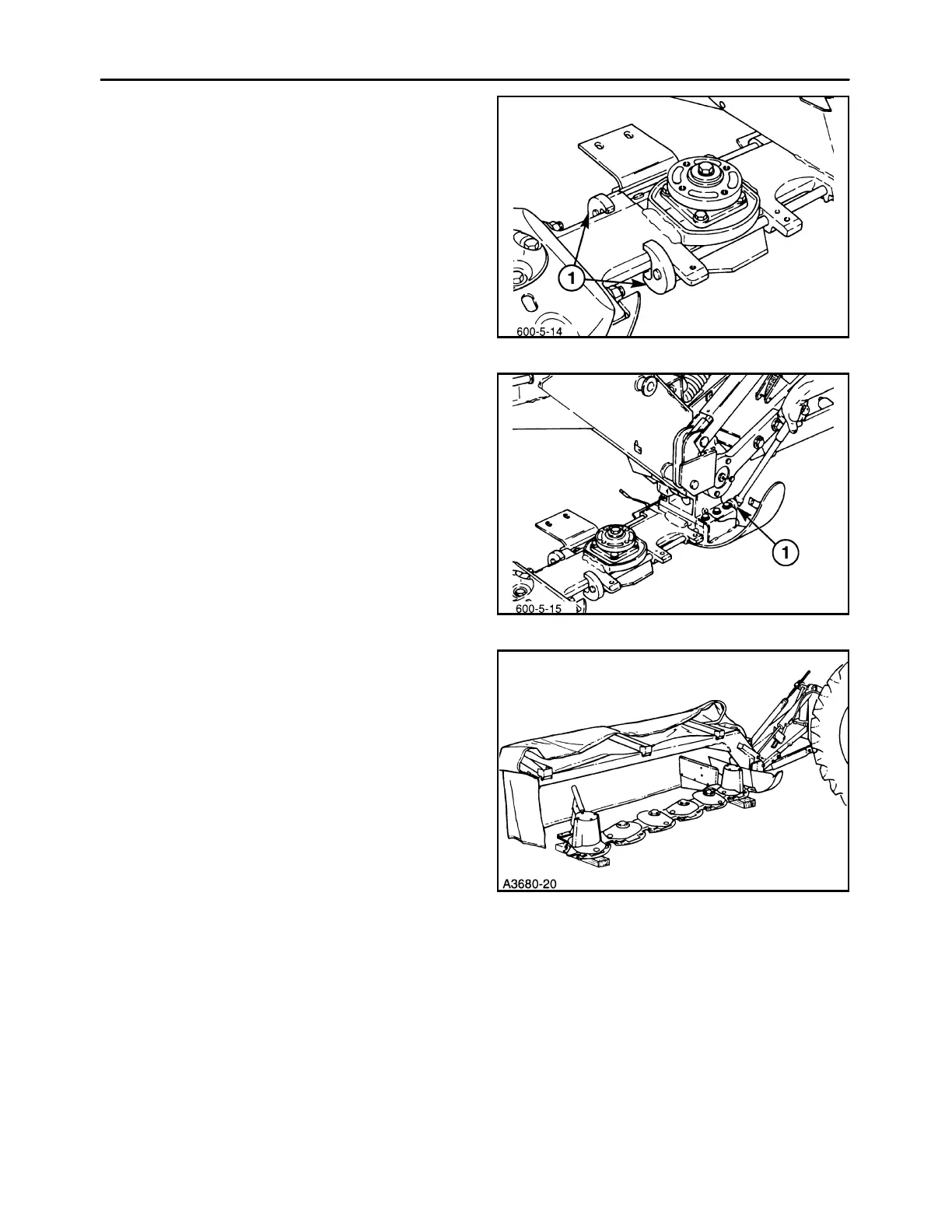
1. Remove the #1 disc module rock guard and disc;
install the holding tools, 1, onto the end of the tie
bolts.
53
2. Use the wrench, 1, to loosen the tie bolts 3/4 turn.
Do not loosen the tie bolts any further than that,
to prevent the tie bolts from failing when raising
the cutter bar.
NOTE: Inner shield shown removed for clarity.
54
3. Position the cutter bar on blocks on a flat solid
surface so that the cutterbar is supported slightly
off the ground. The blocks should be placed un-
der the #1 disc module and the end disc module.
55



 To Next Page