SECTION 58 -- ATTACHMENTS AND HEADERS -- CHAPTER 2
58-18
DISC MODULE - DISASSEMBLY
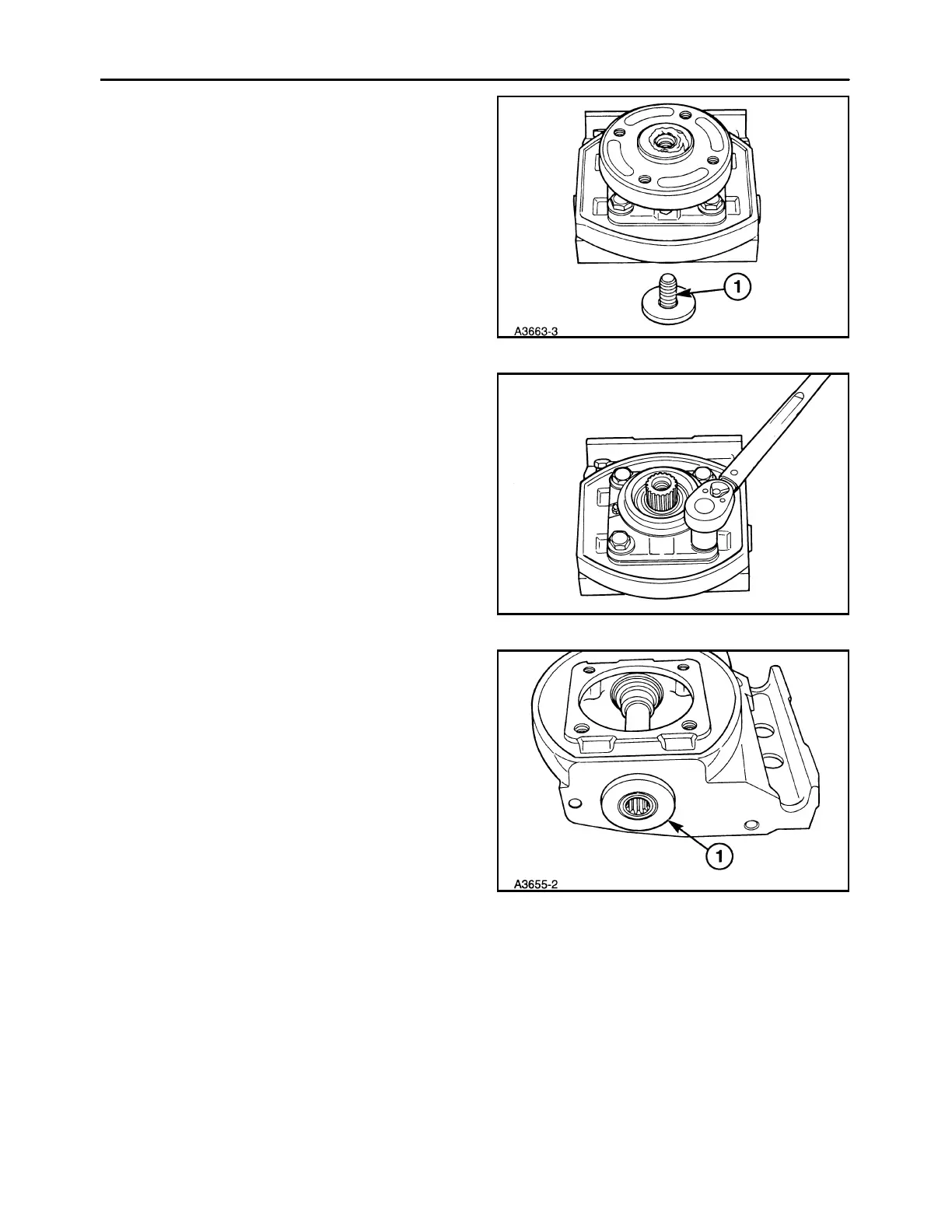
1. Remove the disc hub by removing the center re-
taining bolt, 1. It will be easier to remove the disc
hub if the bolt is loosened prior to removing the
module from the cutter bar. Clean off any material
buildup on top of the module and the top cap as-
sembly.
NOTE: Removing the disc hub will expose the upper
bearing in the top cap assembly. Cover this area with
a cloth, or use special tool cover to prevent contami-
nation from entering the bearing.
40
2. Remove the four retaining bolts and pry the top
cap assembly off the lower module.
19985741
41
3. Pry the seals from each side of the lower module,
using caution not to damage the shaft surface.
42



 To Next Page