SECTION 00 -- GENERAL INFORMATION -- CHAPTER 1
00-23
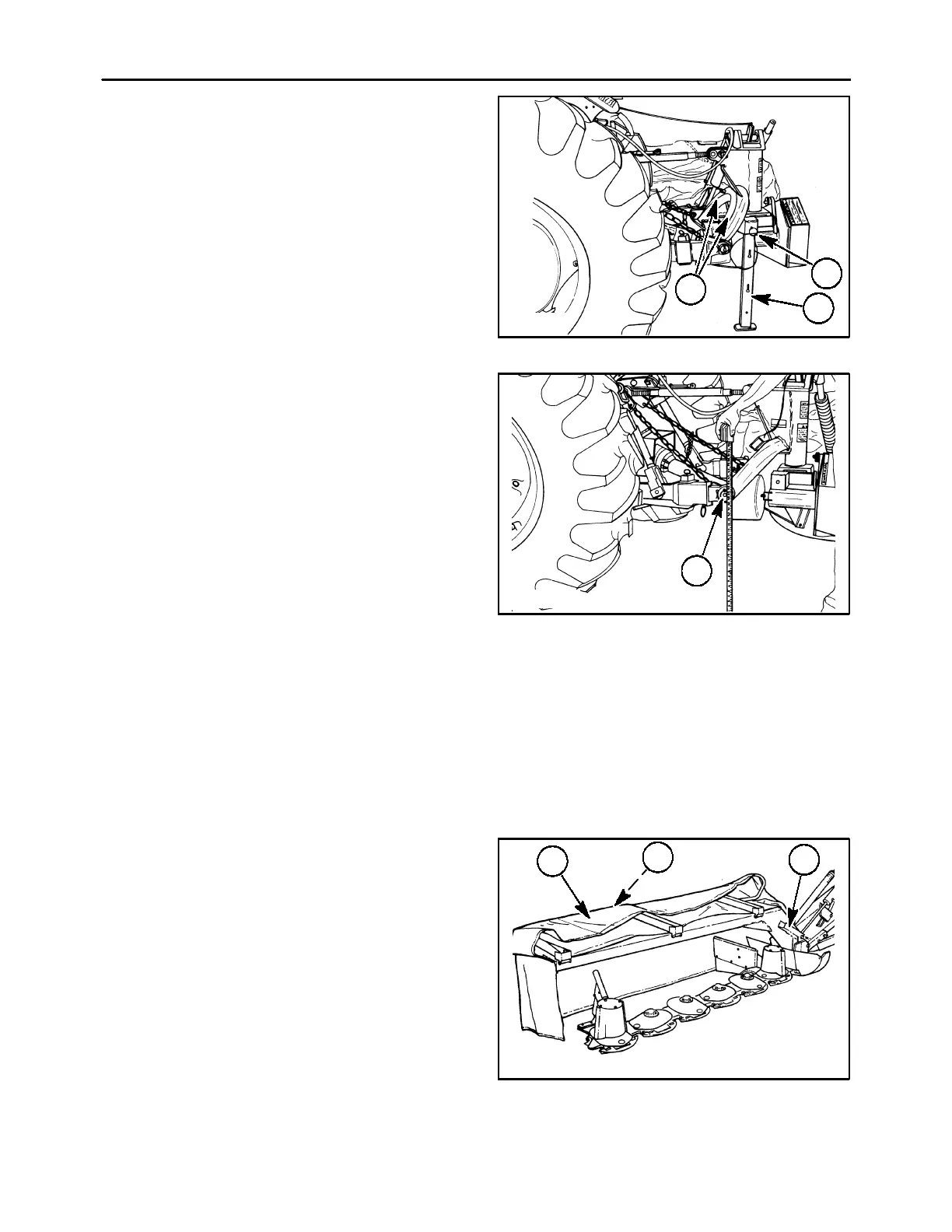
Remove the Jack Stand
Remove the jack stand as follows:
1. Raise the mower with the tractor’s hydraulically
controlled three-point hitch system.
2. Remove pin, 1, and remove the jack stand, 2.
3. Attach the jack stand to the mower frame by
sliding the jack stand’s slots over the lugs, 3, on
the frame.
NOTE: The pin that is attached to the jack stand with
a cable will be installed in the flotation system later.
19986833
2
1
3
32
Adjusting the Limit chains and height of the
hitch
Set the limit chain length and the height of the hitch
pins as follows:
1. Level the tractor lower lift links from side-to-side.
Adjust and lock the sway bars to remove as much
side movement as possible.
IMPORTANT: The tractor lower links should be
positioned straight behind the tractor, or have
minimal offset. Excessive offset in either direction
may cause damage to the mower PTO drive shaft
because of excessive operating angles or contact
with hitch pins. This can also put “lead” or “lag” into
the cutter bar, resulting in reduced cutting width and
proper breakaway performance.
2. Adjust the limit chain length so that when the
mower is supported by the limit chains that the
hitch pins, 1, are a minimum of 457 mm (18″)
above the ground.
NOTE: If the high stubble kit is installed on the
mower, adjust the frame height to 508 mm (20
″
)from
the ground to provide adequate flotation.
19986831
1
33
SETTING UP THE FLOTATION SYSTEM
To ready the flotation system for operation, do the
following:
1. Fold the front half of the cutter bar curtain, 1,
rearward.
2. Secure the curtain with the rubber tie strap, 2.
3. Flip the cutter bar up-stop channel, 3, toward the
cutter bar and against the brace.
A3680-20
1
2
3
34



 To Next Page