SECTION 58 -- ATTACHMENTS AND HEADERS -- CHAPTER 2
58-31
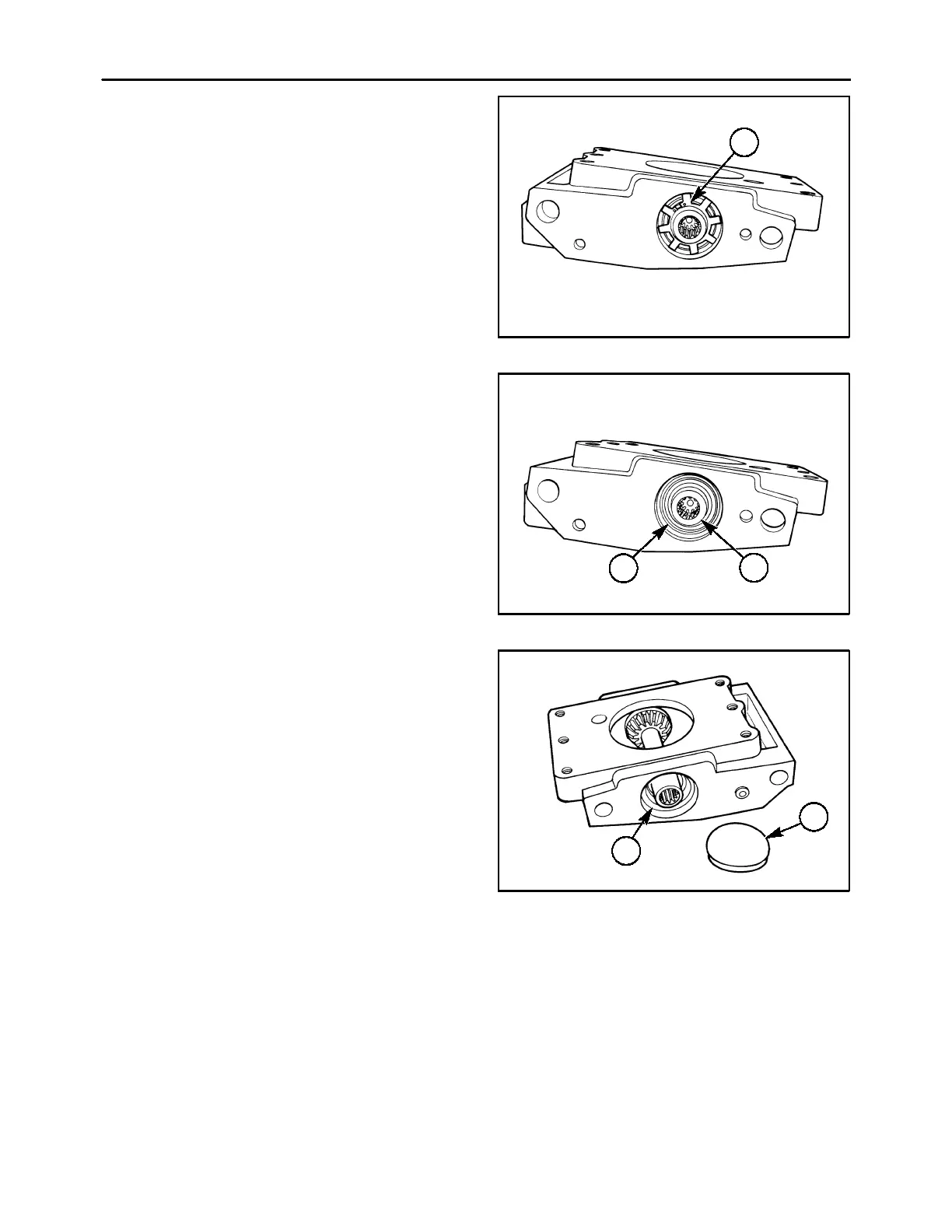
3. Use a pair of snap ring pliers to carefully remove
the slinger, 1, on the end of the pinion shaft.
IMPORTANT: Usecautiontopreventthetipsofthe
slinger from contacting the sealing surface on the
end of the shaft, or seal failure will occur.
600-5-5
1
72
4. Remove the snap ring, 1, from its groove in the
module housing; the pinion shaft, 2, and bearing
cup may now be slid out of the module.
600-5-6
1
2
73
5. Remove the dust cap, 1, on the right side of the
module using a hammer and chisel to carefully
pry the cap loose. Remove the snap ring, 2,
spacer washer. shim washer(s) and bearing cup
out of the module housing.
If the drive module has not been previously re-
paired, a compression shim washer, 3, Figure 76,
will be on the pinion shaft instead of individual
shims.
600-5-7
1
2
74



 To Next Page