1 Operational Manual
05/02/03
193
key or key to select
“
Heating
“
option, then the alarm can be deleted.
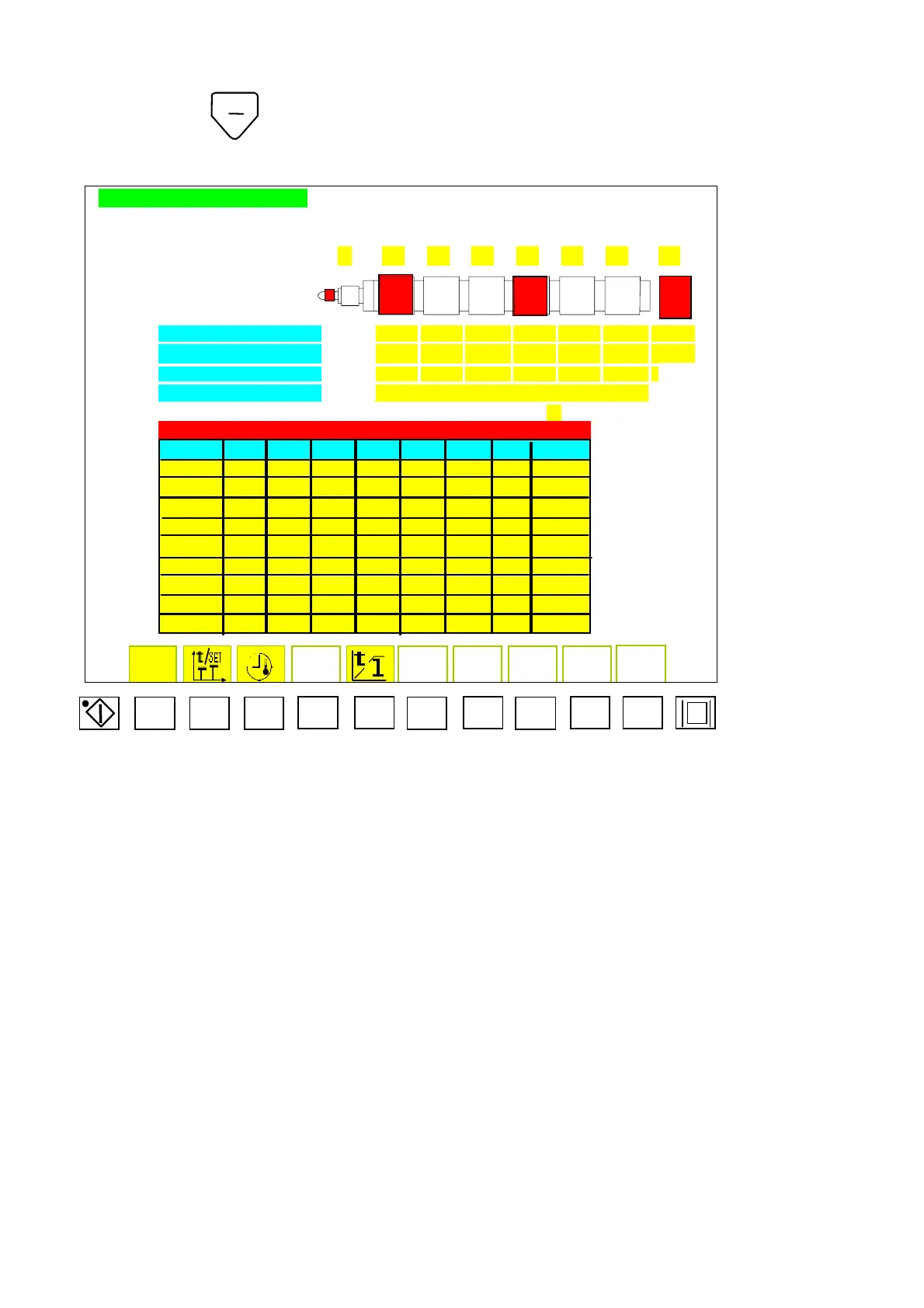
TEMPERATURE SETTING PAGE MOLD NO : yyyyyyyy
NOZZLE T1 T2 T3 T4 T5 T6 Tc
OIL. T ??? ℃
AA% BBB CCC DDD EEE FFF GGG HHH
??? ??? ??? ??? ??? ??? ???
HIGH ALARM III JJJ KKK LLL MMM NNN OOO
LOW ALARM PPP QQQ RRR SSS TTT UUU VVV
AIR COOLING aaa bbb ccc ddd eee fff
SELECT ZZZZZZZZZZZ
IN SATND-BY TEMPERATURE MODE, DROP SETTING TEMPERATURE :
YY%
FREQUENT USING RESINS BARREL TEMPERATURE
RESIN T1 T2 T3 T4 T5 T6 TC DENSITY
PE 260 270 260 255 250 240 500 1.0
PP 220 230 220 210 200 190 500 1.0
HI-PS 210 220 210 200 190 180 500 1.0
ABS 255 260 250 240 230 220 500 1.0
PC 280 300 290 280 270 260 500 1.0
PA-66 300 300 290 280 270 260 500 1.0
POM 200 210 210 200 190 180 500 1.0
PMMA-1 240 250 240 230 220 210 500 1.0
PMMA-2 225 230 220 210 210 200 500 1.0
F1 F2 F3
F4 F5
F6
F7
F8
F9 F10
Menu20
3.78 Alarm Voice Output Description
A) When the machine is abnormal, display will show users alarm by voice and displaying.
B) The sound of alarm is long, time of output is controlled by menu (38)
“
time of
output is ddddd
”
Cnt 29 is the timer, when time has been reached, the alarm will not
sound immediately.
C)
Counter Cnt 29 and Counter Cnt 30 is 1 SEC setter in menu (39B).
“
1-sec. timing
fff.ff
”
Time provided is
“
1.0
”
Please do not set parameter yourself. If you want
10 seconds
‘
alarm, Cnt 29 has to be set to
“
10
”
; and if you want to pause 5 seconds,
then Cnt 30 has to be set to
“
5
“
.



 To Next Page