1 Operational Manual
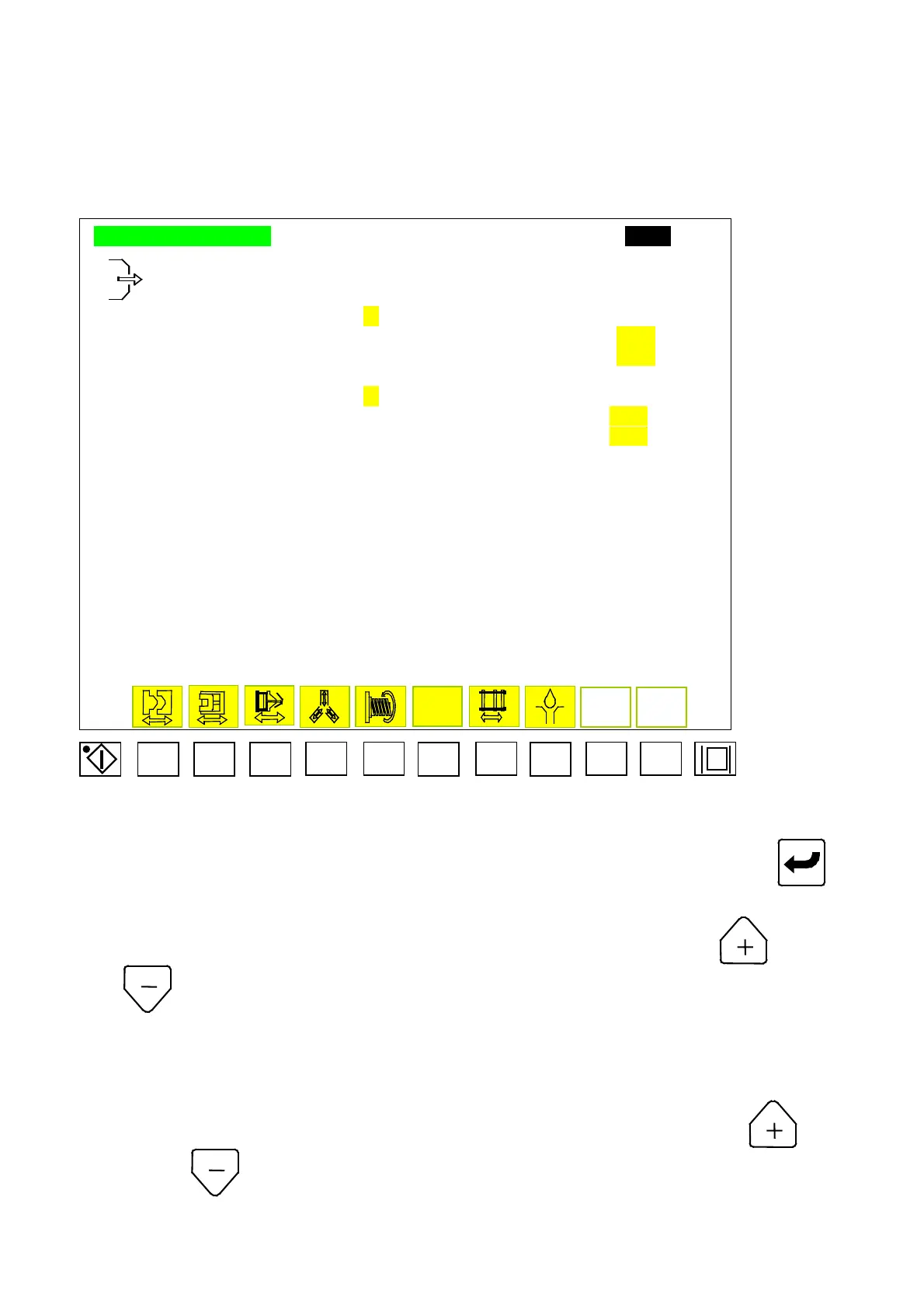
2.10 Air –Blow Setup
AIRBLOW SETTING ????.?mm
AIRBLOW DURING OPENING MODE :
A
AIRBLOW AT OPENING POSITION :
TTT.Tmm
AIRBLOW TIME SETTING :
UUU.USEC
AIRBLOW AT MOLD OPENED MODE : B
PAUSE TIME AFTER MOLD OPENED :
VVV.VSEC
AIRBLOW TIME SETTING :
WWW.WSEC
F1 F2 F3 F4 F5 F6 F7 F8 F9 F10
Menu 8
2.10.1 Move cursors to set parameter for air-blow. Key in desired digits and press to
complete a correction. Code descriptions for air-blow Menu (08) are shown below:
A) A :Function selection for air-blow during mold opening. Press
to open and
to close.
B) TTT.T: Position setup. Air-blow during mold-open will start functioning at this
position.
C) UUU.U: Time setup for air-blow during mold-open. Code is
“
Tim 25
”
。
D) B :Function selection for air-blow after mold-opening. Press to open
and
to close.
E) VVV.V: Intermission setup for air-blow after mold
–
open. Code is
“
Tim 26
”
.
04/08/13
48



 To Next Page