1 Operational Manual
D)
“
KKKKK
”
: Remaining mold counts before next lubrication.
E)
“
JJJJJ
”
: Intermission before next lubrication. Computer program
“
Cnt 19
”
.
F)
“
LLLLL
”
: Remaining mold counts before next lubrication.
Either under auto or manual operation, when mold-close is at the status of high
pressure,
“
KKKKK
“
minus counter 1. As
“
KKKKK
”
is reduced to zero, lubrication will
start. The amount of time for each lubrication is controlled by the set time of
“
HHHH.H
“
. If the oil is not enough, Input 25 will go on and the warning message
of
“
014
”
“
insufficient oil
”
will appear. Refill oil to clear the warning.
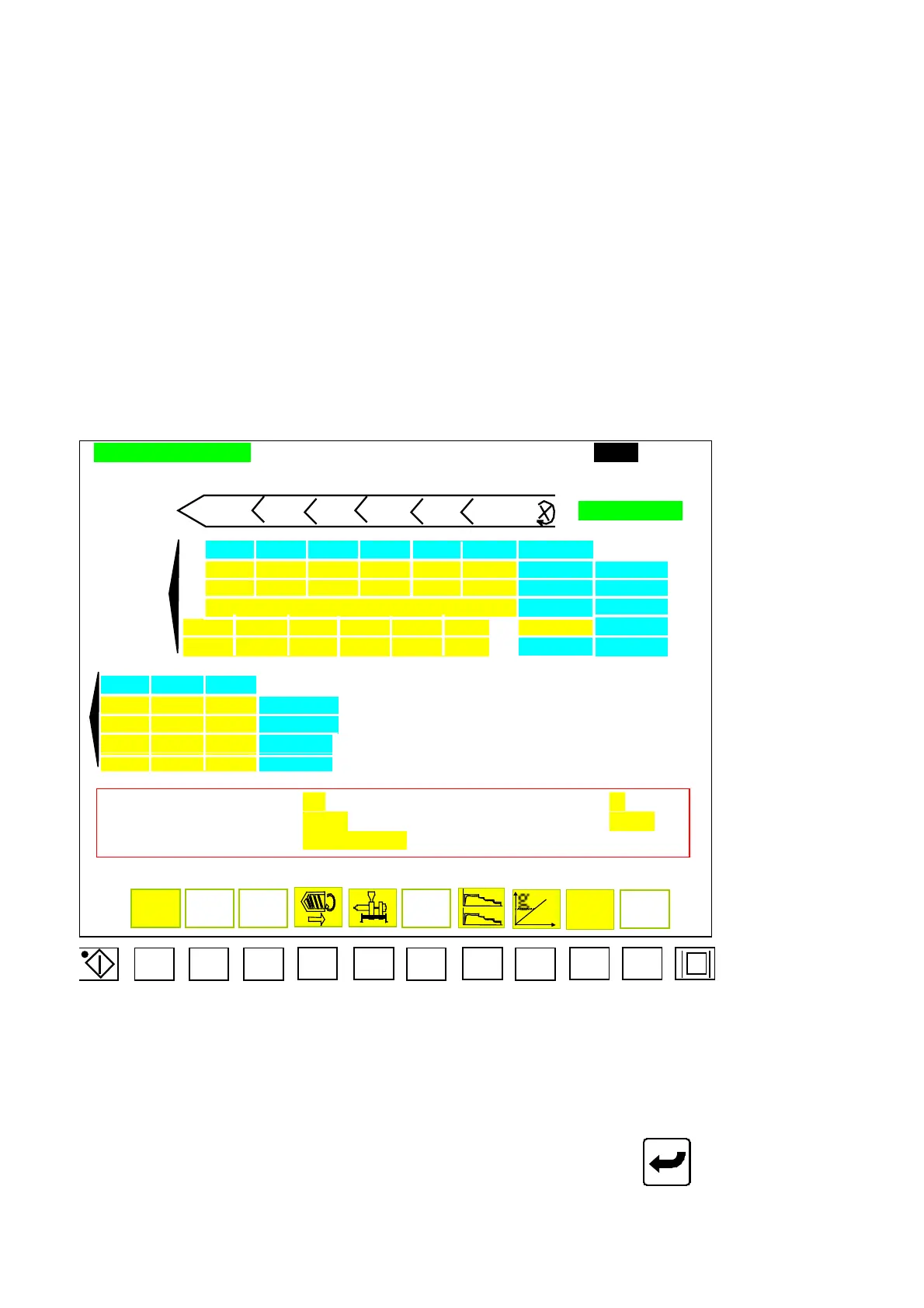
2.13 Injection Setup
INJECTION SETTING ????.?mm
CUSHION END : uuuu.umm FILLING TIME : xx.xxSEC FEEDING TIME : wwww.wSEC
Tt.ff Tt.ee Tt.dd Tt.cc Tt.bb Tt.aa TIME OD STAGE
6 5 4 3 2 1 DOSING END
UU QQ MM II EE AA SPEED %
VV RR NN JJ FF BB PRESSURE%
zzz.z TIME SEC
WWW.W SSS.S OOO.O KKK.K GGG.G CCC.C ZZZ.Z POSITION
XX TT PP LL HH DD 100% PERSENT%
3 2 1
gg dd aa SPEED %
hh ee bb PRSSSURE %
iii.i fff.f ccc.c TIME SEC
pp.p oo.o nn.n SLOPE %
HOLDING PRESSURE AT :
jjjbar BOOST INJECTION: k
INJECT LEAKAGE POSTION:
llll.lmm INJECTION CHOCKED POSTION: mmmm.mmm
INJECTION MODE:
nnnnnnnnnnnnnn
SET
Menu 11
F1 F2 F3 F4 F5 F6 F7 F8 F9 F10
2.13.1 Injection Displacement Setting
Move cursor to set parameter for injection. Key in desired digits and press
to complete a
correction. Code descriptions for Menu (11) injection are as below:
A) uuuu.u: Display end-position of injection.
04/08/13
59



 To Next Page