1 Operational Manual
desired words, then press to complete a correction.
• Operational method for numbers and alphabets: Pressing continuously will display
the cycle 7
→
A
→
B
→
C
→
7
,
if you want to get the blank, that can be done by pressing
continuously for 4 times for 3
→
Y
→
Z
→
_.
D) Save To Disk: CDC2000 can save the parameters to external disk or restore it from
external disk to CDC2000.
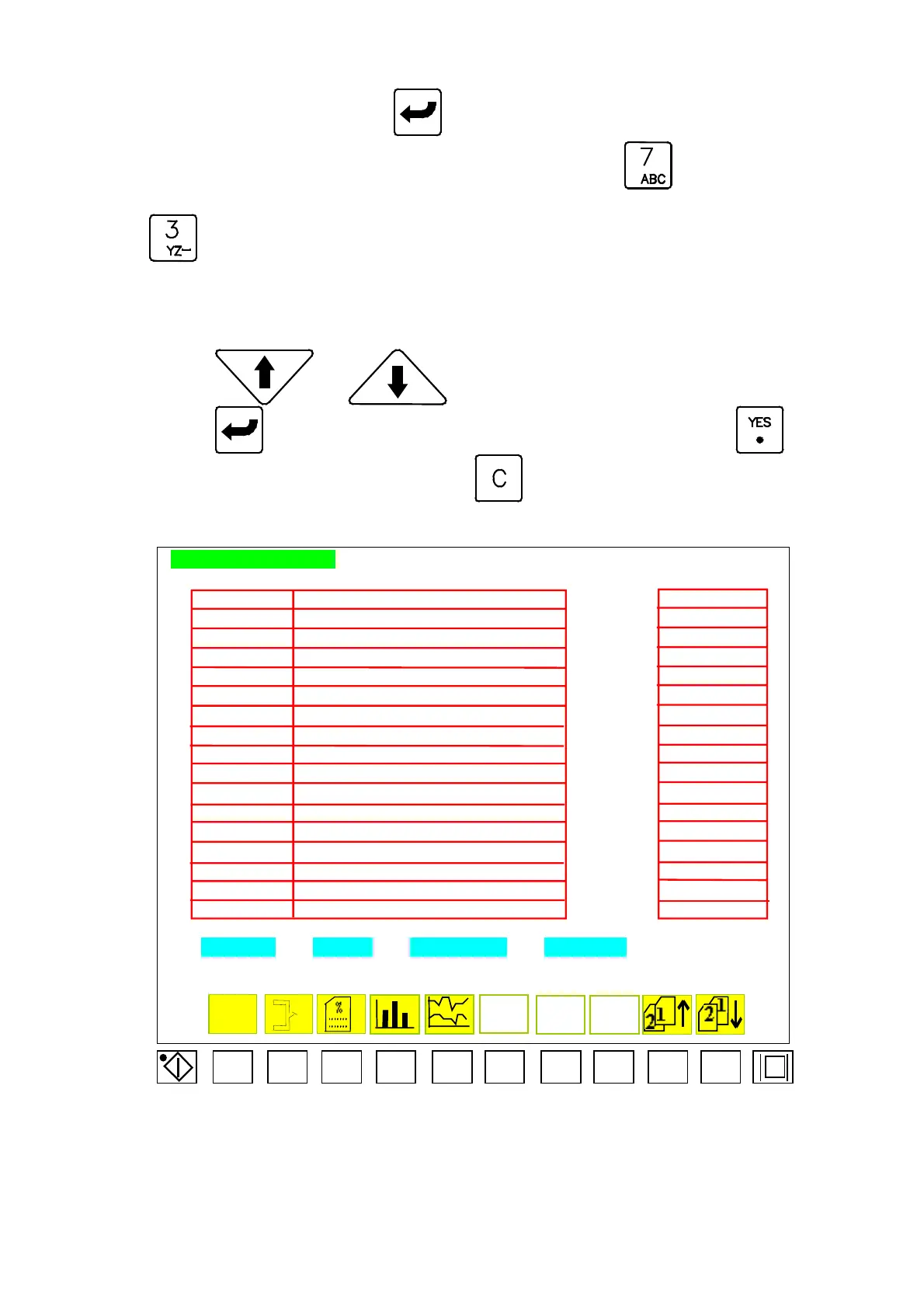
D.a) Applied method for CDC-2000 saving to disk (menu42B):
press
or
to move the cursor to select adequate mold no.. Next
press , “CDC-2000 [ ??????? ] save to disk YES/C? “, if yes, press to
complete the task, otherwise, pressing
.
MOLD NO. SETTING
FLOOPY
MOLD NO NOTE FLOOPY
DATA-001 12345678901234567890123456789012345 FILES001
DATA-002 12345678901234567890123456789012345 FILES002
FILES003
DATA-004 12345678901234567890123456789012345 FILES004
DATA-005 12345678901234567890123456789012345 FILES005
DATA-006 12345678901234567890123456789012345 FILES006
DATA-007 12345678901234567890123456789012345 FILES007
DATA-008 12345678901234567890123456789012345 FILES008
DATA-009 12345678901234567890123456789012345 FILES009
DATA-010 12345678901234567890123456789012345 FILES010
DATA-011 12345678901234567890123456789012345 FILES011
DATA-012 12345678901234567890123456789012345 FILES012
DATA-013 12345678901234567890123456789012345 FILES013
DATA-014 12345678901234567890123456789012345 FILES014
DATA-015 12345678901234567890123456789012345 FILES015
DATA-016 12345678901234567890123456789012345 FILES016
MOLD NO. COPY DESCRIPTION TO FLOPPY
Menu 42
F1 F2 F3 F4 F5 F6 F7 F8 F9 F10
CDC-2000
DATA-003 12345678901234567890123456789012345
04/08/13
89



 To Next Page