EasyManua.ls Logo

Chison Q9 - Chapter 7 System Setting; 7.1. General settings

Chison Q9
201 pages
Print Icon
To Next Page IconTo Next Page
To Previous Page IconTo Previous Page
Loading...
Q9 Digital Color Doppler Ultrasound System
123
Chapter 7 System Setting
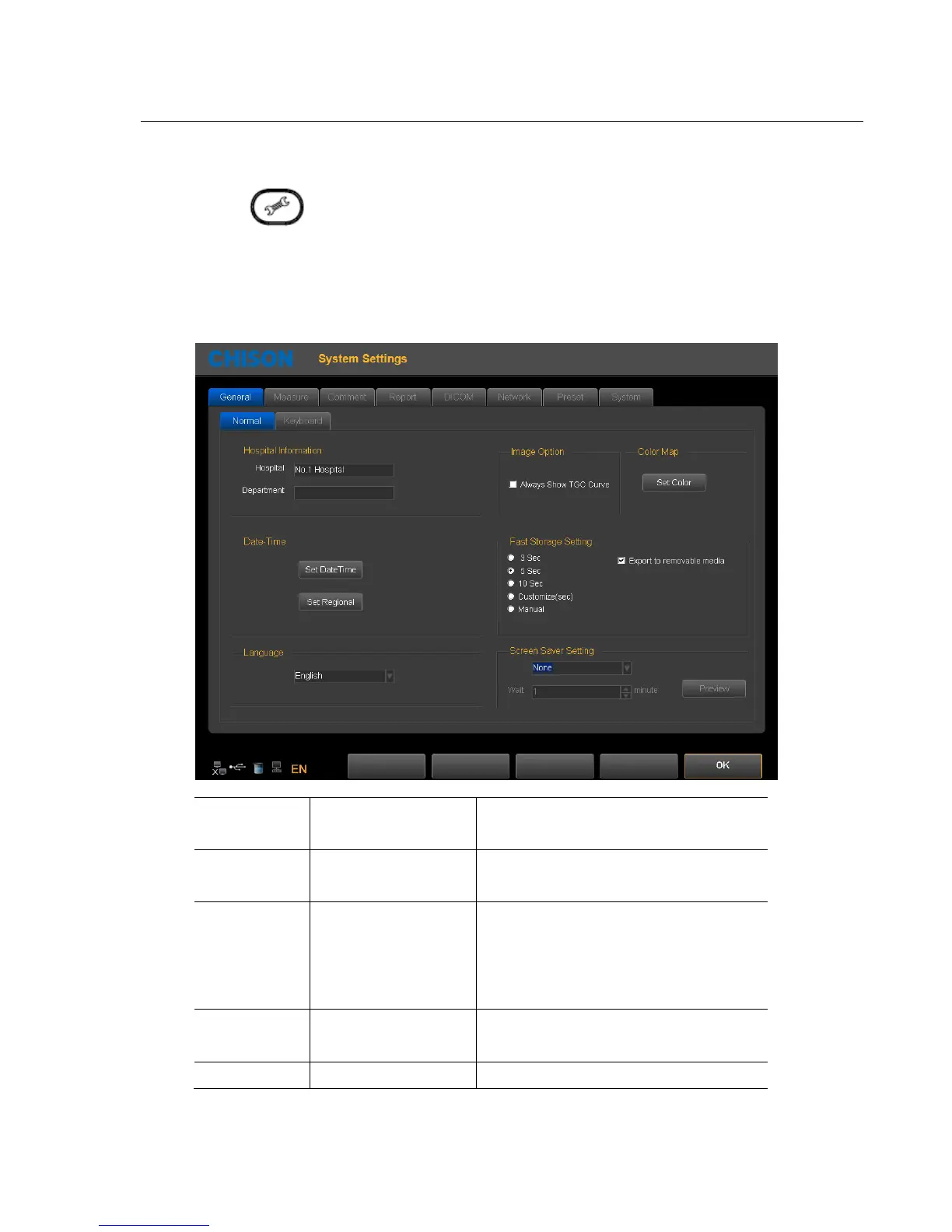
Press the key to enter system setting interface. User can do user-defined setting.
7.1. General settings
Normal Settings: set the hospital information, date-time, language etc.
Hospital
Information
hospitalDepartment
Input hospital name, department name
Date-Time
Set
Date Time
Set Regional
Set Date
and
time
(need password)
Set Time Zone, Data Format, Time Format
Language
ChineseEnglish;
French; Spanish;
Russian; Polish;
Portuguese
Switch language interface
Image Option
Always show TGC
Curve or not
Select it ,it will always show TGC Curve .
Fast storage
3
seconds/5 seconds/10
Please refer 4.4.6

Table of Contents

Related product manuals