Q9 Digital Color Doppler Ultrasound System
68
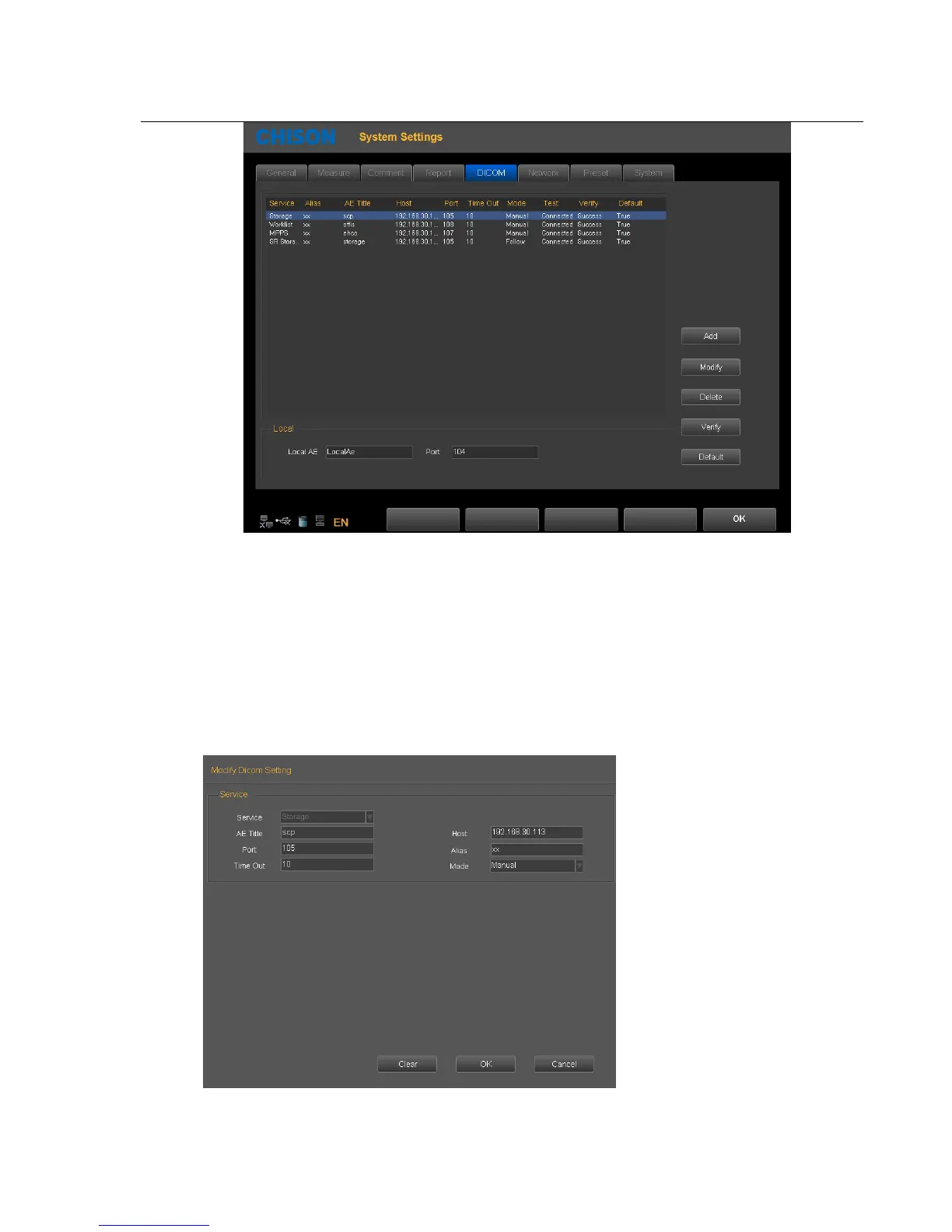
Add: Press this icon to add a DICOM service link
Modify: Select the DICOM link which need to be modified. Press this icon to modify the parameters inside.
Delete: Select the DICOM link which needs to be deleted. Press this icon to delete the DICOM link.
Verify: Select the DICOM link which need to be verified. Press this icon to verify the current DICOM link status.
Default: If there are several service links of same type, you can select one of them as the default one.
3. DICOM storage
DICOM storage parameters setting



 To Next Page