Q9 Digital Color Doppler Ultrasound System
66
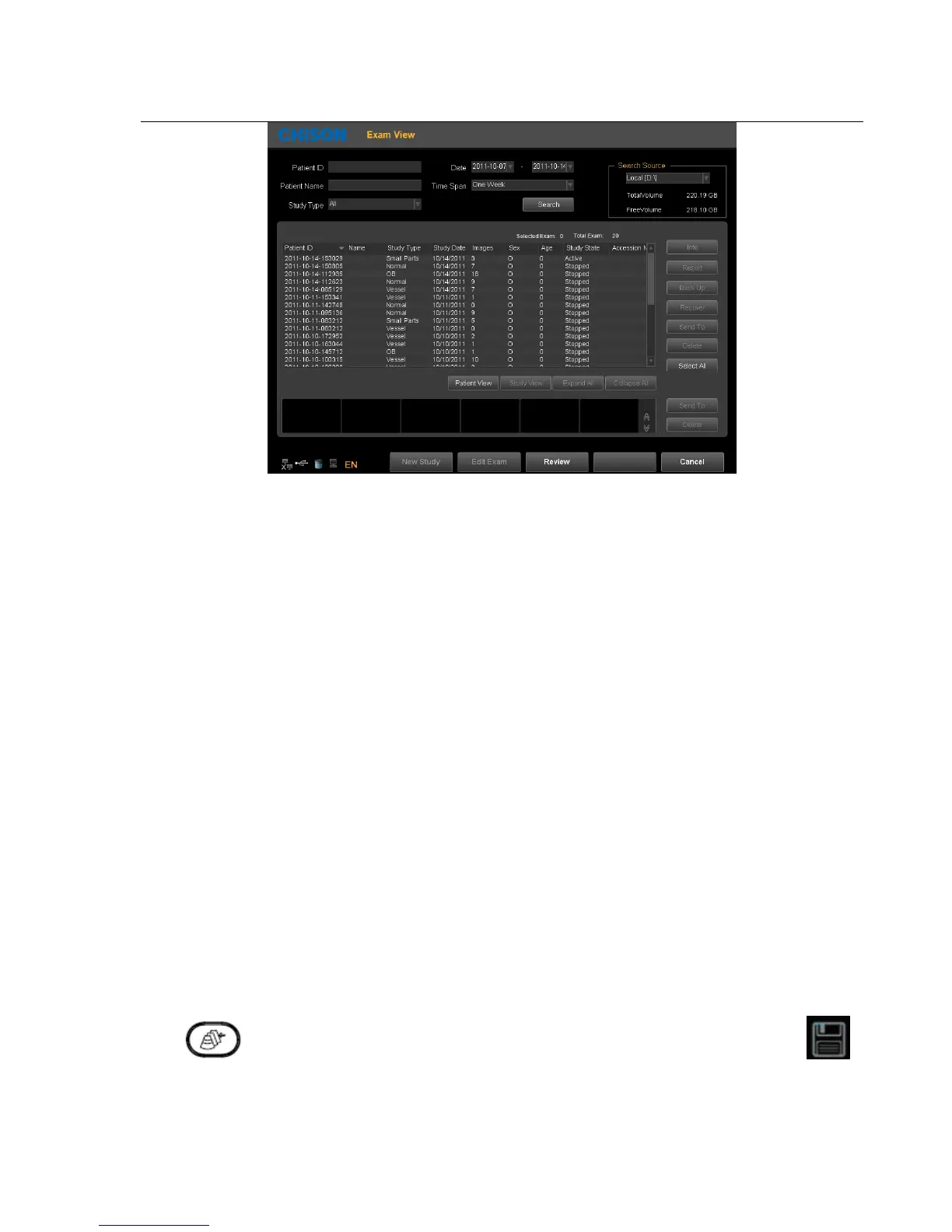
Search: Can search the patient files after enter a search term. Search will be more accurate when input more conditions.
Information:View the selected patient information.
Backup:Click this item will store the database of this patient to the portable storage medium
Recover: Click this item can recover the images or video from USB to the system
Send to:Select the content and click, can send files to other medium.
Delete:can delete patient's files, images etc.
Select all:Select all the patients.
Patients view:Under this view, one patient with multiple inspection data will be listed in column and also you can
check each exam file in details.
Study view:This view can list exam types one by one. Different exam type of one patient will not be listed in one
column.
New study:Create a new patient and recall into the patient information interface.
Continue/Edit Exam:Continue to check the current patient and back to B mode if press this key. If current exam is 24
hours later than last exam, the system will not allow you to continue the exam. The function will be changed to “Edit”.
Review:Select patient and click it to enter into images browse.
Cancel:Click “Cancel” to exit.
4.4.8. Network Storage Function
Before you use this function, please refer to Section 7.5 to set network storage parameters.
Click button to enter into the Easy Review interface, select the picture you want to send, click to
enter into the export interface, select the network drive and click "OK" to send.



 To Next Page