Q9 Digital Color Doppler Ultrasound System
26
When transporting a probe a long distance, store it in its original carrying case.
Storing the Probe
It is recommended that all probes should be stored in the original carrying case.
Place the probe connector into the carrying case.
Carefully wind the cable into the carrying case.
Carefully place the probe head into the carrying case. DO NOT use excessive force or impact on the
probe head.
3.6 Optional installation
3.6.1
Connect the printer.
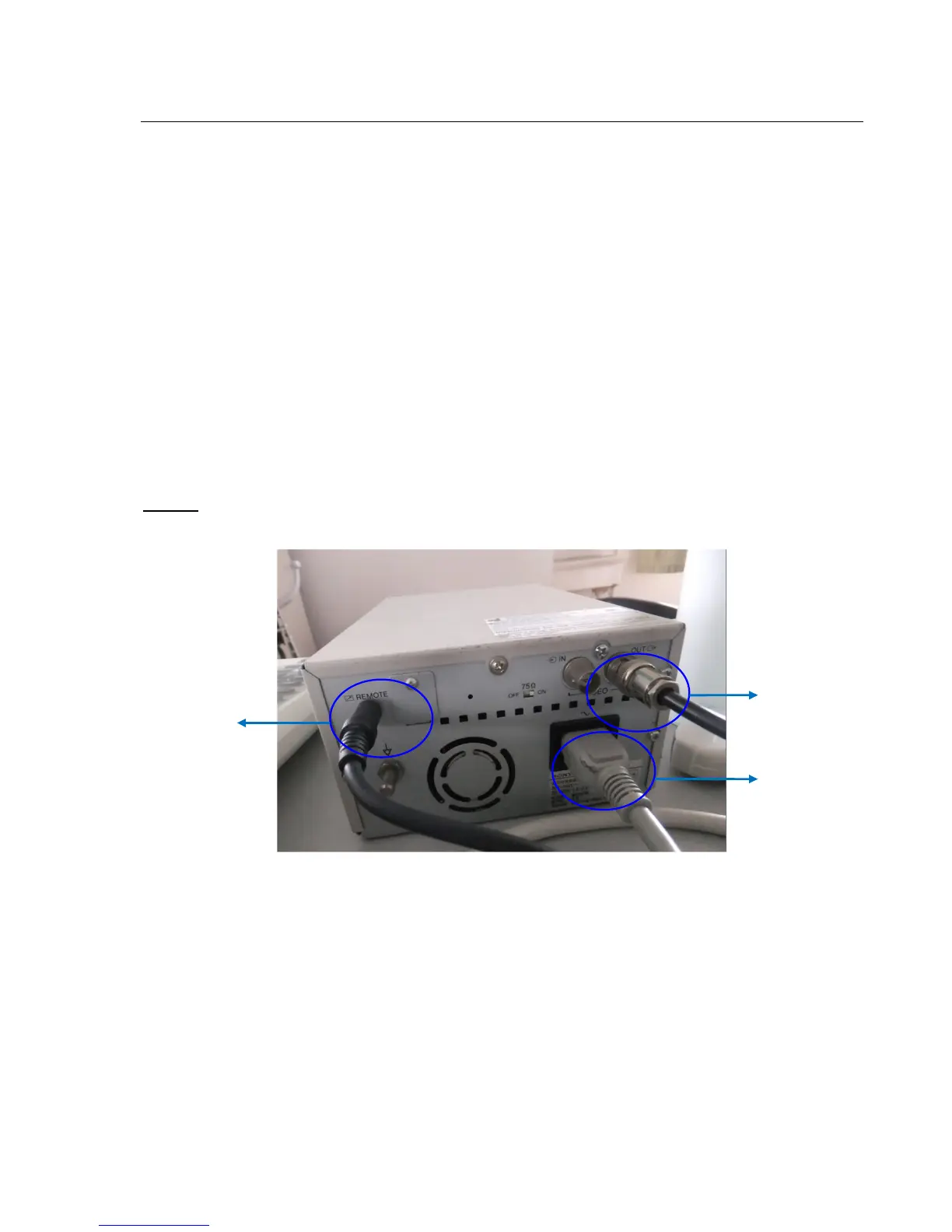
1) It needs three cables: Remote cable, Video signal cable, Power cord. See picture in Fig.3-3a.
Note:
If you don't connect remote cable, you still can do the printing by pressing the key on printer.
Fig.3-3a
2) Connect the remote cable to remote port on the rear panel of ultrasound system. See picture in Fig.3-3b.



 To Next Page