EasyManua.ls Logo

Chison Q9 - Keyboard Settings

Chison Q9
201 pages
Print Icon
To Next Page IconTo Next Page
To Previous Page IconTo Previous Page
Loading...
Q9 Digital Color Doppler Ultrasound System
124
seconds fast storage
User-defined setting the
storage seconds
Fast storage manually
Storage derive to mobile
medium
Color Map
Click the Configure key to set the color map
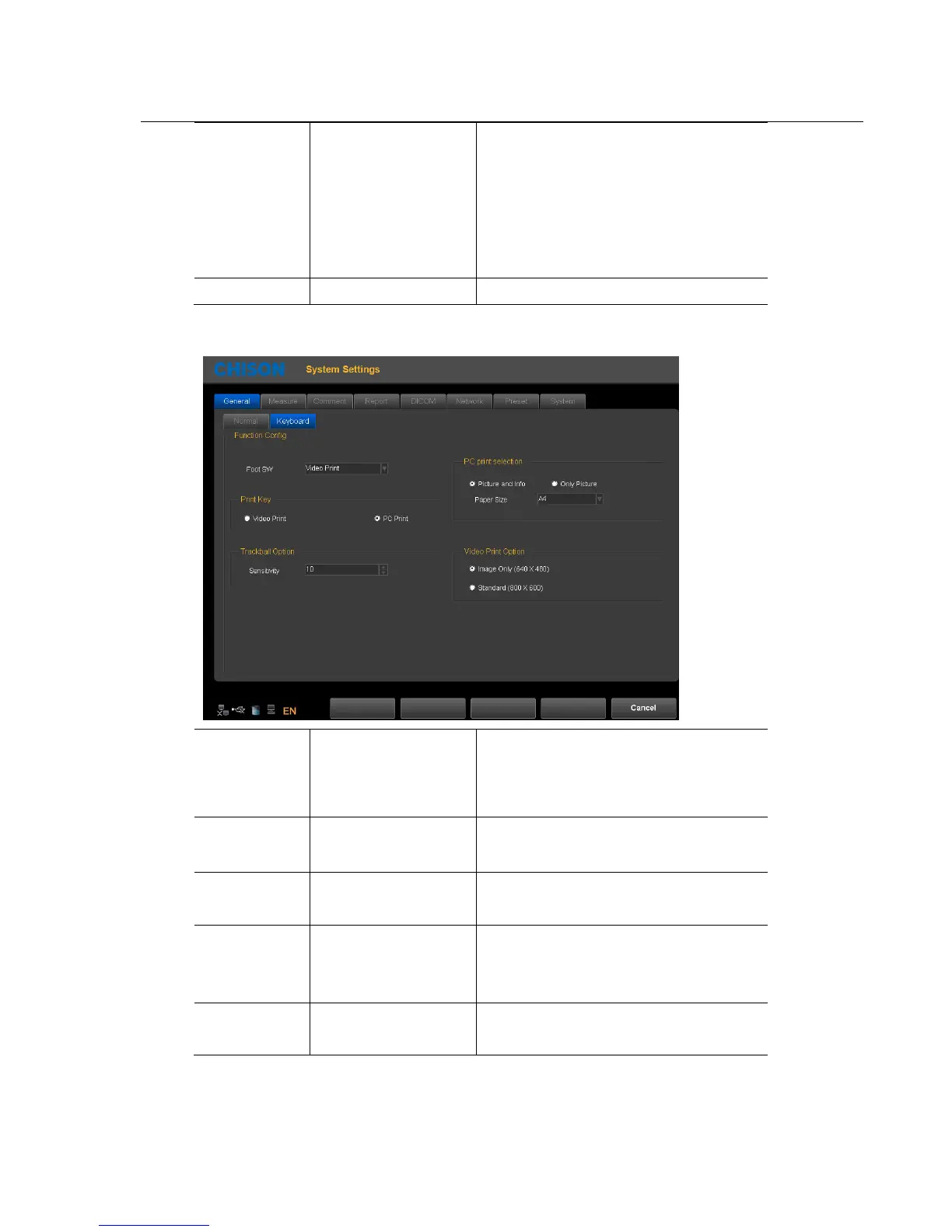
Keyboard Settings,
Footswitch
Video PrintPC Print
Freeze/UnFreezeCine
SaveStill Save
Choose the footswitch function
Print
-
key
Video printing
PC print
Set the print
-
key function
Trackball
Option
Sensitivity(1~20)
Set the sensitivity of the trackball option.
PC print
selection
Picture an
d info or Only
Picture
Paper Size
Please refer to 3.6.3
Video
Print Option
Image Only(640*480)
Standard(800*600)
Please refer to 3.6.1

Table of Contents

Related product manuals