Q9 Digital Color Doppler Ultrasound System
118
5.4 Edit measurement results
After the user finishes the measurements, this system allows users to move the position of measurement results,
or change the font size of measurement results.
To move result position, operations are as follows:
In the measurement status, rotate SK2-key to choose “Move result position”.
Press SK2-key, and use trackball to move the position of measurement results .
Press Enter-key to confirm it
To reset result position, operations are as follows:
In the measurement status, rotate SK3-key to choose “Reset result position”
Press SK3-key,the position of current measurement result will be reset back to default.
To change the font size of measurement results, operations are as follows:
In the measurement status, rotate SK1-key to adjust the font size of measurement results.
To reset the font size of measurement results, operations are as follows:
In the measurement status, press SK1-key, the font size of measurement results will be reset back to default.
The system default font size is 11.
5.5 Report
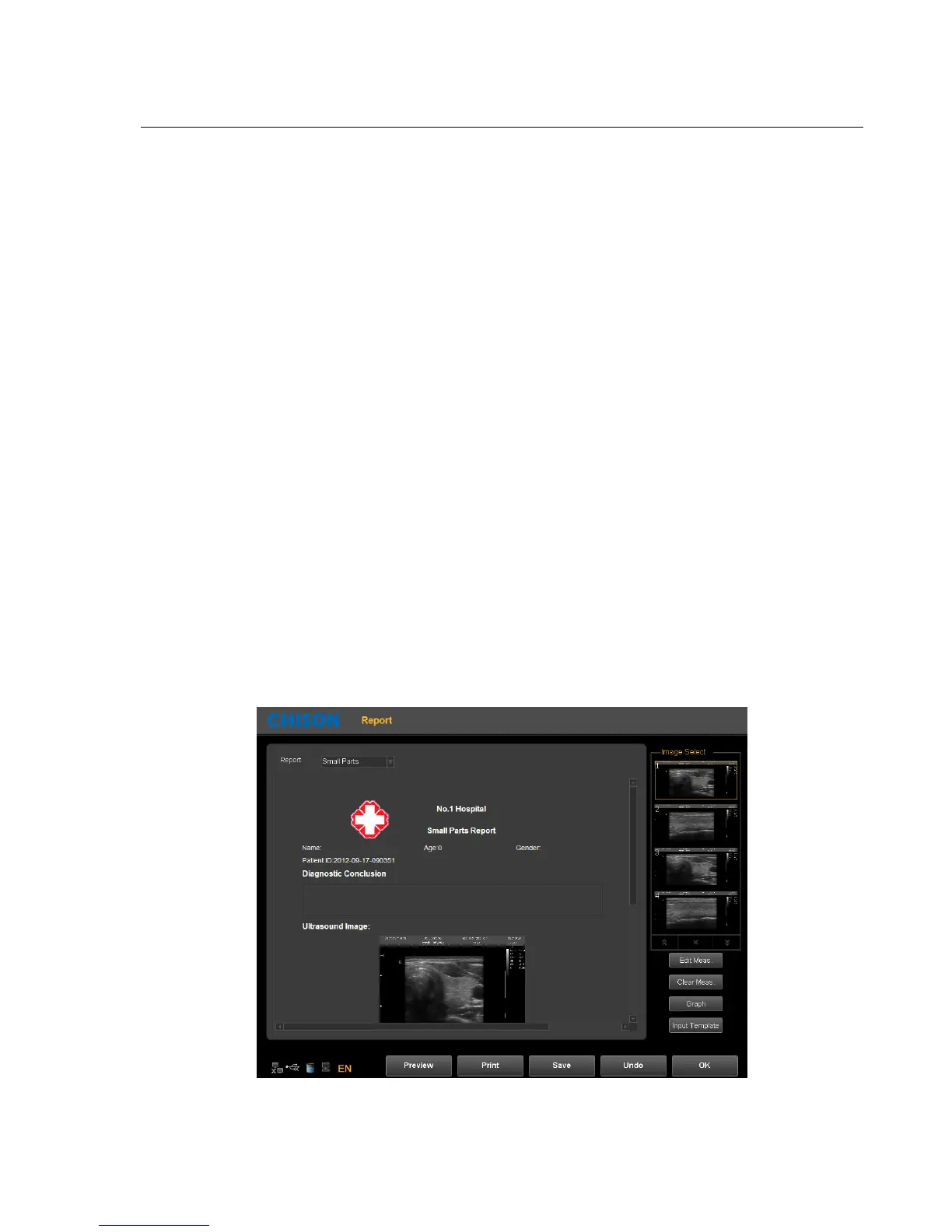
After finishing the exam, press the Report-key to pop up report interface, edit and print the report.
Report Interface:
Choose the image
:Click the image can add the image to the image area in the report, and click the image in the



 To Next Page