Operation
Branch Device Specific Field
Remote Command Pass-through Field
DPCD PARSER
Touch next to it to enable this function. The screen will show analyzed results.
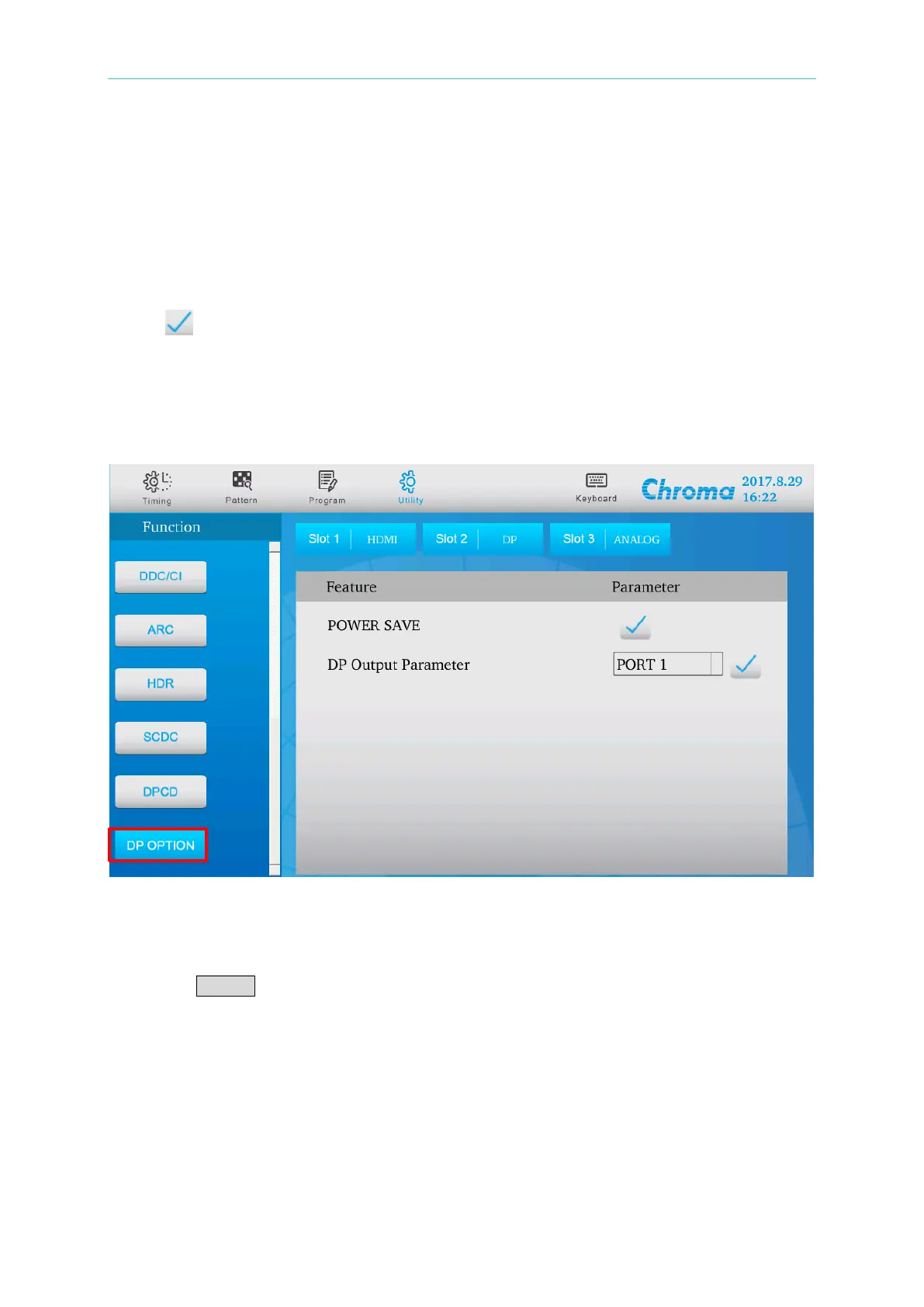
2.5.2.12 DP OPTION
This item edits and controls the DP function.
POWER SAVE
When this function is enabled, close the Main Link to test the DUT’s power save function.
DP Output Parameter
Press ENTER to enable this function. It reads and displays the output of Main Lane
Count, Main Link Rate, Mvid, Nvid, Swing Level and Pre-Emphasis Level.
2.6 Using Option
The Option function controls or displays certain system functions for operation such as setting
for remote control device. This function is not available at present.


 To Next Page